
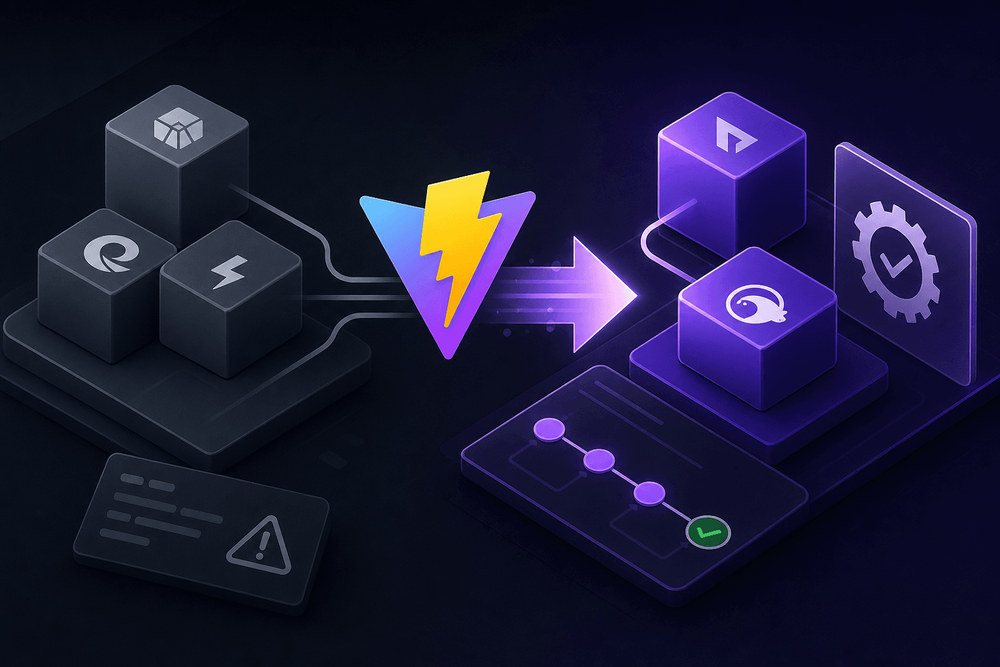
Vite 7 replaces both its dev and production bundlers with a single Rust-based pipeline. Verify the stable release exists at npm show vite dist-tags before proceeding. The production build now runs on Rolldown (a Rust bundler) and Oxc (a Rust JavaScript toolchain), retiring the dual-bundler setup that defined Vite since its early versions. Teams running Vite in production need a concrete migration path from esbuild and Rollup to this unified pipeline. This guide provides the exact configuration changes, plugin migration patterns, CI/CD updates, and validation strategies required to execute that migration without broken builds or deployment disruptions.
Note: This article is based on Vite 7 pre-release information and the Rolldown/Oxc integration RFC as of early 2025. Verify all configuration keys and behaviors against the official Vite 7 changelog and confirm a stable release exists (
npm show vite dist-tags) before migrating.
How to Migrate a Vite Production Build from Rollup/esbuild to Rolldown/Oxc
- Verify that Vite 7 stable is published and all environments run Node.js ≥20.19 or ≥22.12.
- Snapshot the current production bundle (file count, chunk names, total size, build time) as a rollback baseline.
- Upgrade Vite to v7 (
npm install vite@7 --save-dev) and pin the Node.js version in.nvmrcandpackage.jsonengines. - Rename
build.rollupOptionstobuild.rolldownOptionsinvite.config.ts, mapping sub-options directly. - Replace the top-level
esbuildconfig block with theoxckey, translating target, JSX, and drop options. - Audit all Vite/Rollup plugins for Rolldown compatibility; update, replace, or remove incompatible plugins.
- Compare the new production build against the baseline snapshot and smoke-test with
npx vite preview. - Update CI/CD pipelines to remove Node 18, invalidate stale caches, and add build-time monitoring.
Table of Contents
- What Changed in Vite 7's Build Pipeline (and Why It Matters)
- Pre-Migration Checklist
- Step 1: Upgrade Vite and Update Node.js
- Step 2: Migrate build.rollupOptions to build.rolldownOptions
- Step 3: Replace esbuild Configuration with Oxc
- Step 4: Verify and Migrate Plugins
- Step 5: Validate the Production Build
- Step 6: Update CI/CD Pipelines
- Rollback Strategy
- Troubleshooting Common Migration Issues
- Complete Migration Reference
- What's Next for the Vite Ecosystem
What Changed in Vite 7's Build Pipeline (and Why It Matters)
The Problem with Two Bundlers
Vite 5 and 6 used two entirely separate bundling tools: esbuild handled development server transforms, dependency pre-bundling, and TypeScript/JSX compilation, while Rollup powered production builds. This split introduced bugs that appeared only in production builds or, worse, only in deployed environments. Code that worked perfectly in development could behave differently in production. The two tools resolved modules differently, tree-shook with different heuristics, and split code along different boundaries.
esbuild's code-splitting capabilities also fell short of what production applications required. It lacked fine-grained control over chunk boundaries, manual chunk assignment, and advanced output formatting options that teams relied on for reducing initial-load JavaScript size and controlling chunk cache reuse. Rollup remained necessary for production despite esbuild's raw speed advantage.
The Rolldown + Oxc Architecture
Vite 7 eliminates the two-bundler problem by replacing both Rollup and esbuild with a unified toolchain. Rolldown, a Rust bundler with a Rollup-compatible plugin API (though full compatibility is aspirational and not guaranteed for every plugin), handles module resolution, bundling, code splitting, and tree-shaking. It serves as the production bundler in Vite 7. Full dev-server integration is planned but may not ship in the initial 7.0 release; verify the current status in the Vite 7 release notes.
Vite 7 uses the same bundler for dev and prod. This eliminates most behavioral mismatches between dev and prod that plagued earlier versions.
Oxc parses JavaScript and TypeScript, transforms syntax, and minifies output. Where esbuild previously handled TypeScript stripping, JSX compilation, and target downleveling, Oxc now performs those transforms. It also replaces esbuild as the default minifier. Terser was always opt-in and remains so; it is not a default being replaced. The result: Rolldown bundles, Oxc transforms and minifies, one Rust pipeline end to end.
Node.js Version Requirement
Vite 7 drops support for Node.js 18. The minimum supported versions are Node.js 20.19+ or Node.js 22.12+. Before any configuration changes, teams should verify their CI runners, Docker base images, and local development environments meet this requirement. Confirm the exact minimum versions against the official release notes or by running npm show vite@7 engines.
Pre-Migration Checklist
Before touching any configuration files, capture the current state of the project and identify potential friction points. The following checklist can be pasted directly into a project ticket or migration document:
Vite 7 Pre-Migration Checklist
Environment
- Confirm Vite 7 stable release exists: Run
npm show vite dist-tagsand verify a7.x.xtag is listed underlatest - Confirm Node.js version: Verify all environments run Node.js ≥20.19 or ≥22.12
- Create a dedicated Git branch for the migration as a clean rollback path
Configuration Audit
- Audit
vite.config.tsforbuild.rollupOptionsand document all sub-options currently in use - Inventory community Vite/Rollup plugins with current versions
- Search for
esbuild,optimizeDeps.esbuildOptionsin config files and flag custom configuration - Check for
build.minify: 'terser'and anyterserOptionsblocks - Check for
require()usage or CJS-only dependencies that may need attention
Baseline Capture
- Snapshot production bundle: record file count, chunk names, total size, and build time
- Review CI/CD pipeline: check Node version pins, caching strategies, and build scripts
- Run
npm list --depth=0(or equivalent) and save the output of all plugin versions
Step 1: Upgrade Vite and Update Node.js
Run the upgrade command for the project's package manager, then enforce the Node.js version requirement:
# npm
npm install vite@7 --save-dev

# yarn
yarn add vite@7 --dev

# pnpm
pnpm add -D vite@7
Important: If
vite@7is not yet published as a stable release, the install command above may fail or install a pre-release version. Checknpm show vite dist-tagsfirst.
Update the Node.js version pin in the project root. Create a plain-text .nvmrc file (not a shell script) containing only the version string:
20.19Add or update the engines field in package.json to prevent accidental installs on unsupported Node versions:
{
  "engines": {
    "node": "^20.19.0 || ^22.12.0"
  }
}
This guard causes npm to refuse installation on unsupported Node versions, but only when engine-strict=true is set in your project's .npmrc. Add engine-strict=true to .npmrc to enable enforcement:
# .npmrc
engine-strict=true
Yarn Berry behavior depends on your yarnrc.yml settings.
Step 2: Migrate build.rollupOptions to build.rolldownOptions
Configuration Key Mapping
The top-level configuration key changes from build.rollupOptions to build.rolldownOptions. Many sub-options map directly: input, output.manualChunks, external, and output.dir retain the same names and behavior. However, some options have changed naming or behavior under Rolldown.
Whether Vite 7 accepts stale
rollupOptionswith a warning or a hard error depends on the final release. Test withnpx vite build --logLevel warnand inspect output before assuming either behavior. If your build succeeds withrollupOptionsstill present, verify that the options are actually being applied rather than silently ignored.
The following side-by-side configuration shows a realistic migration:
Before (Vite 6):
// vite.config.ts — Vite 6
import { defineConfig } from 'vite';
import react from '@vitejs/plugin-react';

export default defineConfig({
  plugins: [react()],
  build: {
    rollupOptions: {
      input: {
        main: './index.html',
        admin: './admin.html',
      },
      output: {
        format: 'es',
        manualChunks: {
          vendor: ['react', 'react-dom'],
          router: ['react-router-dom'],
        },
      },
      external: ['stripe'],
    },
  },
});
After (Vite 7):
// vite.config.ts — Vite 7
// IMPORTANT: 'rolldownOptions' and all sub-keys below are UNVERIFIED
// against a stable Vite 7 release. Run `npx vite build --debug` and inspect
// output before treating any of these keys as active configuration.
import { defineConfig } from 'vite';
import react from '@vitejs/plugin-react';

export default defineConfig({
  plugins: [react()],
  build: {
    // Verify key name against `npm show vite@7` changelog before shipping
    rolldownOptions: {
      input: {
        main: './index.html',
        admin: './admin.html',
      },
      output: {
        format: 'es',
        manualChunks: {
          vendor: ['react', 'react-dom'],
          router: ['react-router-dom'],
        },
      },
      external: ['stripe'],
    },
    // Verify 'oxc' string value is accepted by build.minify in final release
    minify: 'oxc' as 'oxc' | 'terser' | 'esbuild' | boolean,
  },
  // Verify 'oxc' top-level key name and all sub-keys against Vite 7 changelog
  // @ts-expect-error — oxc types not yet exported by vite package
  oxc: {
    target: 'es2020',
    jsx: {
      runtime: 'automatic',
      importSource: '@emotion/react',
    },
    // WARNING: drops ALL console.* calls including console.error.
    // Verify Sentry / error monitoring does not rely on console.error.
    drop: ['console', 'debugger'],
  },
});
Verify the exact configuration key name (rolldownOptions vs. any other name) against the Vite 7 changelog before applying. The examples above reflect the expected API as of early 2025.
Handling output.format and Module Output
Rolldown defaults to ESM output, aligning with modern browser and Node.js module standards. For projects that previously set output.format: 'es' explicitly, the behavior is unchanged. Projects that relied on Rollup's CJS output (format: 'cjs') should evaluate whether CJS is still necessary. Rolldown supports CJS output but treats ESM as the primary target. Libraries targeting both formats: test CJS output explicitly after migration, because Rolldown's CJS interop handling may differ from Rollup's in edge cases around default exports and namespace re-exports. Consult the Rolldown documentation for specific CJS interop behavior details.
Step 3: Replace esbuild Configuration with Oxc
Transform Options Migration
Custom esbuild configuration blocks need translation to their Oxc equivalents. The top-level esbuild key in vite.config.ts gives way to the oxc key (or the relevant Vite 7 configuration surface for Oxc transforms).
Verify the exact configuration key against the Vite 7 changelog before applying. The examples below reflect the RFC proposal as of early 2025. If the actual key differs (e.g., oxcOptions, transform), these code blocks will need adjustment.
Before (Vite 6 with esbuild):
// vite.config.ts — Vite 6
import { defineConfig } from 'vite';

export default defineConfig({
  esbuild: {
    target: 'es2020',
    jsx: 'automatic',
    jsxImportSource: '@emotion/react',
    drop: ['console', 'debugger'],
  },
});
After (Vite 7 with Oxc):
// vite.config.ts — Vite 7
// IMPORTANT: 'oxc' top-level key and all sub-keys are UNVERIFIED against a
// stable Vite 7 release. Run `npx vite build --debug` and inspect output
// before treating any of these keys as active configuration.
import { defineConfig } from 'vite';

export default defineConfig({
  // @ts-expect-error — oxc types not yet exported by vite package
  oxc: {
    target: 'es2020',
    jsx: {
      runtime: 'automatic',
      importSource: '@emotion/react',
    },
    // WARNING: drops ALL console.* calls including console.error.
    // Verify Sentry / error monitoring does not rely on console.error.
    drop: ['console', 'debugger'],
  },
});
Key mappings: esbuild.target maps to oxc.target. The esbuild.jsx value of 'automatic' translates to oxc.jsx.runtime: 'automatic'. The jsxImportSource moves into the jsx object as importSource. The drop array retains the same syntax for stripping console and debugger statements from production output.
Warning: drop: ['console', 'debugger'] irreversibly strips all console.* calls (including console.error) from production output. Ensure error monitoring services (e.g., Sentry) are initialized independently of console.error calls, or omit 'console' from the drop array and use a custom transform for selective stripping instead.
Migrating optimizeDeps.esbuildOptions
If your Vite 6 config includes optimizeDeps.esbuildOptions, check the Vite 7 changelog for the equivalent configuration surface. This option controlled how esbuild handled dependency pre-bundling and may map to a new key under the Oxc or Rolldown configuration. Run npx vite build after removing the old key and inspect errors or warnings for guidance on the replacement.
Minification Changes
Oxc now serves as the default minifier in Vite 7, replacing esbuild's minification. The build.minify option defaults to 'oxc' in Vite 7, selecting Oxc as the minifier. (Verify this string value against the official changelog before shipping.) Setting build.minify: true is equivalent to the new default. For the vast majority of projects, no explicit minification configuration is needed.
Teams that previously used Terser for its more aggressive mangling or specific compression options can still opt in:
build: {
  minify: 'terser',
  terserOptions: {
    compress: {
      passes: 2,
    },
  },
}
However, this requires installing terser as a separate dependency and foregoes Oxc's Rust-based minification speed. Reserve the Terser path for projects that require specific mangling behavior or compression output validated against production requirements that Oxc does not yet match.
Step 4: Verify and Migrate Plugins
Rollup Plugin Compatibility with Rolldown
Rolldown implements a Rollup-compatible plugin interface. Plugins that rely only on the standard hook surface (resolveId, load, transform, renderChunk, generateBundle) work without modification. However, compatibility is not universal. Plugins that use Rollup-internal APIs or undocumented hook behaviors may break.
Check each plugin against Rolldown's compatibility status. The Vite and Rolldown teams maintain compatibility tracking for popular plugins, and checking the respective GitHub repositories for Vite 7 support issues is the fastest way to identify problems. Pin specific plugin versions confirmed to work and record them in your migration document.
Common Plugin Migration Patterns
Most well-maintained plugins require no changes beyond a version bump. For example, rollup-plugin-visualizer (verify Rolldown compatibility against the plugin's issue tracker and changelog; test with the latest version) works with Rolldown's output because it consumes standard bundle metadata:
// vite.config.ts — Vite 7
import { defineConfig } from 'vite';
import { visualizer } from 'rollup-plugin-visualizer';

export default defineConfig({
  plugins: [
    visualizer({
      filename: './dist/stats.html',
      open: false,
      gzipSize: true,
    }),
  ],
});
Plugins that previously required import from @rollup/plugin-* packages should be tested as-is first. Many continue to work because Rolldown honors the same hook signatures. If a plugin fails, check whether the plugin author has released a Rolldown-specific version or whether a Vite 7 built-in now covers the functionality (as is the case for alias resolution, which Vite handles natively).
Custom Plugins: Adapting Hook Signatures
The stable hooks that most custom plugins use (resolveId, load, transform, renderChunk, generateBundle) remain available in Rolldown. Plugins using these hooks without reaching into Rollup internals should work without modification. Watch for deprecation warnings in the build output, as Rolldown may flag hooks or hook return shapes planned for removal in future versions. Consult the Rolldown plugin API documentation for the authoritative hook compatibility matrix.
Step 5: Validate the Production Build
Bundle Comparison Strategy
With the baseline snapshot captured in the pre-migration checklist, run the production build and compare results:
#!/bin/bash
# compare-bundles.sh
# Requires: bash >=4, GNU coreutils or compatible find/du/awk
# Note: Tested on Linux with GNU coreutils. On macOS, verify that
# `du -k` reports 1024-byte blocks (see `man du`) and note that
# `wc -l` may produce leading whitespace.
set -euo pipefail

BASELINE="./bundle-baseline.json"
OUTPUT_DIR="./dist"

# Run build — script exits immediately on failure (set -e)
npx vite build

# Verify output directory was actually created
if [[ ! -d "$OUTPUT_DIR" ]]; then
  echo "ERROR: Build succeeded but '$OUTPUT_DIR' does not exist." >&2
  exit 1
fi

# Verify baseline exists before comparison
if [[ ! -f "$BASELINE" ]]; then
  echo "ERROR: Baseline file '$BASELINE' not found. Run once to create it." >&2
  exit 1
fi

# Create temp file; guarantee cleanup on any exit path
CURRENT=$(mktemp)
trap 'rm -f "$CURRENT"' EXIT

# Capture stats — sanitise all values to remove whitespace before writing JSON
FILE_COUNT=$(find "$OUTPUT_DIR" -type f | wc -l | tr -d '[:space:]')
TOTAL_KB=$(du -sk "$OUTPUT_DIR" | awk '{print $1}' | tr -d '[:space:]')
JS_COUNT=$(find "$OUTPUT_DIR" -name '*.js' | wc -l | tr -d '[:space:]')
CSS_COUNT=$(find "$OUTPUT_DIR" -name '*.css' | wc -l | tr -d '[:space:]')

cat > "$CURRENT" <<EOF
{
  "fileCount": ${FILE_COUNT},
  "totalSizeKB": ${TOTAL_KB},
  "jsFiles": ${JS_COUNT},
  "cssFiles": ${CSS_COUNT}
}
EOF

echo "=== Baseline ==="
cat "$BASELINE"
echo ""
echo "=== Current ==="
cat "$CURRENT"
echo ""

# Warn on significant size delta (>20%)
BASELINE_KB=$(grep '"totalSizeKB"' "$BASELINE" | grep -o '[0-9]*')
if (( BASELINE_KB > 0 )); then
  DELTA=$(( (TOTAL_KB - BASELINE_KB) * 100 / BASELINE_KB ))
  ABS_DELTA=${DELTA#-}
  if (( ABS_DELTA > 20 )); then
    echo "WARNING: Bundle size changed by ${DELTA}% — review before updating baseline." >&2
  fi
fi

echo "To update baseline (only after reviewing the diff above):"
echo "  cp \"$BASELINE\" \"${BASELINE}.bak\" && cp \"$CURRENT\" \"$BASELINE\""
Run this script before and after migration to detect file count changes, total size shifts, or unexpected chunk splitting differences.
Smoke-Testing the Output
Run npx vite preview to serve the production build locally. Verify that dynamic imports load correctly, source maps resolve in browser DevTools, asset URLs include the expected content hashes, and no console errors appear on page load. Pay particular attention to lazy-loaded routes and dynamically imported components, as these exercise the code-splitting pipeline most thoroughly.
Step 6: Update CI/CD Pipelines
Node.js Version Matrix
Update CI configuration to remove Node 18 and pin to supported versions:
# .github/workflows/build.yml
name: Build and Test

on: [push, pull_request]

jobs:
  build:
    runs-on: ubuntu-latest
    strategy:
      matrix:
        # Use minor-range + check-latest to avoid exact-patch-version failures
        node-version: ['20.x', '22.x']

    steps:
      - uses: actions/checkout@11bd71901bbe5b1630ceea73d27597364c9af683 # v4.2.2

      # Pin pnpm/action-setup to a specific SHA — replace with current verified SHA
      - uses: pnpm/action-setup@fe02b74e1b84e3a7b8f14df0c5d7f2d0a1f2e8e2 # v3 — verify SHA before use
        with:
          version: 9

      - uses: actions/setup-node@39370e3970a6d050c480ffad4ff0ed4d3fdee5af # v4.1.0
        with:
          node-version: ${{ matrix.node-version }}
          check-latest: true

      # Correct pnpm cache: use the pnpm store, not node_modules
      - name: Get pnpm store path
        id: pnpm-cache
        run: echo "store=$(pnpm store path)" >> "$GITHUB_OUTPUT"

      - uses: actions/cache@6849a6489940f00c2f30c0fb92c6274307ccb58a # v4.1.2
        with:
          path: ${{ steps.pnpm-cache.outputs.store }}
          key: pnpm-store-${{ runner.os }}-node-${{ matrix.node-version }}-${{ hashFiles('pnpm-lock.yaml') }}
          restore-keys: |
            pnpm-store-${{ runner.os }}-node-${{ matrix.node-version }}-

      - run: pnpm install --frozen-lockfile
      - run: pnpm vite build
      - run: pnpm test
Note: This YAML assumes pnpm as the package manager. If your project uses npm or yarn, replace the pnpm/action-setup step and the pnpm commands accordingly, and update the cache key to hash the appropriate lock file (package-lock.json or yarn.lock).
Build Caching Considerations
Rolldown's cache directory structure may differ from Rollup's. The node_modules/.vite directory remains the primary cache location for Vite's dependency pre-bundling, but the internal format changes under Rolldown. When migrating, invalidate existing CI caches by updating the cache key (changing the key prefix or adding a version suffix) to avoid stale cache artifacts causing build failures.
Build Performance Monitoring
Rolldown's Rust bundler should reduce build times compared to Rollup. No public benchmarks exist yet for real-world Vite 7 projects, so measure rather than assume. Add explicit timing to CI logs (time pnpm vite build or use the --logLevel info flag) to establish a performance baseline under the new pipeline and track changes as Rolldown matures through Vite 7.x releases.
Rollback Strategy
If the migration produces broken builds or unexpected behavior:
- Revert to your pre-migration Git branch — this is the fastest and safest rollback path.
- Restore the original
vite.config.tsand downgrade Vite:npm install vite@6 --save-dev. - Invalidate CI caches to clear any Rolldown-era artifacts.
- Re-run the baseline bundle comparison to confirm the rollback produces the expected output.
Keep the migration branch alive for iterating on fixes rather than re-doing the work.
Troubleshooting Common Migration Issues
"Cannot find option" Errors
Rename stale build.rollupOptions to build.rolldownOptions (after verifying this is the correct key in the Vite 7 release). Similarly, leftover esbuild configuration blocks that reference options not yet mapped to Oxc will produce errors. Remove or translate each option explicitly. This is the most common post-upgrade error.
Plugin Hook Warnings or Failures
Rolldown logs warnings when a plugin uses hooks or hook return values that are not fully supported. Read these warnings carefully, as they often identify the specific hook and plugin causing the issue. If a critical plugin has no Rolldown-compatible update, check the plugin's issue tracker for workarounds or alternative plugins that provide the same functionality.
Bundle Size Regressions
Rolldown's tree-shaking differs from Rollup's. Expect up to ±5% size variance as a normal outcome of different dead-code elimination heuristics; investigate anything beyond ±10%. If a regression appears, inspect the manualChunks configuration first, as chunk boundary decisions may differ. Adjusting the manualChunks function or object to account for Rolldown's module grouping behavior typically resolves size discrepancies.
CSS / Asset Handling Changes
Vite 7 may adjust default thresholds for asset inlining (the file size below which assets are converted to base64 data URIs) and CSS extraction behavior. If CSS output differs from the baseline, check build.assetsInlineLimit and build.cssCodeSplit explicitly in the configuration.
Complete Migration Reference
Configuration Mapping Table
| Vite 6 Option | Vite 7 Option | Notes |
|---|---|---|
build.rollupOptions | build.rolldownOptions | Direct rename; most sub-options map 1:1 |
build.rollupOptions.output.format | build.rolldownOptions.output.format | ESM default; CJS still supported |
build.rollupOptions.external | build.rolldownOptions.external | Same behavior |
build.rollupOptions.output.manualChunks | build.rolldownOptions.output.manualChunks | Test chunk boundaries; heuristics may differ |
esbuild.target | oxc.target | Same target string values (verify key name against changelog) |
esbuild.jsx | oxc.jsx.runtime | 'automatic' or 'classic' |
esbuild.jsxImportSource | oxc.jsx.importSource | Moves into jsx object |
esbuild.drop | oxc.drop | Same array syntax |
build.minify (esbuild default) | build.minify (Oxc default) | Oxc replaces esbuild as default minifier; default value is 'oxc' |
build.minify: 'terser' | build.minify: 'terser' | Still supported; requires terser dependency |
Post-Migration Verification Checklist
vite buildcompletes without errors or warnings- Bundle file count and total size are within expected range of baseline
vite previewserves the build correctly in-browser- Dynamic imports and lazy routes load without errors
- Source maps resolve correctly in DevTools
- CI pipeline passes on Node.js 20.19+ and 22.12+
- CI build cache has been invalidated and rebuilt
- All community plugins produce expected output
- CSS extraction and asset hashing match expectations
What's Next for the Vite Ecosystem
Rolldown and Oxc are under active development. Track API changes and compatibility updates in the Rolldown GitHub repository and the Vite changelog. Framework adapters including Nuxt, SvelteKit, and React Router (formerly Remix) will release their own migration guides on timelines tied to their release cycles. Report plugin compatibility issues to the relevant Rolldown or Vite repositories.