

Introduction
I had 94% test coverage on a React app. Components, hooks, the edge cases nobody thinks about. That same sprint I pushed an API change that broke authentication for anyone who hadn't logged in recently. Found out three hours later from a support ticket.
The test suite was green the whole time.
If you know Jest for React, you already know 80% of what you need to test an Express API. The other 20% is a different test environment and one library you haven't used yet. This article covers that 20%.
The Setup
Start with a plain Node project. No Create React App, no framework opinions. Just Express.
mkdir api-testing-demo
cd api-testing-demo
npm init -y
npm install express
npm install --save-dev jest supertest @types/jest
You know Jest. Supertest is the new piece. It lets you fire HTTP requests directly at your Express app without starting a server on a real port. Instead of rendering components, you're hitting endpoints. The testing model is identical and the target is different.
Add this to package.json:
{
  "scripts": {
    "test": "jest",
    "test:watch": "jest --watch",
    "test:coverage": "jest --coverage"
  },
  "jest": {
    "testEnvironment": "node",
    "coverageDirectory": "coverage",
    "collectCoverageFrom": [
      "src/**/*.js",
      "!src/server.js"
    ]
  }
}
testEnvironment: "node" is the one that catches people first. Jest defaults to jsdom, the browser-like environment built for React. Node globals like process don't behave correctly in there. Set it to node and everything works as expected.
Folder structure:
api-testing-demo/
├── src/
│   ├── app.js
│   ├── server.js
│   ├── routes/
│   │   └── users.js
│   └── __tests__/
│       └── users.test.js
└── package.json
app.js exports the Express app. server.js imports it and calls listen(). Keep them separate. If listen() lives in app.js, every test file that imports the app tries to bind a real port. You'll get PORT already in use errors and spend time debugging something that isn't a test problem. Small separation, large impact on reliability.
Testing Routes Without a Server
A basic route:
// src/routes/users.js
const express = require('express');
const router = express.Router();
router.get('/', (req, res) => {
  res.json({ users: [] });
});
router.post('/', (req, res) => {
  const { name, email } = req.body;
  if (!name || !email) {
    return res.status(400).json({ error: 'Name and email required' });
  }
  res.status(201).json({ id: 1, name, email });
});
module.exports = router;
And the test:
// src/__tests__/users.test.js
const request = require('supertest');
const app = require('../app');
describe('GET /users', () => {
  it('returns empty array when no users exist', async () => {
    const response = await request(app)
      .get('/users')
      .expect('Content-Type', /json/)
      .expect(200);
    expect(response.body.users).toEqual([]);
  });
});
describe('POST /users', () => {
  it('creates a new user with valid data', async () => {
    const newUser = { name: 'Godstime', email: 'godstime@example.com' };
    const response = await request(app)
      .post('/users')
      .send(newUser)
      .expect('Content-Type', /json/)
      .expect(201);
    expect(response.body.id).toBeDefined();
    expect(response.body.name).toBe(newUser.name);
    expect(response.body.email).toBe(newUser.email);
  });
  it('returns 400 when name is missing', async () => {
    const response = await request(app)
      .post('/users')
      .send({ email: 'test@example.com' })
      .expect(400);
    expect(response.body.error).toBe('Name and email required');
  });
});
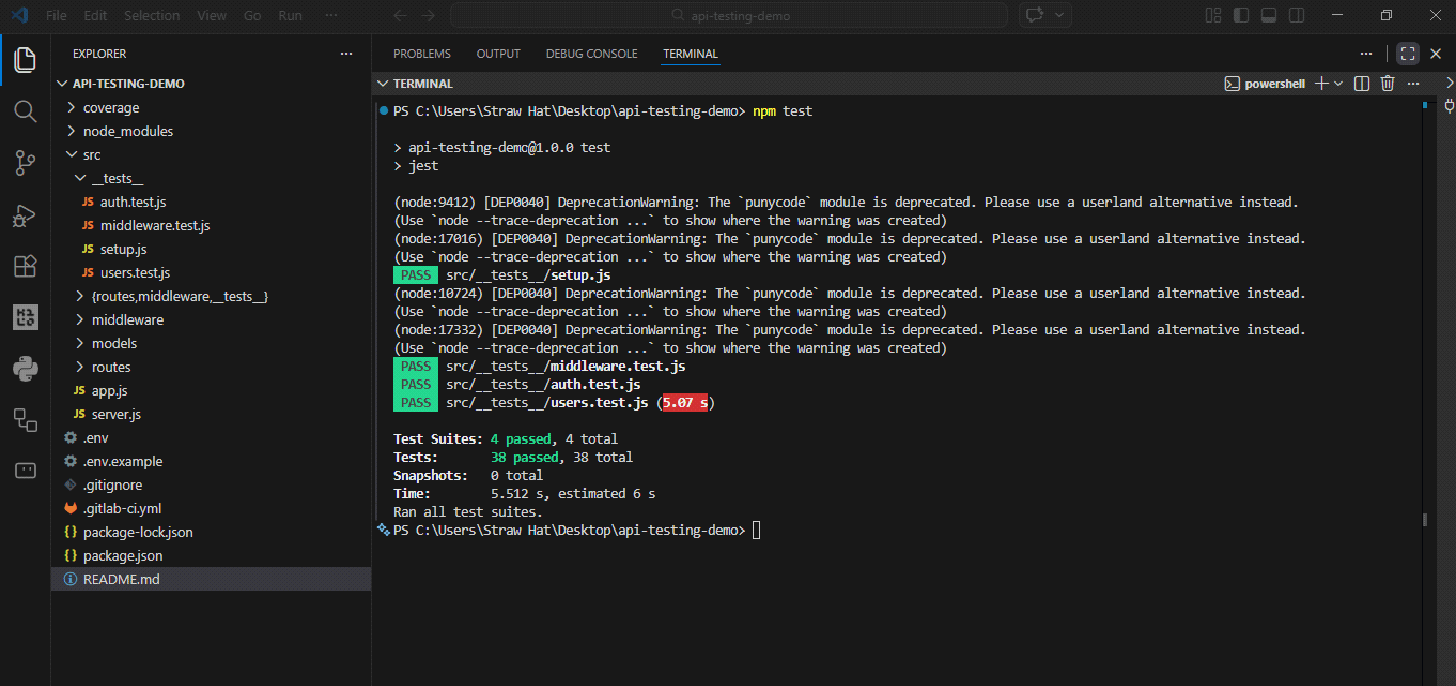
The pattern is arrange, act and assert just like React Testing Library. Supertest's .expect() handles status codes and headers. Jest's expect() handles the body. If you've written component tests, this is not a new skill.
Test the error cases. APIs fail in production more creatively than they succeed. Missing fields, wrong types, IDs that don't exist. The happy path passing means you've tested the one scenario where nothing goes wrong.
One thing that will cost you an hour if you miss it is to always await your Supertest calls. Without it, Jest sees the test function return and marks it as passing before the request completes. The test is green and wrong at the same time.
// This looks like a test. It is not actually a test.
it('creates user', () => {
  request(app).post('/users').send(data);
});
// This is a test.
it('creates user', async () => {
  await request(app).post('/users').send(data);
});
Jest won't warn you. It just passes.
Database Mocking
Hitting a real database in tests is slow, leaves data behind, and eventually causes tests to break each other. One test creates a user, the next expects an empty collection, and now you're chasing a failure that has nothing to do with the code you changed.
The pattern is to isolate the database before the suite runs, clean between each test, tear it down when done. That's it.
For MongoDB, use MongoDB Memory Server:
npm install --save-dev mongodb-memory-server// src/__tests__/setup.js
const { MongoMemoryServer } = require('mongodb-memory-server');
const mongoose = require('mongoose');
let mongoServer;
beforeAll(async () => {
mongoServer = await MongoMemoryServer.create();
await mongoose.connect(mongoServer.getUri());
});
afterAll(async () => {
await mongoose.disconnect();
await mongoServer.stop();
});
afterEach(async () => {
const collections = mongoose.connection.collections;
for (const key in collections) {
await collections[key].deleteMany();
}
});This starts a real MongoDB instance in memory. Spins up in under a second, completely isolated from your development database. The afterEach cleanup is what keeps tests from interfering with each other. Skip it and your tests will pass individually and fail as a suite. The error messages won't point you here. That's the fun part.
For SQL databases, SQLite in-memory works the same way:
// knexfile.js
module.exports = {
  test: {
    client: 'sqlite3',
    connection: ':memory:',
    useNullAsDefault: true,
    migrations: {
      directory: './migrations'
    }
  }
};
With the database wired up, you can go one level deeper and assert against it directly, not just what the API responded with but what actually ended up stored.
it('actually saves the user', async () => {
  const newUser = { name: 'Godstime', email: 'godstime@example.com' };
  await request(app)
    .post('/users')
    .send(newUser)
    .expect(201);
  const saved = await User.findOne({ email: newUser.email });
  expect(saved).toBeTruthy();
  expect(saved.name).toBe(newUser.name);
});
The difference between testing what the API claims it did and testing what it actually did.
Authentication & Middleware
Protected routes are where the time investment pays back. Manually testing auth means generating a token, pasting it into Postman, remembering to test the no-token case, and repeating the whole thing after every change. Tests run all of it in two seconds.
The middleware:
const authenticate = (req, res, next) => {
  const token = req.headers.authorization?.split(' ')[1];
  if (!token) return res.status(401).json({ error: 'No token' });
  try {
    const decoded = jwt.verify(token, process.env.JWT_SECRET);
    req.user = decoded;
    next();
  } catch (err) {
    res.status(401).json({ error: 'Invalid token' });
  }
};
The tests:
describe('Authentication', () => {
  it('allows access with a valid token', async () => {
    const token = jwt.sign({ userId: 1 }, process.env.JWT_SECRET);
    await request(app)
      .get('/protected-route')
      .set('Authorization', `Bearer ${token}`)
      .expect(200);
  });
  it('rejects requests with no token', async () => {
    const response = await request(app)
      .get('/protected-route')
      .expect(401);
    expect(response.body.error).toBe('No token');
  });
  it('rejects a tampered token', async () => {
    await request(app)
      .get('/protected-route')
      .set('Authorization', 'Bearer not-a-real-token')
      .expect(401);
  });
});
Sometimes you want to test the route logic without running JWT verification. You can mock the middleware to skip straight to an authenticated state:
jest.mock('../middleware/authenticate', () => {
  return (req, res, next) => {
    req.user = { userId: 1, email: 'test@example.com' };
    next();
  };
});
Worth knowing it exists. Worth being careful with it. Mock the middleware everywhere and you end up testing that your mocks work, which is a different thing entirely. Real tokens for route tests, mocks for the route handler in isolation. That line is worth respecting.
CI/CD Integration
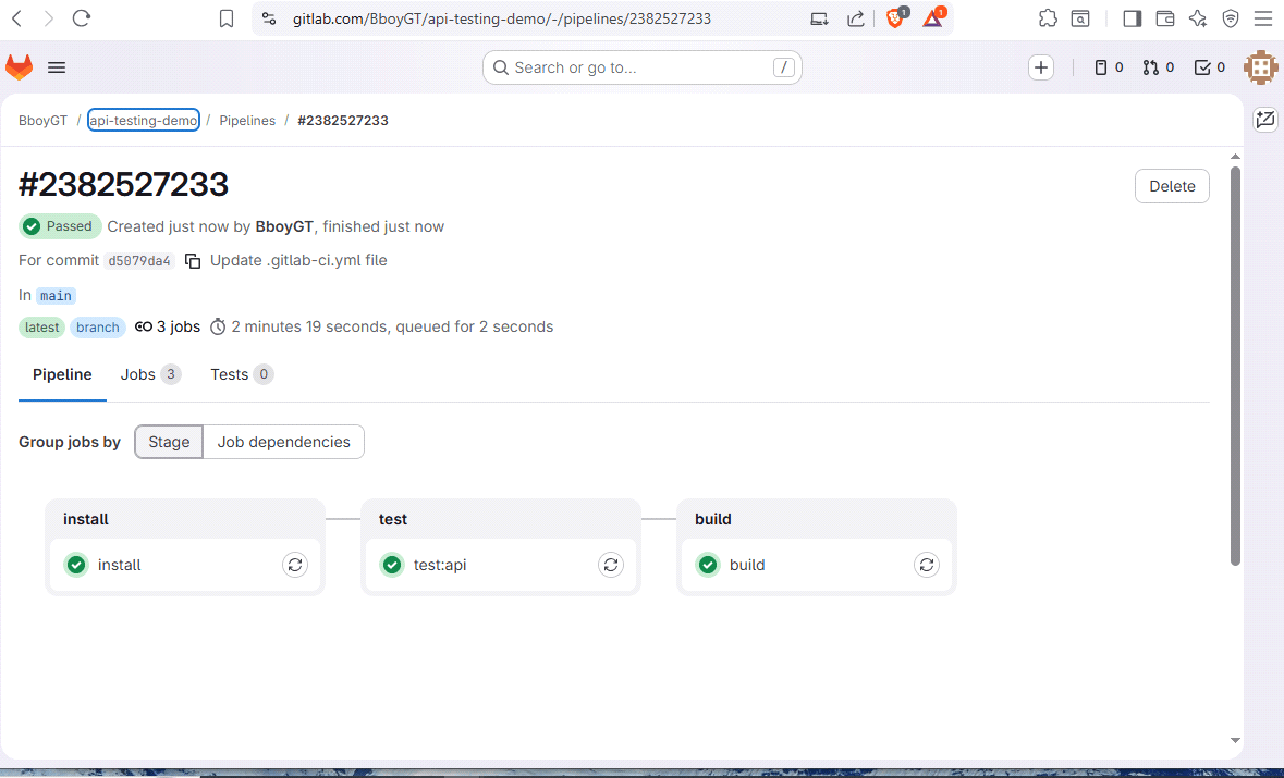
If you already have a pipeline from my previous GitLab article, adding API tests is about ten lines:
test:api:
  stage: test
  needs: [install]
  variables:
    JWT_SECRET: "ci-test-secret"
  script:
    - npm run test:coverage
  artifacts:
    when: always
    reports:
      coverage_report:
        coverage_format: cobertura
        path: coverage/cobertura-coverage.xml
GitLab picks up the coverage percentage and displays it on the pipeline page and inline on merge requests. JWT_SECRET goes in Settings > CI/CD > Variables, not in the yml file. Anything committed to .gitlab-ci.yml is readable. Treat it that way.
One thing that catches people in CI but not locally is the tests that hang until they time out. Usually an open database connection that didn't get closed. Without the afterAll closing everything properly, CI just sits there until the job times out and fails. The logs won't say "open connection." They'll just say the job exceeded the time limit.
afterAll(async () => {
  await mongoose.disconnect();
  await mongoServer.stop();
});
Both lines. In that order.
GitHub Actions equivalent:
- name: Run API tests
  run: npm run test:coverage
  env:
    JWT_SECRET: test-secret
    NODE_ENV: test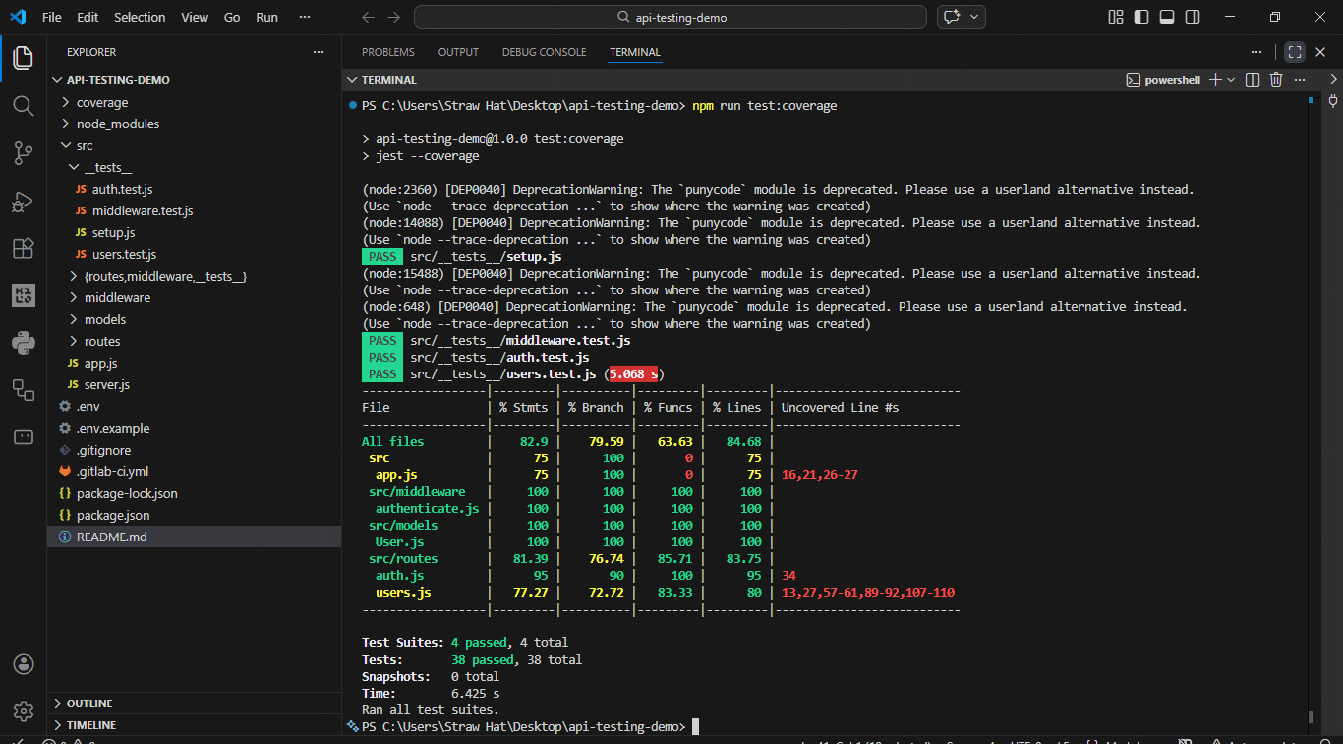
Conclusion
You already knew how to write these tests. The mental shift is treating the API as a black box where HTTP request goes in, HTTP response comes out. Start with one route, cover the happy path and the error cases, add database assertions once those pass.
The goal is to feel as uncomfortable shipping an untested endpoint as you do shipping an untested component. Once that discomfort exists on both sides, the backend stops being the half of the application you ship on faith.
The tool I just explained in its entirety is open-source. You can clone my GitLab repo and try it for yourself.