
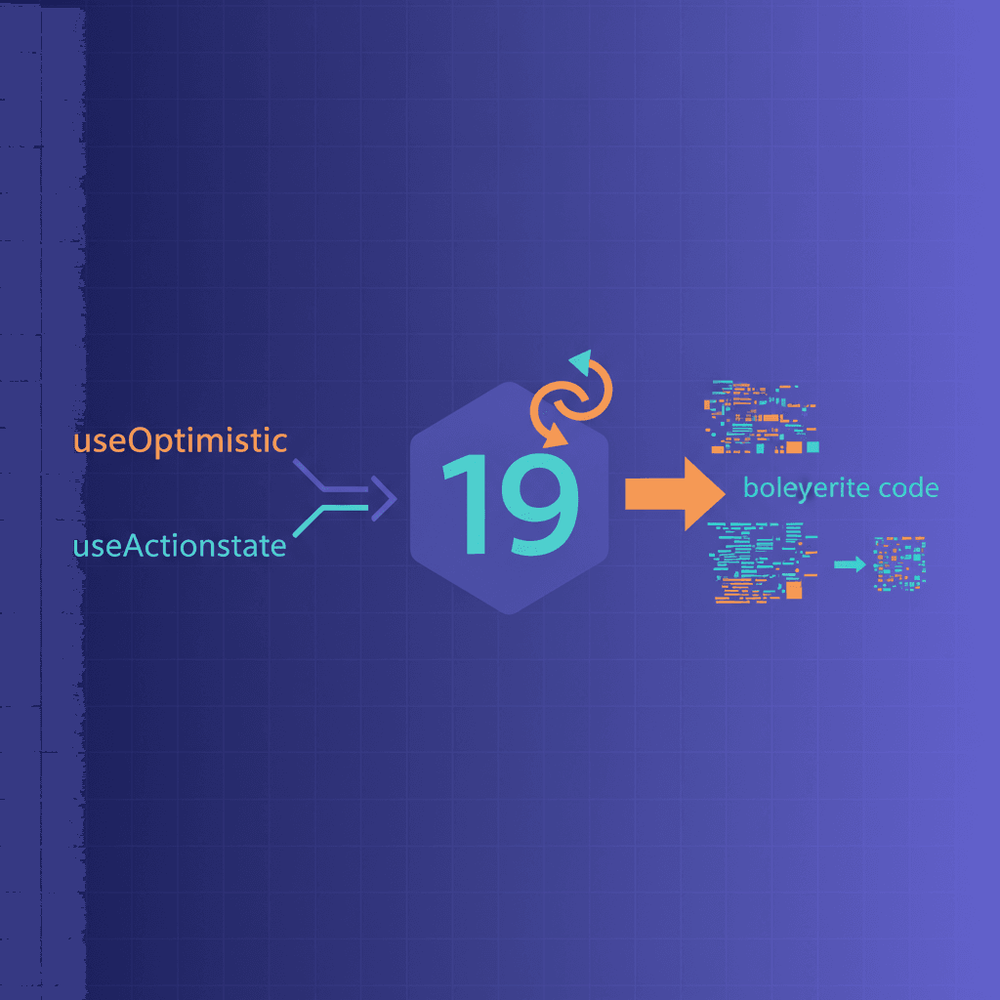
React 19's useOptimistic and useActionState together eliminate the most repetitive portions of that ceremony: manual loading flags, error state, and optimistic rollback logic. These two stable, first-class hooks handle optimistic UI updates with automatic rollback and form action state management natively, collapsing what was once a wall of boilerplate into roughly 12 declarative lines.
Table of Contents
- The Boilerplate Problem in React State Management
- What Changed in React 19's State Model
- Understanding useActionState
- Understanding useOptimistic
- Combining Both Hooks: Full-Stack Todo Example
- Implementation Checklist and Migration Guide
- Gotchas and Limitations
- Write Features, Not Plumbing
The Boilerplate Problem in React State Management
A typical form submission or list mutation in React has long demanded a predictable, tedious ceremony: one useState call for data, another for loading, a third for error, an async handler wrapped in try/catch/finally, and often a useEffect for cleanup. Add optimistic UI updates and the picture worsens. Developers snapshot state before the mutation, apply the update eagerly, then manually revert on failure. For a single feature, this easily runs to 30 to 50 lines of mechanical plumbing.
React 19's useOptimistic and useActionState together eliminate the most repetitive portions of that ceremony: manual loading flags, error state, and optimistic rollback logic. These two stable, first-class hooks handle optimistic UI updates with automatic rollback and form action state management natively, collapsing what was once a wall of boilerplate into roughly 12 declarative lines.
Prerequisites for the examples that follow: familiarity with React hooks, a basic understanding of async functions (or server actions in Next.js), and a Node.js environment (Node 18 or later recommended).
What Changed in React 19's State Model
From Manual State Machines to Declarative Actions
React 19 introduces the concept of "actions," async functions that integrate directly with React's transition system. Rather than manually orchestrating state transitions across multiple useState and useEffect calls, developers pass an async function to React and let the framework manage pending states, serialization, and reconciliation.
Two hooks sit at the center of this model. useActionState supersedes the experimental useFormState from react-dom canary builds. Imported from react (not react-dom), it adds isPending as a third return value and manages the lifecycle of a form or imperative action: its result, its error, and its pending status. useOptimistic handles the complementary concern of showing an immediate UI update that automatically reverts once the underlying async work resolves or fails.
These hooks are distinct from third-party solutions like React Query, SWR, or Redux Toolkit. They target UI-local action state, not global server cache synchronization. A mutation that needs cache invalidation across multiple components still benefits from those libraries. But for the component-scoped submit-and-respond pattern that dominates most applications, the built-in hooks eliminate the need for external dependencies.
Compatibility and Adoption Notes
Both hooks require React 19.0.0 stable as a minimum version. They work with React DOM and React Native. For Next.js applications, useActionState works with Server Actions directly. For purely client-side applications, any async function works as the action. React Native can use useActionState with imperative action calls, but the <form action={formAction}> pattern is React DOM-specific.
To install:
npm install react@19 react-dom@19Understanding useActionState
API Signature and Mental Model
Import the hook from react:
import { useActionState } from 'react';

const [state, formAction, isPending] = useActionState(actionFn, initialState, permalink?)
Three values come back. state is the accumulated result of the most recent action invocation, starting as initialState. formAction is a bound function you pass directly to a <form>'s action prop or call imperatively. isPending is a boolean that is true while the action is in flight.
This single hook replaces the common trio of useState calls (for result/error, for loading) and the try/catch/finally pattern inside a submit handler.
This single hook replaces the common trio of
useStatecalls (for result/error, for loading) and thetry/catch/finallypattern inside a submit handler.
Before: Traditional form submission handler
import { useState } from 'react';

function ContactForm() {
  const [data, setData] = useState(null);
  const [error, setError] = useState(null);
  const [isLoading, setIsLoading] = useState(false);

  async function handleSubmit(e) {
    e.preventDefault();
    setIsLoading(true);
    setError(null);

    try {
      const formData = new FormData(e.target);
      const res = await fetch('/api/contact', {
        method: 'POST',
        body: formData,
      });

      if (!res.ok) throw new Error('Submission failed');

      const result = await res.json();
      setData(result);
    } catch (err) {
      setError(err.message);
    } finally {
      setIsLoading(false);
    }
  }

  return (
    <form onSubmit={handleSubmit}>
      <input name="email" required />
      <button disabled={isLoading}>{isLoading ? 'Sending...' : 'Send'}</button>
      {error && <p className="error">{error}</p>}
      {data && <p>Thanks! We received your message.</p>}
    </form>
  );
}
After: Same form with useActionState
The submitContact function shown below must be defined in the same module (or imported) before the component.
import { useActionState } from 'react';

async function submitContact(prevState, formData) {
  const email = formData.get('email');

  if (!email || !/^[^\s@]+@[^\s@]+\.[^\s@]+$/.test(email)) {
    return { success: false, error: 'Please enter a valid email', data: null };
  }

  const controller = new AbortController();
  const timeoutId = setTimeout(() => controller.abort(), 8000);

  let res;
  try {
    res = await fetch('/api/contact', {
      method: 'POST',
      body: formData,
      signal: controller.signal,
    });
  } catch (err) {
    return {
      success: false,
      error: err.name === 'AbortError' ? 'Request timed out.' : 'Network error.',
      data: null,
    };
  } finally {
    clearTimeout(timeoutId);
  }

  if (!res.ok) {
    return { success: false, error: 'Server error. Please try again.', data: null };
  }

  const result = await res.json();
  return { success: true, error: null, data: result };
}

function ContactForm() {
  const [state, formAction, isPending] = useActionState(submitContact, {
    data: null,
    error: null,
  });

  return (
    <form action={formAction}>
      <input name="email" required />
      <button disabled={isPending}>{isPending ? 'Sending...' : 'Send'}</button>
      {state.error && !isPending && <p className="error" role="alert">{state.error}</p>}
      {state.data && <p>Thanks! We received your message.</p>}
    </form>
  );
}
The many lines of state management collapse to roughly 12 inside the component. No onSubmit, no preventDefault, no manual loading toggle.
How the Action Function Works
The action function follows a reducer-like signature:
async (previousState, formData) => nextStateReact passes the current accumulated state and the FormData from the form submission. The function returns the next state. React serializes submissions when you invoke actions through formAction or a useActionState-bound handler. React does not serialize calls made outside its transition system. The integration with <form action={formAction}> is automatic, so there is no need for onSubmit or preventDefault.
Error Handling Without Try/Catch
Because the action function returns state rather than throwing, error handling becomes a matter of returning a different shape. The submitContact function above demonstrates this pattern: validation errors, server errors, and success all return an object that flows directly into state. No separate error state variable, no catch block in the component.
Understanding useOptimistic
API Signature and Mental Model
The hook's signature is:
import { useOptimistic } from 'react';

const [optimisticState, addOptimistic] = useOptimistic(state, updateFn)
The first argument, state, is the canonical source of truth, typically from props, a parent component's state, or a server response. addOptimistic is a function that triggers an immediate UI update. When the async action wrapping the optimistic call completes (whether it succeeds or fails), React automatically reconciles optimisticState back to whatever state currently holds.
The Automatic Rollback Mechanism
The key insight is that useOptimistic ties its lifecycle to React's transition system. When the React transition that triggered addOptimistic completes, optimisticState resolves back to the canonical state value. The action must run inside a transition -- via <form action>, useActionState, or explicit startTransition -- for this rollback to occur. If the server confirmed the mutation, state will reflect the new data, so the optimistic update persists naturally. If the server rejected it, state remains unchanged, and the optimistic update vanishes. No manual snapshot, no manual revert, no cleanup effects.
If the server rejected it,
stateremains unchanged, and the optimistic update vanishes. No manual snapshot, no manual revert, no cleanup effects.
Before: Manual optimistic update with rollback
import { useState } from 'react';

function TodoList({ initialTodos }) {
  const [todos, setTodos] = useState(initialTodos);
  const [isLoading, setIsLoading] = useState(false);
  const [error, setError] = useState(null);

  async function addTodo(text) {
    const snapshot = [...todos];
    const tempTodo = { id: Date.now(), text, pending: true };
    setTodos((prev) => [...prev, tempTodo]);
    setIsLoading(true);
    setError(null);

    try {
      const res = await fetch('/api/todos', {
        method: 'POST',
        headers: { 'Content-Type': 'application/json' },
        body: JSON.stringify({ text }),
      });

      if (!res.ok) throw new Error('Failed to add todo');

      const saved = await res.json();
      setTodos((prev) => prev.map((t) => (t.id === tempTodo.id ? saved : t)));
    } catch (err) {
      setTodos(snapshot);
      setError(err.message);
    } finally {
      setIsLoading(false);
    }
  }

  return (
    <div>
      {error && <p className="error">{error}</p>}
      <ul>{todos.map((t) => <li key={t.id}>{t.text}</li>)}</ul>
      <button onClick={() => addTodo('New task')} disabled={isLoading}>Add</button>
    </div>
  );
}
After: Same feature with useOptimistic
import { useOptimistic } from 'react';

/**
 * @param {object} props
 * @param {Array<{id: string, text: string, pending?: boolean}>} props.todos - canonical todo list from parent
 * @param {(text: string) => Promise<void>} props.addTodoAction - async function to persist a new todo
 */
function TodoList({ todos, addTodoAction }) {
  const [optimisticTodos, addOptimisticTodo] = useOptimistic(
    todos,
    (currentTodos, newTodo) => [...currentTodos, newTodo]
  );

  async function handleAdd(formData) {
    const text = formData.get('text');
    addOptimisticTodo({ id: crypto.randomUUID(), text, pending: true });

    try {
      await addTodoAction(text);
    } catch (err) {
      // Canonical state unchanged → optimistic item auto-reverts on transition end
      console.error('Failed to add todo:', err);
    }
  }

  return (
    <div>
      <ul>{optimisticTodos.map((t) => <li key={t.id}>{t.text}</li>)}</ul>
      <form action={handleAdd}>
        <input name="text" required />
        <button type="submit">Add</button>
      </form>
    </div>
  );
}
The 30 lines of snapshot-and-rollback logic reduce to roughly 12. Rollback on failure is automatic.
Custom Update Functions
Always provide the updateFn argument -- it defines merge behavior. It receives (currentState, optimisticValue) and returns the new optimistic state. This allows developers to control how the optimistic value merges: appending to an array, toggling a boolean field, incrementing a counter, or any other transformation.
Combining Both Hooks: Full-Stack Todo Example
Project Setup
The following example uses React 19 on the client and a minimal Express/Node.js API endpoint at POST /api/todos. The server simulates a 1-second network delay and randomly returns a 500 error roughly 30% of the time (in non-production environments), which makes it straightforward to observe rollback behavior.
Ensure express.json() middleware is registered before the route to parse the JSON request body.
Server endpoint (server.js):
const express = require('express');
const app = express();

const ALLOWED_ORIGIN = process.env.ALLOWED_ORIGIN || 'http://localhost:5173';

app.use(express.json()); // Required to parse JSON request bodies

app.use((req, res, next) => {
  res.header('Access-Control-Allow-Origin', ALLOWED_ORIGIN);
  res.header('Access-Control-Allow-Headers', 'Content-Type');
  res.header('Access-Control-Allow-Methods', 'POST, OPTIONS');

  if (req.method === 'OPTIONS') return res.sendStatus(204);

  next();
});

app.post('/api/todos', async (req, res, next) => {
  try {
    const { text } = req.body;

    if (typeof text !== 'string' || text.trim().length === 0 || text.length > 500) {
      return res.status(400).json({ error: 'Invalid text' });
    }

    await new Promise((resolve) => setTimeout(resolve, 1000));

    if (process.env.NODE_ENV !== 'production' && Math.random() < 0.3) {
      return res.status(500).json({ error: 'Random server failure' });
    }

    const todo = { id: Date.now(), text: text.trim() };
    res.json(todo);
  } catch (err) {
    next(err);
  }
});

app.listen(3000, () => console.log('Server running on port 3000'));
Note: If your React dev server runs on a different port (e.g., 5173 for Vite), set the ALLOWED_ORIGIN environment variable to match your dev server's origin. The CORS middleware above restricts access to a single allowed origin rather than using a wildcard, which is important for security on mutation endpoints.
Install the server dependency separately:
npm install expressBuilding the Component
The component below uses useOptimistic for instant UI feedback and useActionState for managing the submission lifecycle, including pending state and error display. The action function returns the updated todos list as part of the action state, avoiding the concurrency hazard of calling setTodos from inside a useActionState action.
Call addOptimisticTodo before any await expression in the action. React's transition system only captures optimistic updates issued synchronously before the first suspension point.
import { useOptimistic, useActionState } from 'react';

export default function TodoList() {
  // Action function: receives previous state and formData, returns next state
  async function todoAction(prevState, formData) {
    const text = formData.get('text');
    const tempTodo = { id: crypto.randomUUID(), text, pending: true };

    // Must be called before any await — only valid synchronously within a transition
    addOptimisticTodo(tempTodo);

    let res;
    try {
      res = await fetch('/api/todos', {
        method: 'POST',
        headers: { 'Content-Type': 'application/json' },
        body: JSON.stringify({ text }),
      });
    } catch {
      return { error: 'Network error. Please try again.', todos: prevState.todos };
    }

    if (!res.ok) {
      const errBody = await res.text();
      console.error('Todo API error:', res.status, errBody);
      // Returning error state; useOptimistic auto-reverts the list
      return { error: 'Failed to add todo. Please try again.', todos: prevState.todos };
    }

    const savedTodo = await res.json();
    // Return new todos list as part of action state — no separate setState call
    return { error: null, todos: [...prevState.todos, savedTodo] };
  }

  // useActionState manages form submission, pending flag, and error state
  const [state, formAction, isPending] = useActionState(todoAction, {
    error: null,
    todos: [],
  });

  // useOptimistic wraps the canonical todo list from action state
  const [optimisticTodos, addOptimisticTodo] = useOptimistic(
    state.todos,
    (current, newTodo) => [...current, newTodo]
  );

  return (
    <div>
      {state.error && !isPending && (
        <p className="error" role="alert">{state.error}</p>
      )}
      <ul>
        {optimisticTodos.map((t) => (
          <li key={t.id} style={{ opacity: t.pending ? 0.5 : 1 }}>{t.text}</li>
        ))}
      </ul>
      <form action={formAction}>
        <input name="text" required />
        <button type="submit" disabled={isPending}>
          {isPending ? 'Adding...' : 'Add Todo'}
        </button>
      </form>
    </div>
  );
}
What Happens on Failure: Step by Step
The sequence is: the user submits the form. useActionState wraps the action in a React transition automatically. The optimistic todo appears instantly in the list at reduced opacity (pending: true). One second later, the server returns a 500 error. The action function returns { error: 'Failed to add todo. Please try again.', todos: prevState.todos } with the previous todos list unchanged. When the transition completes, React reconciles optimisticState back to the unchanged todos, and the optimistic item disappears from the list. The error message renders. Zero manual rollback code.
Implementation Checklist and Migration Guide
When to Reach for Each Hook
| Scenario | Hook | Replaces |
|---|---|---|
| Form submission with loading/error | useActionState | useState x 3 + try/catch handler |
| Instant UI feedback before server confirms | useOptimistic | Manual snapshot + rollback logic |
| Both (submit + instant feedback) | Both together | 40-50 lines of custom logic |
| Global server cache sync | Neither; use React Query/SWR | N/A |
Migration Checklist
Audit
- Confirm React 19.0.0 or later in
package.json(npm install react@19 react-dom@19). - Identify components with manual
isLoading/error/datastate trios. - Identify optimistic update patterns where code snapshots state before mutation and reverts on failure.
Replace
- Replace submit handlers with
useActionStateaction functions using theasync (prevState, formData) => nextStatesignature. ImportuseActionStatefromreact. - Replace
onSubmitwith<form action={formAction}>(React DOM only). - Remove
e.preventDefault()calls. - Replace snapshot-and-rollback patterns with
useOptimistic, passing the canonical state as the first argument and always providing anupdateFn. - Wrap optimistic calls inside the action function or
startTransition. If usinguseActionState, the action is already wrapped in a transition. Only use explicitstartTransitionwhen callingaddOptimisticoutside of auseActionStateaction or form handler. - Remove manual rollback
catchblocks.
Test
- Test failure paths explicitly and confirm automatic revert behavior.
Gotchas and Limitations
Things to Watch Out For
useActionState serializes submissions. Rapid double-clicks queue rather than race, which prevents data corruption but means this is not the right tool when parallel mutations are genuinely needed.
useOptimistic only reverts when the canonical state reference changes. If an action silently fails but never updates the state passed to useOptimistic, the optimistic value persists indefinitely. Always return new state from the action, even on failure, or ensure the canonical state variable reflects the true server state.
The most common cause of a persistent optimistic item is calling addOptimistic outside a React transition (e.g., in a plain setTimeout or a non-transition event handler). Ensure all addOptimistic calls occur within startTransition, useActionState's action, or a form's action prop handler.
The permalink parameter in useActionState exists for progressive enhancement in server-rendered contexts (SSR/no-JS fallback) and is also used by Remix/React Router v7 for form URL binding. Omit it in SPA-only applications.
These hooks do not replace global state management or server cache libraries. They target component-local action flows. For cross-component cache invalidation, server state synchronization, or background refetching, React Query, SWR, and similar libraries remain the appropriate choice.
These hooks do not replace global state management or server cache libraries. They target component-local action flows.
Write Features, Not Plumbing
useActionState eliminates loading, error, and submission boilerplate. useOptimistic eliminates snapshot-and-rollback logic. Together they cover the vast majority of interactive state patterns that developers build in component after component. Auditing one existing form component and migrating it using the checklist above cuts roughly 40-50 lines of manual isLoading/error/data state management and snapshot-based rollback logic down to around 12.
The official React 19 documentation for useActionState and useOptimistic provides additional detail on edge cases and advanced usage patterns.