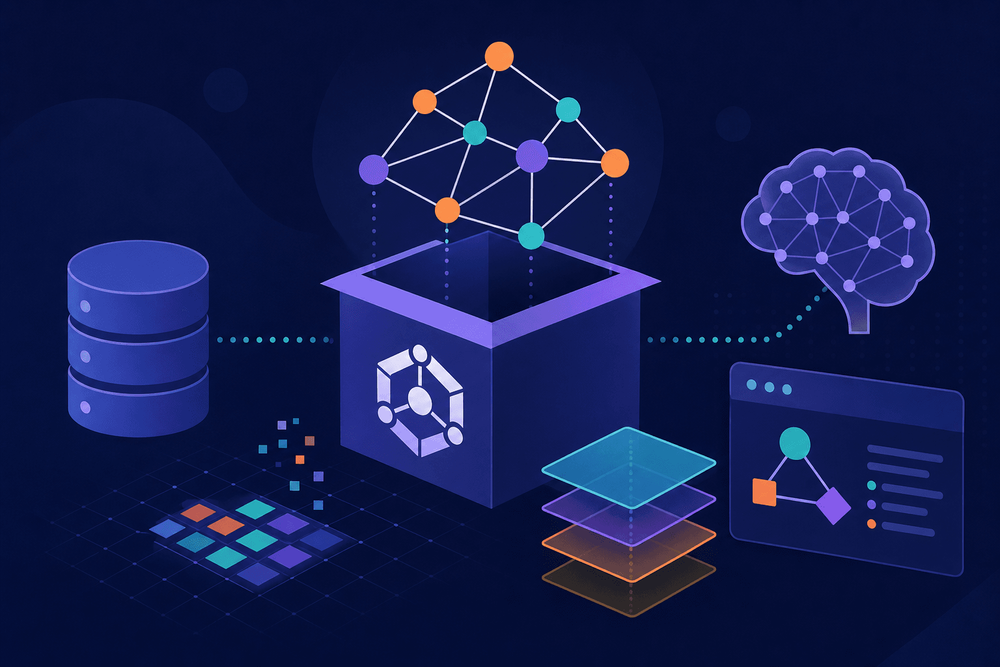
As teams ship more models, datasets, and pipelines, AI artifacts become harder to find and harder to connect across tools. Apache Ossie, presented here as a reference architecture for semantic AI metadata, provides an open, vendor-neutral specification for embedding semantic metadata into AI artifacts. By the end of this tutorial, readers will have created, validated, published, and queried Ossie descriptors using JavaScript, and will understand how to integrate descriptor management into CI/CD pipelines and REST APIs.
Table of Contents
- Why AI Projects Need Standardized Metadata
- What Is Apache Ossie? Core Concepts Explained
- Setting Up Your Development Environment
- Creating Your First Ossie Descriptor
- Validating and Linting Ossie Descriptors
- Querying and Discovering Artifacts with Ossie
- Real-World Integration Patterns
- Implementation Checklist
- Gotchas, Limitations, and What's Coming Next
- Next Steps
Why AI Projects Need Standardized Metadata
Disclaimer: Apache Ossie is presented here as a reference architecture for semantic AI metadata. Before following any installation or integration steps, verify the project's current status at incubator.apache.org and confirm that the npm packages referenced below exist by running
npm info @apache-ossie/core. Do not install packages that are absent from the official npm registry, as doing so poses a supply-chain security risk.
As teams ship more models, datasets, and pipelines, AI artifacts become harder to find and harder to connect across tools. Apache Ossie, presented here as a reference architecture for semantic AI metadata, provides an open, vendor-neutral specification for embedding semantic metadata into AI artifacts. Without a standardized metadata layer, teams building AI systems face fragmented descriptions scattered across MLflow tracking servers, Hugging Face model cards, custom registries, and internal wikis. None of these speak the same language or carry machine-readable semantic meaning.
The consequences of this fragmentation are concrete. Teams miss model drift because no consistent method traces which dataset version trained which model version. Engineers rebuild models that already exist elsewhere in the organization because no unified discovery mechanism surfaces them. Governance reviewers must manually reconcile incompatible metadata formats across platforms, adding days to compliance reviews.
Teams miss model drift because no consistent method traces which dataset version trained which model version. Engineers rebuild models that already exist elsewhere in the organization because no unified discovery mechanism surfaces them.
Apache Ossie sits within the broader Apache AI ecosystem alongside projects like Apache Airflow and Spark MLlib, but occupies a distinct niche: the semantic metadata layer that makes artifacts from all these tools describable, discoverable, and interoperable. By the end of this tutorial, readers will have created, validated, published, and queried Ossie descriptors using JavaScript, and will understand how to integrate descriptor management into CI/CD pipelines and REST APIs.
What Is Apache Ossie? Core Concepts Explained
The Problem Apache Ossie Solves
Today's ML metadata world is deeply fragmented. MLflow stores experiment tracking data in its own schema. Hugging Face model cards use a Markdown-plus-YAML format. Internal model registries typically rely on ad hoc key-value pairs or loosely structured JSON. None of these formats encode what their fields mean in machine-resolvable terms. A field called task in one registry and task_type in another might refer to the same concept, but no system can infer that relationship without human intervention.
Ossie solves this by applying linked data principles to AI metadata. Rather than flat key-value pairs, Ossie descriptors use structured ontologies that assign unambiguous, URI-based meaning to every metadata field. This makes descriptors not just human-readable documentation, but machine-actionable semantic graphs.
Architecture and Key Terminology
Four concepts form the foundation of Apache Ossie:
Ossie Descriptors represent the fundamental metadata unit. Each descriptor is a JSON-LD document that fully describes a single AI artifact, covering its identity, provenance, relationships, and semantic meaning.
Semantic Annotations attach meaning to descriptor fields by referencing established ontologies like Schema.org and ML Schema. These references ensure that terms like "text classification" or "training dataset" carry universal, machine-resolvable definitions.
Artifact Types categorize the described asset. Ossie recognizes models, datasets, pipelines, and evaluation results as first-class types, each with its own required and optional field sets.
Registries store and serve published descriptors. Teams search them using semantic queries, and registries enforce versioning and access control over descriptor lifecycle.
How Ossie Differs from Existing Solutions
Model Cards and Data Cards target human readers. No tool can compose or query them programmatically across systems, and they carry no machine-readable semantics. MLflow metadata is tightly coupled to MLflow's own tracking infrastructure and schema, which makes cross-platform interoperability difficult.
Ossie differentiates itself through machine-readable linked data, cross-platform interoperability via standard ontologies, and composability. Descriptors can reference and link to one another to form dependency graphs and lineage chains. For example, Ossie's typed relationship links (like trainedOn or derivedFrom) let a registry client walk the full lineage from a deployed model back to its raw data source, something MLflow's run-to-run linking does not express with portable, ontology-backed semantics.
Setting Up Your Development Environment
Prerequisites
This tutorial requires Node.js 18 or later (examples were tested with Node.js 18.20.x) and npm or yarn. Readers should have basic familiarity with JSON-LD structure and schema concepts, as Ossie descriptors are JSON-LD documents at their core. A sample AI project is helpful but not strictly necessary; the examples below are self-contained.
Before proceeding: Verify that the Ossie SDK packages exist on the npm registry by running
npm info @apache-ossie/core. If the command returns a 404 error, the packages are not yet published and the installation steps below will fail.
Installing the Ossie JavaScript SDK
mkdir ossie-demo && cd ossie-demo
npm init -y

# Required for ES module import syntax used throughout this tutorial:
npm pkg set type=module

# Verify packages exist first:
# npm info @apache-ossie/core
# npm info @apache-ossie/validator
npm install @apache-ossie/core@<version> @apache-ossie/validator@<version>
Replace <version> with the current release version shown by npm info. Pinning exact versions is essential because, given Ossie's incubation status, the project has not yet committed to semantic versioning stability. Treat all versions as potentially breaking until the specification reaches 1.0.
Project Structure Overview
ossie-demo/
├── descriptors/
│   ├── sentiment-model.ossie.json
│   ├── reviews-dataset.ossie.json
│   └── preprocessing-pipeline.ossie.json
├── scripts/
│   ├── validate.js
│   ├── validate-all.js
│   ├── publish.js
│   └── query.js
├── src/
│   └── index.js
├── .ossie.config.json
├── package.json
└── README.md
Ossie descriptor files use the .ossie.json extension by convention, which enables tooling to identify them automatically. The .ossie.config.json file at the project root holds registry endpoints, authentication references, and default annotation vocabularies. A minimal example:
{
  "registry": {
    "endpoint": "https://registry.ossie.example.com/v1",
    "authMethod": "token"
  },
  "defaults": {
    "license": "Apache-2.0"
  }
}
Keeping descriptors in a dedicated descriptors/ directory separates metadata concerns from application source code. The scripts/ directory contains the validation, publishing, and query scripts shown in subsequent sections; map each code block below to the corresponding file in this tree.
Creating Your First Ossie Descriptor
Anatomy of an Ossie Descriptor File
Every Ossie descriptor requires a core set of fields that establish identity, type, and semantic context. Optional fields add provenance, licensing, relationships, and domain-specific annotations.
{
  "@context": [
    "https://ossie.apache.org/schema/v1"
  ],
  "@type": "OssieDescriptor",
  "name": "sentiment-analysis-bert",
  "version": "2.1.0",
  "artifactType": "model",
  "description": "Fine-tuned BERT model for binary sentiment classification on product reviews.",
  "license": "Apache-2.0",
  "creator": {
    "@type": "Organization",
    "name": "Acme ML Team",
    "url": "https://acme.example.com/ml"
  },
  "dateCreated": "2025-01-15T10:30:00Z",
  "semanticAnnotations": [
    {
      "@type": "SemanticAnnotation",
      "ontologyRef": "https://schema.org/SoftwareApplication",
      "property": "applicationCategory",
      "value": "Natural Language Processing"
    },
    {
      "@type": "SemanticAnnotation",
      "ontologyRef": "https://ml-schema.org/TextClassification",
      "property": "taskType",
      "value": "BinarySentimentAnalysis"
    }
  ],
  "dependencies": [
    {
      "name": "product-reviews-dataset",
      "version": ">=1.0.0 <2.0.0",
      "relationship": "trainedOn"
    }
  ],
  "metrics": {
    "accuracy": 0.934,
    "f1Score": 0.921
  }
}
Important: Before using this descriptor in production, verify that the @context URL https://ossie.apache.org/schema/v1 resolves by running curl -I https://ossie.apache.org/schema/v1. If it does not return an HTTP 200 with a JSON-LD content type, JSON-LD processors will fail to dereference the context.
Note on ML Schema URIs: Verify current ML Schema term URIs at ml-schema.org before use. The actual base URI scheme (HTTP vs. HTTPS) and term names may differ from the examples shown here.
The @context array establishes the Ossie schema namespace for JSON-LD processing. The @type field must be OssieDescriptor. The artifactType field accepts model, dataset, pipeline, or evaluationResult, and this choice determines which additional fields are required or relevant. The dependencies array establishes typed relationships between artifacts, using values like trainedOn, derivedFrom, or evaluatedWith to capture lineage semantics.
Adding Semantic Annotations
Ossie descriptors reference standard ontologies to ensure annotations carry universal meaning. Schema.org provides general-purpose types, while ML Schema offers machine learning specific vocabulary. Custom vocabulary extension points allow teams to define organization-specific terms while maintaining interoperability with the standard ontology layer.
import { DescriptorBuilder, SemanticAnnotation } from '@apache-ossie/core';

const descriptor = new DescriptorBuilder()
  .setName('sentiment-analysis-bert')
  .setVersion('2.1.0')
  .setArtifactType('model')
  .setDescription('Fine-tuned BERT model for binary sentiment classification.')
  .setLicense('Apache-2.0')
  .setCreator({
    type: 'Organization',
    name: 'Acme ML Team',
    url: 'https://acme.example.com/ml'
  })
  .addSemanticAnnotation(
    new SemanticAnnotation({
      ontologyRef: 'https://schema.org/SoftwareApplication',
      property: 'applicationCategory',
      value: 'Natural Language Processing'
    })
  )
  .addSemanticAnnotation(
    new SemanticAnnotation({
      ontologyRef: 'https://ml-schema.org/TextClassification',
      property: 'taskType',
      value: 'BinarySentimentAnalysis'
    })
  )
  .addDependency({
    name: 'product-reviews-dataset',
    version: '>=1.0.0 <2.0.0',
    relationship: 'trainedOn'
  })
  .build();

const jsonLd = descriptor.toJsonLd();
console.log(JSON.stringify(jsonLd, null, 2));
The builder pattern API enforces required field constraints at build time. Calling .build() on a descriptor missing any required field throws a descriptive error indicating exactly which fields are absent. The .toJsonLd() method serializes the descriptor to a fully conformant JSON-LD document including the appropriate @context declarations.
Describing Datasets vs. Models vs. Pipelines
The artifactType field changes the required field set. Dataset descriptors need dataFormat, recordCount, and featureSchema. Model descriptors need framework and taskType. Pipeline descriptors, in turn, need steps and orchestrator. All artifact types share the common required fields (@context, @type, name, version, artifactType). Consult the Ossie specification for the authoritative list of required fields per artifact type, or use validator.getRequiredFields('dataset') to query them programmatically.
Link related artifacts by adding entries to the dependencies array with typed relationships. A model descriptor references its training dataset via relationship: "trainedOn", while a dataset might reference a preprocessing pipeline via relationship: "derivedFrom". These typed links enable the dependency graph traversal that powers lineage tracing and audit workflows.
Validating and Linting Ossie Descriptors
Using the Built-in Validator
import { OssieValidator } from '@apache-ossie/validator';
import { readFile } from 'fs/promises';

async function validateDescriptor(filePath) {
  const validator = new OssieValidator();
  const rawContent = await readFile(filePath, 'utf-8');
  const descriptor = JSON.parse(rawContent);

  const result = await validator.validate(descriptor);

  if (result.valid) {
    console.log(`Validation passed: ${filePath}`);
    result.warnings.forEach(w => console.log(`  ⚠ ${w.field}: ${w.message}`));
    return result;
  } else {
    console.error(`Validation failed: ${filePath}`);
    result.errors.forEach(e => console.error(`  ✗ ${e.field}: ${e.message}`));
    throw new Error(`Descriptor validation failed for ${filePath}.`);
  }
}

// Correct: await inside an async IIFE so errors propagate to the catch handler
(async () => {
  await validateDescriptor('./descriptors/sentiment-model.ossie.json');
})().catch(() => process.exit(1));

// A descriptor missing @context would produce:
// ✗ @context: Required field "@context" is missing.
//   Provide a valid JSON-LD context array including the Ossie schema namespace.
The validator checks structural conformance (required fields, valid types), semantic conformance (resolvable ontology references, valid relationship types), and convention conformance (version format, naming patterns). Note that semantic conformance checks require network access to resolve ontology URIs; if the referenced URIs are unreachable, the validator will report resolution errors. Warnings indicate non-blocking issues like missing recommended fields or deprecated vocabulary terms.
Integrating Validation into CI/CD
name: Ossie Descriptor Validation
on:
  pull_request:
    paths:
      - '**/*.ossie.json'

jobs:
  validate-descriptors:
    runs-on: ubuntu-latest
    steps:
      # Verify SHAs against https://github.com/actions/checkout/releases
      - uses: actions/checkout@11bd71901bbe5b1630ceea73d27597364c9af683  # v4.2.2
      # Verify SHAs against https://github.com/actions/setup-node/releases
      - uses: actions/setup-node@39370e3970a6d050c480ffad4ff0ed4d3fdee5af  # v4.1.0
        with:
          node-version: '18.20.4'
      - run: npm ci
      - name: Validate all Ossie descriptors
        run: node scripts/validate-all.js
Security note: The SHAs above are illustrative. Verify the current canonical SHAs from the official release pages before committing. Major version tags like @v4 are mutable and could be compromised.
The validate-all.js script finds all .ossie.json files (including subdirectories) and runs each through the validator, collecting results and failing the workflow if any descriptor produces errors. Place the following in scripts/validate-all.js:
import { OssieValidator } from '@apache-ossie/validator';
import { readFileSync, readdirSync, statSync } from 'fs';
import { join } from 'path';
import { fileURLToPath } from 'url';

const SCRIPT_DIR = fileURLToPath(new URL('.', import.meta.url));
const DESCRIPTORS_DIR = join(SCRIPT_DIR, '../descriptors');

function collectDescriptors(dir) {
  const entries = readdirSync(dir);
  const results = [];

  for (const entry of entries) {
    const full = join(dir, entry);

    if (statSync(full).isDirectory()) {
      results.push(...collectDescriptors(full));
    } else if (entry.endsWith('.ossie.json')) {
      results.push(full);
    }
  }

  return results;
}

async function validateAll() {
  const validator = new OssieValidator();
  const files = collectDescriptors(DESCRIPTORS_DIR);
  let errorCount = 0;

  for (const filePath of files) {
    let descriptor;

    try {
      descriptor = JSON.parse(readFileSync(filePath, 'utf-8'));
    } catch (parseErr) {
      console.error(`✗ ${filePath}: JSON parse error — ${parseErr.message}`);
      errorCount++;
      continue;
    }

    const result = await validator.validate(descriptor);

    if (result.valid) {
      console.log(`✓ ${filePath}`);
    } else {
      console.error(`✗ ${filePath}`);
      result.errors.forEach(e => console.error(`    ${e.field}: ${e.message}`));
      errorCount++;
    }
  }

  console.log(`
${files.length - errorCount} passed, ${errorCount} failed.`);

  if (errorCount > 0) {
    process.exit(1);
  }
}

validateAll();
This ensures that no descriptor enters the main branch in an invalid state.
Common Validation Errors and Fixes
The most frequent validation failures include missing @context (fix by adding the standard context array), invalid artifactType values (must be one of the four recognized types), and malformed semantic references where the ontologyRef URI does not resolve or does not conform to expected patterns. The validator also rejects version strings that break semver format. Each validation error includes a message with the specific fix required.
Querying and Discovering Artifacts with Ossie
Publishing Descriptors to a Registry
Ossie supports both local registries (file-system-based, useful for development and testing) and remote registries (HTTP-based, suitable for team and organizational use). Remote registries require authentication, typically via API tokens.
Registry endpoint: Replace the placeholder URL below with your actual registry endpoint. For local development, consult the Ossie documentation for local registry setup instructions. For hosted registries, contact your organization's Ossie deployment administrator.
Secret management: Set OSSIE_REGISTRY_TOKEN via your CI platform's secrets manager (e.g., GitHub Actions Secrets). Never hardcode or commit this value. If using a local .env file for development, add .env to .gitignore immediately.
import { OssieRegistryClient } from '@apache-ossie/core';
import { readFile } from 'fs/promises';

async function publishDescriptor(filePath) {
  const token = process.env.OSSIE_REGISTRY_TOKEN;

  if (!token) {
    throw new Error(
      'OSSIE_REGISTRY_TOKEN environment variable is not set. ' +
      'Set it via your CI secrets manager before publishing.'
    );
  }

  const client = new OssieRegistryClient({
    endpoint: 'https://registry.ossie.example.com/v1', // Replace with your actual registry endpoint
    token,
  });

  const raw = await readFile(filePath, 'utf-8');
  const descriptor = JSON.parse(raw);

  try {
    const response = await client.publish(descriptor);
    console.log(`Published: ${response.name}@${response.version}`);
    console.log(`Registry URL: ${response.registryUrl}`);
  } catch (error) {
    if (error.code === 'CONFLICT') {
      console.error(`Version ${error.version ?? 'unknown'} already exists. Bump the version and retry.`);
    } else if (error.code === 'UNAUTHORIZED') {
      console.error('Authentication failed. Check OSSIE_REGISTRY_TOKEN.');
    } else {
      console.error(`Publish failed: ${error.message}`);
    }
    throw error;
  }
}

publishDescriptor('./descriptors/sentiment-model.ossie.json')
  .catch(() => process.exit(1));
The registry enforces version immutability: once a descriptor is published at a given version, it cannot be overwritten. This ensures reproducibility for any system that references a specific artifact version.
Searching by Semantic Criteria
import { OssieRegistryClient, QueryBuilder } from '@apache-ossie/core';

async function findTextClassifiers() {
  const client = new OssieRegistryClient({
    endpoint: 'https://registry.ossie.example.com/v1', // Replace with your actual registry endpoint
    token: process.env.OSSIE_REGISTRY_TOKEN
  });

  const query = new QueryBuilder()
    .withArtifactType('model')
    .withSemanticAnnotation('https://ml-schema.org/TextClassification')
    .withVersionRange('>=1.0.0')
    .sortBy('dateCreated', 'desc')
    .limit(10)
    .build();

  const results = await client.search(query);

  const items = results?.items ?? [];

  if (items.length === 0) {
    console.log('No matching artifacts found.');
  } else {
    items.forEach(item => {
      console.log(`${item.name}@${item.version} — ${item.description}`);
      console.log(`  Annotations: ${item.semanticAnnotations?.map(a => a.value).join(', ') ?? 'none'}`);
    });
  }

  console.log(`Total matching artifacts: ${results?.totalCount ?? 0}`);
}

findTextClassifiers()
  .catch(err => { console.error(err.message); process.exit(1); });
Note: QueryBuilder is assumed to be exported from @apache-ossie/core. Verify the correct import path in the SDK documentation for your installed version.
The query builder API supports filtering by artifact type, semantic annotation URIs, version ranges (using semver syntax), creator, and date ranges. Semantic queries resolve against the ontology graph, so querying for a broad annotation like TextClassification returns artifacts annotated with more specific subtypes if your registry deployment has ontology-aware subtype resolution enabled.
Resolving Dependency Graphs
Ossie traces artifact lineage by following the typed dependencies links in each descriptor. Given a model descriptor, the registry client can resolve its full dependency graph: the training dataset, the preprocessing pipeline that produced that dataset, the raw data source, and so on. This chain is critical for audit and compliance tracing, where regulators or internal governance teams need to verify the complete provenance of a deployed model. The client resolves dependencies recursively and detects circular references.
Real-World Integration Patterns
Embedding Ossie in an Express.js API
First, install Express if you have not already:
npm install expressA proposed convention for descriptor discovery is serving the descriptor at a /.well-known/ossie endpoint, analogous to /.well-known/openid-configuration in OAuth flows. This URI is not yet registered with IANA under RFC 8615; confirm current specification status before relying on it for interoperability.
import express from 'express';
import { readFile } from 'fs/promises';
import { fileURLToPath } from 'url';
import { join } from 'path';

const SCRIPT_DIR = fileURLToPath(new URL('.', import.meta.url));
const DESCRIPTOR_PATH = join(SCRIPT_DIR, '../descriptors/sentiment-model.ossie.json');
const PORT = parseInt(process.env.PORT ?? '3000', 10);

const app = express();

let cachedDescriptor = null;
let startupError = null;

try {
  const raw = await readFile(DESCRIPTOR_PATH, 'utf-8');
  cachedDescriptor = JSON.parse(raw);
} catch (err) {
  startupError = err.message;
  console.error('Failed to load descriptor at startup:', startupError);
  // Do not exit: allow the server to start so liveness probes still work,
  // but /.well-known/ossie will return 503.
}

app.get('/.well-known/ossie', (req, res) => {
  if (!cachedDescriptor) {
    console.warn('Descriptor requested but not available:', startupError);
    return res.status(503).json({
      error: 'Descriptor temporarily unavailable.',
      detail: startupError ?? 'Unknown load error.',
    });
  }

  res.set('Content-Type', 'application/ld+json');
  res.json(cachedDescriptor);
});

app.post('/predict', (req, res) => {
  // Model inference logic here
  res.json({ sentiment: 'positive', confidence: 0.92 });
});

app.listen(PORT, () => console.log(`Running on port ${PORT}`));
Setting the Content-Type to application/ld+json signals to consuming systems that the response is a JSON-LD document, enabling automated discovery and parsing by Ossie-aware tools.
Connecting Ossie with Existing ML Tooling
Ossie descriptors can serve as a metadata sidecar alongside existing tooling rather than replacing it. In MLflow-based workflows, generate an Ossie descriptor from MLflow tracking metadata at model registration time, bridging MLflow's internal schema with the broader Ossie interoperability layer. In containerized deployments, the .ossie.json file ships inside the container image, and the /.well-known/ossie endpoint exposes it to orchestration systems and service meshes that need to reason about what model a given container serves.
Implementation Checklist
- Verify that
@apache-ossie/coreand@apache-ossie/validatorexist on npm before installing - Install SDK packages with pinned versions
- Set
"type": "module"inpackage.jsonfor ES module support - Create
.ossie.jsondescriptor for each AI artifact - Include all required fields (
@context,@type,name,version,artifactType) - Verify that
@contextURLs resolve before use (curl -I <url>) - Add semantic annotations referencing standard ontologies
- Link related artifact descriptors (model, dataset, pipeline)
- Run validation locally and confirm zero errors
- Add Ossie validation to CI/CD pipeline (with
validate-all.js) - Publish descriptors to team/org registry
- Expose descriptors via
/.well-known/ossieendpoint - Document custom vocabulary extensions for your team
- Set up periodic descriptor audits for staleness/drift
- Review dependency graph for completeness before production deployment
- Ensure
OSSIE_REGISTRY_TOKENis stored in a secrets manager, not committed to source control
Gotchas, Limitations, and What's Coming Next
Current Limitations
Apache Ossie is in incubation, which means the API surface is not yet stable. Breaking changes may occur between any versions until the specification reaches 1.0; pin exact versions in your package.json and review changelogs before upgrading. Registry federation, the ability for multiple registries to cross-reference and synchronize descriptors, remains in the proposal stage and is not yet implemented. As of early 2025, only a JavaScript SDK exists. No VS Code extension, no visualization tool, and no Python or Go SDK ship today.
Common Pitfalls
- ES module configuration: All code in this tutorial uses ES module
importsyntax. If you skip thenpm pkg set type=modulestep, every script will fail withSyntaxError: Cannot use import statement in a module. - Placeholder registry URLs: The
registry.ossie.example.comURLs in this tutorial are non-functional placeholders. Replace them with your actual registry endpoint. - Unresolvable context URLs: JSON-LD processors will fail if
@contextURLs do not resolve. Always verify withcurl -I <url>before integrating with downstream systems. process.exit()in reusable functions: The code examples usethrowin reusable functions and reserveprocess.exit(1)for top-level entry points. If you use these functions in a library or test context, ensure errors propagate via exceptions rather than process termination.
Roadmap Highlights
As of early 2025, the Ossie community has discussed Python and Go SDK releases on the mailing list, but no implementation PRs exist yet. A visual descriptor editor has been proposed to lower the barrier for non-developer contributors; this remains at the discussion stage. Tighter integration with other Apache projects, particularly Airflow for pipeline metadata and Spark for dataset lineage, appears on the roadmap but lacks committed timelines. Consult the project's mailing list and issue tracker for current status.
Next Steps
Readers can now create Ossie descriptors, validate them in CI/CD, publish to registries, run semantic queries, and serve descriptors from Express.js endpoints. Together, these establish a semantic metadata layer that makes AI artifacts discoverable, traceable, and interoperable across teams and platforms.
Developers interested in contributing to Apache Ossie can join the incubator through the official Apache Ossie project page and its associated mailing lists. The GitHub repository contains the specification, SDK source code, and open issues. The most valuable next step from here: set up a private registry and define your team's custom ontology extensions on top of the foundations covered in this tutorial.