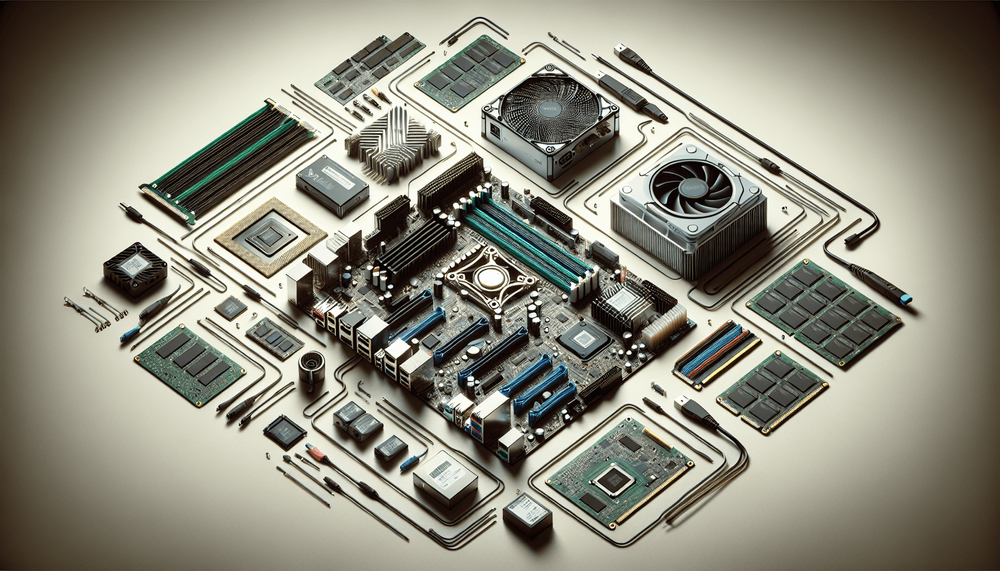
Cloud AI inference costs accumulate quickly. At typical API pricing, a team generating around 50 million output tokens per month can spend hundreds of dollars on reasoning workloads alone. A one-time hardware investment around $1,500 offsets those recurring bills within a few months, while also eliminating latency, private data exposure, and vendor lock-in.
Table of Contents
- Why Run DeepSeek-R1 Locally?
- The Hardware: A $1,500 Parts List That Actually Works
- Software Stack: From Bare Metal to Running Model
- Building a Local API Server with Node.js
- React Chat Interface for Your Local Model
- Performance Benchmarks and Optimization Tips
- Limitations and When to Use Cloud Instead
- What You Get
Why Run DeepSeek-R1 Locally?
Cloud AI inference costs accumulate quickly. At typical API pricing, a team generating around 50 million output tokens per month can spend hundreds of dollars on reasoning workloads alone. A one-time hardware investment around $1,500 offsets those recurring bills within a few months, while also eliminating latency, private data exposure, and vendor lock-in. Running DeepSeek-R1 locally on consumer hardware is now a realistic option thanks to the model's open-weight release and advances in quantization tooling.
DeepSeek-R1, released by the Chinese AI lab DeepSeek, is a reasoning-focused large language model that has shown strong performance on benchmarks including AIME and MATH-500, among others. Its chain-of-thought approach wraps internal reasoning in explicit <think> tags before producing a final answer, making it uniquely transparent. The full model is a 671-billion-parameter Mixture-of-Experts (MoE) architecture, but DeepSeek also released distilled variants at 1.5B, 7B, 8B, 14B, 32B, and 70B parameters. These distilled models, combined with quantization techniques that reduce precision from 16-bit to 4-bit or 5-bit, make local deployment practical.
"Local AI" here means the model runs entirely on a desktop PC with no network calls, no API keys, no usage metering, and no data leaving the machine. The distilled 7B, 14B, and 32B quantized variants are realistic targets for consumer hardware. The full 671B MoE model is not.
This article covers the entire pipeline: a hardware build optimized for local inference, software installation via Ollama, a Node.js API server with streaming support, a React chat interface that handles DeepSeek-R1's chain-of-thought output, and performance benchmarks comparing local inference to cloud alternatives.
The Hardware: A $1,500 Parts List That Actually Works
GPU: The Single Most Important Decision
For local LLM inference, VRAM capacity matters far more than raw floating-point throughput. The entire model (or as much of it as possible) must fit in GPU memory to achieve acceptable token generation speeds. When a model exceeds available VRAM, layers spill to system RAM, and generation speed drops dramatically. Based on published llama.cpp benchmarks, the penalty typically falls in the 5x to 10x range, though the exact slowdown varies by memory bandwidth and storage speed.
For local LLM inference, VRAM capacity matters far more than raw floating-point throughput.
Two GPUs stand out for this budget. The NVIDIA RTX 4060 Ti 16GB, available new for roughly $400, offers 16GB of GDDR6 VRAM and strong power efficiency. It comfortably runs 7B and 14B quantized models entirely on the GPU. The alternative is a used NVIDIA RTX 3090 with 24GB of GDDR6X VRAM, typically found around $700 on the secondhand market (prices fluctuate; verify current listings before purchasing). Those extra 8GB of VRAM open up 32B quantized models, which is a significant jump in reasoning quality.
VRAM requirements scale with both model size and quantization level. These estimates assume default context length allocation and will vary with larger context windows:
- A 7B model at Q4_K_M quantization needs roughly 4 to 5GB.
- A 14B model at Q4_K_M requires approximately 8 to 10GB.
- A 32B model at Q4_K_M demands around 18 to 20GB.
Anything beyond that enters territory requiring multi-GPU setups or enterprise hardware.
CPU, RAM, and Storage
Tokenization, prompt preprocessing, and orchestration all run on the CPU, but none of them bottleneck generation. An AMD Ryzen 5 7600 or Intel Core i5-13400, both in the $180 to $200 range, provides more than enough headroom.
System RAM should be 32GB DDR5 minimum, budgeted at around $80. Model loading involves the operating system memory-mapping large files, and the inference engine itself carries overhead beyond the GPU's VRAM allocation. Builds with less than 32GB system RAM risk out-of-memory conditions during model load, especially with larger context windows.
A 1TB NVMe SSD at roughly $70 handles storage. Model files range from 4GB for small quantized variants to over 20GB for 32B models. Mid-range NVMe read speeds (3,000+ MB/s) make a concrete difference: a 9GB 14B model loads in about 3 seconds on NVMe versus roughly 20 seconds on a SATA SSD.
Budget roughly $250 combined for a B660 or B650 motherboard ($120 to $150), a 650W or greater 80+ Bronze power supply ($70 to $80), and a mid-tower case ($40 to $50).
Complete Build Spreadsheet
Budget Tier (~$1,100)
| Component | Recommended Model | Est. Price | Rationale |
|---|---|---|---|
| GPU | NVIDIA RTX 4060 Ti 16GB | $400 | 16GB VRAM handles 7B/14B quantized models |
| CPU | AMD Ryzen 5 7600 | $185 | 6-core, sufficient for inference orchestration |
| RAM | 32GB DDR5-5600 (2x16GB) | $80 | Minimum for model loading overhead |
| Storage | 1TB NVMe SSD | $70 | Fast model load, room for multiple variants |
| Motherboard | B650 (AM5) | $130 | Stable, no overclocking needed |
| PSU | 650W 80+ Bronze | $70 | Adequate for 4060 Ti power draw |
| Case | Mid-tower ATX | $45 | Basic airflow |
| Total | ~$1,080 |
Sweet Spot Tier (~$1,500)
| Component | Recommended Model | Est. Price | Rationale |
|---|---|---|---|
| GPU | NVIDIA RTX 3090 24GB (used) | $700 | 24GB VRAM enables 32B quantized models |
| CPU | Intel Core i5-13400 | $195 | 6P+4E cores, 16 threads; adequate PCIe 4.0 bandwidth for GPU communication |
| RAM | 32GB DDR5-5600 (2x16GB) | $80 | Same reasoning as above |
| Storage | 1TB NVMe SSD | $70 | Same reasoning as above |
| Motherboard | B660 (LGA 1700, DDR5 variant) | $125 | Compatible (DDR5 variant required for DDR5-5600 RAM; confirm before purchasing) |
| PSU | 750W 80+ Gold | $90 | RTX 3090 draws up to 350W |
| Case | Mid-tower ATX | $45 | Good airflow critical for 3090 thermals |
| Total | ~$1,305 |
Note that the Sweet Spot tier comes in under the $1,500 ceiling, leaving room for peripherals or a RAM upgrade to 64GB if working with very large context windows.
Important: B660 motherboards come in DDR4 and DDR5 variants. Make sure you purchase a DDR5-compatible B660 board if using DDR5 RAM — a DDR4 variant is physically and electrically incompatible with DDR5 modules.
Software Stack: From Bare Metal to Running Model
Prerequisites
- Operating System: Linux (Ubuntu 22.04+ recommended), macOS 13+, or Windows 11 with WSL2.
- NVIDIA drivers: Version 545 or later. Verify the minimum driver version for your CUDA version at developer.nvidia.com.
- Node.js: 18.0.0 or later. Verify with
node --version. - Disk space: At least 25 GB free (for the 14B model, OS, and tools).
Installing Ollama as the Inference Engine
Ollama is the fastest path from bare hardware to a running model for intermediate users. It ships as a single binary with built-in model management, automatic GPU detection, and an OpenAI-compatible REST API on localhost:11434. No Python environment, no manual GGUF file management, no build-from-source step.
Installation works the same across platforms. On Linux, first inspect the installation script before running it:
curl -fsSL https://ollama.com/install.sh | lessThen install:
curl -fsSL https://ollama.com/install.sh | shOn macOS, download the .dmg from ollama.com. On Windows, use the installer from the same site. After installation, the ollama command should be available in the terminal.
Pulling a DeepSeek-R1 model is a single command:
ollama pull deepseek-r1:14bThe tag after the colon specifies the variant. Ollama's registry hosts pre-quantized versions. The default quantization for the deepseek-r1:14b tag is Q4_K_M at time of writing; verify with ollama show deepseek-r1:14b. Q4_K_M balances quality and VRAM usage. Other available quantization levels include Q5_K_M (slightly higher quality, more VRAM) and Q2_K (lower quality, less VRAM). You can specify the quantization tag explicitly if needed.
Choosing the Right Model Variant
| Model Variant | Quantization | VRAM Required | Tokens/sec (RTX 3090) | Tokens/sec (RTX 4060 Ti 16GB) |
|---|---|---|---|---|
| DeepSeek-R1 7B | Q4_K_M | ~4–5 GB | ~60–80 | ~50–65 |
| DeepSeek-R1 14B | Q4_K_M | ~8–10 GB | ~35–50 | ~25–35 |
| DeepSeek-R1 32B | Q4_K_M | ~18–20 GB | ~15–25 | Not feasible (exceeds 16GB) |
| DeepSeek-R1 32B | Q5_K_M | ~22–24 GB | ~12–18 | Not feasible |
The 14B Q4_K_M variant hits the sweet spot for 16GB VRAM cards. It fits comfortably with room for context window allocation. For the RTX 3090's 24GB, the 32B Q4_K_M variant fits and delivers noticeably stronger multi-step reasoning (the 32B distill scores higher on AIME and MATH-500 than the 14B), though at slower generation speeds.
Verifying the Setup
Run a quick smoke test:
ollama run deepseek-r1:14bThis opens an interactive chat session in the terminal. Type a reasoning question and confirm the model generates output with <think> blocks. In a second terminal, run nvidia-smi to confirm GPU memory is allocated and utilization is active. If GPU memory shows zero usage, Ollama may be falling back to CPU inference, typically caused by missing CUDA drivers.
Building a Local API Server with Node.js
Project Scaffolding
Create a new directory, initialize a Node.js project, and install Express. Node.js 18.0.0 or later is required (verify with node --version); it includes a built-in fetch implementation, so no additional HTTP client library is needed.
mkdir deepseek-local && cd deepseek-local
npm init -y
npm install express
Before running the server, add "type": "module" to the server's package.json. Your server package.json should include:
{
  "type": "module",
  "dependencies": {
    "express": "^4.18.0"
  }
}
The server acts as a bridge between Ollama's local endpoint and any frontend. It reads the Ollama URL and model name from environment variables, falling back to sensible defaults. If this machine is on a shared or public network, set the ALLOWED_ORIGIN environment variable to restrict CORS to your frontend's address instead of the default.
// server.js
import express from 'express';
import { parseOllamaStream, resetStreamBuffer } from './stream.js';

const app = express();
app.use(express.json());

const OLLAMA_URL = process.env.OLLAMA_URL ?? 'http://localhost:11434';
const MODEL = process.env.OLLAMA_MODEL ?? 'deepseek-r1:14b';
const ALLOWED_ORIGIN = process.env.ALLOWED_ORIGIN ?? 'http://localhost:5173';

app.use((req, res, next) => {
  res.setHeader('Access-Control-Allow-Origin', ALLOWED_ORIGIN);
  res.setHeader('Access-Control-Allow-Headers', 'Content-Type');
  res.setHeader('Access-Control-Allow-Methods', 'POST, OPTIONS');
  if (req.method === 'OPTIONS') return res.sendStatus(204);
  next();
});

app.post('/api/chat', async (req, res) => {
  const { messages } = req.body;

  if (!Array.isArray(messages) || messages.length === 0) {
    return res.status(400).json({ error: 'messages must be a non-empty array' });
  }

  const invalid = messages.some(
    m => typeof m.role !== 'string' || typeof m.content !== 'string'
  );
  if (invalid) {
    return res.status(400).json({ error: 'each message must have string role and content' });
  }

  res.setHeader('Content-Type', 'text/event-stream');
  res.setHeader('Cache-Control', 'no-cache');
  res.setHeader('Connection', 'keep-alive');

  const controller = new AbortController();
  req.on('close', () => controller.abort());
  resetStreamBuffer();

  try {
    const response = await fetch(`${OLLAMA_URL}/api/chat`, {
      method: 'POST',
      headers: { 'Content-Type': 'application/json' },
      body: JSON.stringify({ model: MODEL, messages, stream: true }),
      signal: controller.signal,
    });

    if (!response.ok) {
      const errText = await response.text();
      res.write(`data: ${JSON.stringify({ error: `Ollama error ${response.status}: ${errText}` })}

`);
      return;
    }

    const reader = response.body.getReader();
    const decoder = new TextDecoder();

    while (true) {
      const { done, value } = await reader.read();
      if (done) { res.write('data: [DONE]

'); break; }

      const chunk = decoder.decode(value, { stream: true });
      const events = parseOllamaStream(chunk);
      events.forEach(e => res.write(`data: ${JSON.stringify(e)}

`));
    }
  } catch (err) {
    if (err.name !== 'AbortError') {
      res.write(`data: ${JSON.stringify({ error: err.message })}

`);
    }
  } finally {
    res.end();
  }
});

app.listen(3001, () => console.log('API server running on http://localhost:3001'));
Handling Streaming Responses
DeepSeek-R1's chain-of-thought output can be long. Streaming lets the frontend display tokens as they arrive rather than waiting for the full response. Ollama emits newline-delimited JSON (NDJSON), where each line is a JSON object containing a message field with the incremental content.
Because a TCP read may deliver a partial JSON line, the parser maintains an internal buffer (_remainder) that carries incomplete data forward to the next chunk. Call resetStreamBuffer() before each new request to clear stale state.
// stream.js
let _remainder = '';

export function parseOllamaStream(chunk) {
  const input = _remainder + chunk;
  const lines = input.split('
');

  // Last element may be an incomplete line — carry it forward
  _remainder = lines.pop() ?? '';

  const events = [];

  for (const line of lines) {
    if (!line.trim()) continue;

    try {
      const parsed = JSON.parse(line);
      if (parsed.message?.content) {
        events.push({
          content: parsed.message.content,
          done: parsed.done ?? false,
        });
      }
    } catch (e) {
      console.warn('parseOllamaStream: failed to parse line:', line, e.message);
    }
  }

  return events;
}

export function resetStreamBuffer() {
  _remainder = '';
}
The server.js file imports this function via import { parseOllamaStream, resetStreamBuffer } from './stream.js'. The buffering approach handles the common case where a chunk boundary splits a JSON object across two reads, preventing silent content loss.
Adding Conversation Context
Multi-turn conversations require passing the full message history array with each request. The messages field in the request body should contain objects with role ("user" or "assistant") and content properties. The frontend accumulates these and sends them on each turn.
Track your token budget carefully. DeepSeek-R1 distilled models typically support context windows of 32,768 tokens (verify the exact limit for your specific model variant via its model card), but on 16GB VRAM cards, allocating the full context window can cause out-of-memory errors. A practical limit is 4,096 to 8,192 tokens of context for 16GB cards. Estimate usage at the Node layer at roughly 4 characters per token for English prose (code and non-Latin text tokenize differently), and truncate older messages to keep the system stable.
React Chat Interface for Your Local Model
Minimal Chat UI Component
// Chat.jsx
import { useState, useRef, useEffect } from 'react';
import { parseThinking } from './parseThinking';

const API_URL = import.meta.env.VITE_API_URL ?? 'http://localhost:3001';

export default function Chat() {
  const [messages, setMessages] = useState([]);
  const [input, setInput] = useState('');
  const [streaming, setStreaming] = useState('');
  const [isLoading, setIsLoading] = useState(false);
  const scrollRef = useRef(null);
  const abortRef = useRef(null);

  useEffect(() => {
    scrollRef.current?.scrollIntoView({ behavior: 'smooth' });
  }, [streaming, messages]);

  // Cleanup on unmount
  useEffect(() => () => abortRef.current?.abort(), []);

  const sendMessage = async () => {
    if (!input.trim() || isLoading) return;

    const userMsg = { role: 'user', content: input, id: crypto.randomUUID() };
    const updatedMessages = [...messages, userMsg];
    setMessages(updatedMessages);
    setInput('');
    setIsLoading(true);
    setStreaming('');

    const controller = new AbortController();
    abortRef.current = controller;

    try {
      const res = await fetch(`${API_URL}/api/chat`, {
        method: 'POST',
        headers: { 'Content-Type': 'application/json' },
        body: JSON.stringify({
          messages: updatedMessages.map(({ role, content }) => ({ role, content })),
        }),
        signal: controller.signal,
      });

      const reader = res.body.getReader();
      const decoder = new TextDecoder();
      let full = '';

      while (true) {
        const { done, value } = await reader.read();
        if (done) break;

        const text = decoder.decode(value, { stream: true });
        const lines = text.split('
').filter(l => l.startsWith('data: '));

        for (const line of lines) {
          const data = line.slice(6);
          if (data === '[DONE]') continue;

          try {
            const parsed = JSON.parse(data);
            if (parsed.error) throw new Error(parsed.error);
            full += parsed.content ?? '';
            setStreaming(full);
          } catch (e) {
            if (e.name !== 'AbortError') console.warn('SSE parse error:', e.message);
          }
        }
      }

      const assistantMsg = {
        role: 'assistant',
        content: full,
        id: crypto.randomUUID(),
      };
      setMessages(prev => [...prev, assistantMsg]);
    } catch (err) {
      if (err.name !== 'AbortError') {
        setMessages(prev => [
          ...prev,
          { role: 'assistant', content: 'Error: ' + err.message, id: crypto.randomUUID() },
        ]);
      }
    } finally {
      setStreaming('');
      setIsLoading(false);
    }
  };

  return (
    <div style={{ maxWidth: 700, margin: '0 auto', padding: 20 }}>
      <h2>DeepSeek-R1 Local Chat</h2>

      {messages.map((m) => {
        const { thinking, answer } =
          m.role === 'assistant'
            ? parseThinking(m.content)
            : { thinking: '', answer: m.content };

        return (
          <div key={m.id} style={{ margin: '12px 0' }}>
            <strong>{m.role === 'user' ? 'You' : 'AI'}:</strong>
            {thinking && (
              <details style={{ color: '#888', fontSize: '0.9em' }}>
                <summary>Reasoning</summary>
                <pre style={{ whiteSpace: 'pre-wrap' }}>{thinking}</pre>
              </details>
            )}
            <div>{answer}</div>
          </div>
        );
      })}

      {streaming && <StreamingMessage content={streaming} />}
      <div ref={scrollRef} />

      <div style={{ display: 'flex', gap: 8, marginTop: 16 }}>
        <input
          value={input}
          onChange={e => setInput(e.target.value)}
          onKeyDown={e => e.key === 'Enter' && sendMessage()}
          style={{ flex: 1, padding: 8 }}
          placeholder="Ask something..."
        />
        <button onClick={sendMessage} disabled={isLoading}>
          {isLoading ? '...' : 'Send'}
        </button>
      </div>
    </div>
  );
}

function StreamingMessage({ content }) {
  const { thinking, answer } = parseThinking(content);

  return (
    <div style={{ margin: '12px 0' }}>
      <strong>AI:</strong>
      {thinking && (
        <details open style={{ color: '#888', fontSize: '0.9em' }}>
          <summary>Reasoning</summary>
          <pre style={{ whiteSpace: 'pre-wrap' }}>{thinking}</pre>
        </details>
      )}
      <div>{answer}</div>
    </div>
  );
}
Displaying Chain-of-Thought vs. Final Answer
DeepSeek-R1 wraps its internal reasoning in <think>...</think> tags. The final answer follows after the closing tag. A small utility function splits these cleanly. This parser handles multiple <think> blocks in a single response by concatenating all reasoning sections and stripping all <think> tags from the answer.
// parseThinking.js
export function parseThinking(text) {
  const thinkRegex = /<think>([\s\S]*?)<\/think>/g;
  const thinkingBlocks = [];
  let match;

  while ((match = thinkRegex.exec(text)) !== null) {
    thinkingBlocks.push(match[1].trim());
  }

  if (thinkingBlocks.length > 0) {
    const thinking = thinkingBlocks.join('

');
    const answer = text.replace(/<think>[\s\S]*?<\/think>/g, '').trim();
    return { thinking, answer };
  }

  // Handle incomplete streaming: <think> opened but not yet closed
  if (text.includes('<think>') && !text.includes('</think>')) {
    const afterTag = text.split('<think>')[1] ?? '';
    return { thinking: afterTag.trim(), answer: '' };
  }

  return { thinking: '', answer: text };
}
During streaming, the model will have emitted <think> but not yet </think>. The function handles this by treating everything after the opening tag as in-progress reasoning, so the UI always has something to display.
Putting It All Together
The project structure:
deepseek-local/
├── server.js
├── stream.js
├── package.json
└── frontend/
    ├── src/
    │   ├── Chat.jsx
    │   ├── parseThinking.js
    │   └── App.jsx
    └── package.json
Create the React frontend with npm create vite@latest frontend -- --template react. Replace the contents of frontend/src/App.jsx with:
// App.jsx
import Chat from './Chat';

export default function App() {
  return <Chat />;
}
Copy Chat.jsx and parseThinking.js into frontend/src/, then run npm run dev in both the server and frontend directories.
Performance Benchmarks and Optimization Tips
Real-World Benchmarks on the $1,500 Build
| Model Variant | GPU | Tokens/sec (generation) | Time-to-first-token | VRAM Usage | GPU Utilization |
|---|---|---|---|---|---|
| 7B Q4_K_M | RTX 3090 | ~70 t/s | <1s | ~5 GB | ~60% |
| 14B Q4_K_M | RTX 3090 | ~40 t/s | ~1s | ~9 GB | ~75% |
| 14B Q4_K_M | RTX 4060 Ti 16GB | ~30 t/s | ~1.5s | ~9 GB | ~85% |
| 32B Q4_K_M | RTX 3090 | ~18 t/s | ~2s | ~19 GB | ~90% |
For cost comparison: the DeepSeek API prices inference at roughly $0.14 to $0.55 per million input tokens (varying by cache status) and $2.19 per million output tokens (as of early 2025; verify current pricing at platform.deepseek.com). OpenAI's o1-mini runs significantly higher. At 10 million output tokens per month, that works out to about $22/month in API costs, or $264/year. Against the $1,305 hardware investment, break-even takes roughly five years at that rate. Heavier usage closes the gap fast: at 50 million output tokens per month (~$110/month), the hardware pays for itself within a year. This calculation considers only API cost versus electricity; hardware depreciation, potential failure, and opportunity cost of capital are not included. Power consumption for the local setup runs approximately 300 to 400W under load (measured at wall with RTX 3090 under full inference load), adding roughly $10 to $15/month in electricity at average US rates.
At 50 million output tokens per month (~$110/month), the hardware pays for itself within a year.
Optimization Checklist
- Keep GPU drivers current. Ollama bundles its own CUDA runtime, but NVIDIA drivers at 545+ ensure proper GPU detection. Verify the minimum driver version for your CUDA version at developer.nvidia.com.
- Match quantization level to available VRAM. Q4_K_M is the default recommendation. Drop to Q3_K_M only if VRAM is critically tight; quality degrades noticeably.
- GPU layers set correctly. In Ollama, the system auto-detects GPU layer allocation. To force all layers to GPU when VRAM permits, set
num_gpu 999in a custom Modelfile. Verify the current environment variable equivalent in the Ollama documentation. - Cap context length to avoid OOM. Set
num_ctx: 4096for 16GB cards, up to8192or16384for 24GB cards. Each additional context token consumes VRAM proportionally. - Swap/pagefile disabled or minimized. When the system swaps model memory to disk, generation speed collapses. Better to hit a clean OOM error than silently thrash.
- Enable
mlockto pin model weights in RAM. Set viaOLLAMA_MLOCK=1. Prevents the OS from paging model weights out of memory. Only enable on systems with RAM headroom exceeding model size by at least 8GB; on tightly provisioned systems, mlock can cause the OS to kill processes. - Always use
"stream": truein API requests. For reasoning models, perceived latency drops significantly when users see tokens arrive incrementally. - Batch size tuned. Ollama's defaults work for single-user scenarios. For throughput testing, adjusting
num_batchcan improve tokens/sec at the cost of higher latency per request.
Limitations and When to Use Cloud Instead
The full 671B DeepSeek-R1 MoE model requires approximately 350+ GB of VRAM at Q4 quantization and is not feasible on consumer hardware. The 70B distilled variant at Q4_K_M quantization requires approximately 40+ GB VRAM, exceeding single consumer GPU capacity. Cloud API access remains the better choice for very long context windows (32K+ tokens), multi-user concurrent serving, and workflows requiring the largest models. Consumer hardware also lacks redundancy: a single GPU failure means downtime.
Where the local setup wins is privacy-sensitive workloads: zero network egress means data never leaves the machine. It also fits fully offline environments, predictable fixed-cost budgets, and experimentation workflows where rapid iteration without usage caps matters.
Where the local setup wins is privacy-sensitive workloads: zero network egress means data never leaves the machine.
What You Get
For roughly $1,500 in one-time hardware costs, the stack described here delivers a fully local reasoning AI system with a JavaScript-native integration layer. No ongoing API fees, no data leaving the machine, and no Python required. You can add authentication, persistent conversation storage, or additional model endpoints to the Node.js server and React frontend as needed.
Experimenting across model sizes and quantization levels is quick with Ollama's pull command. On a 16GB card, the 14B variant offers the strongest balance of speed and quality. With a 24GB card, the 32B variant scores higher on AIME and MATH-500 and handles multi-step reasoning problems the 14B struggles with. Assemble the code examples above as shown in the directory structure, and you have a complete runnable stack.