
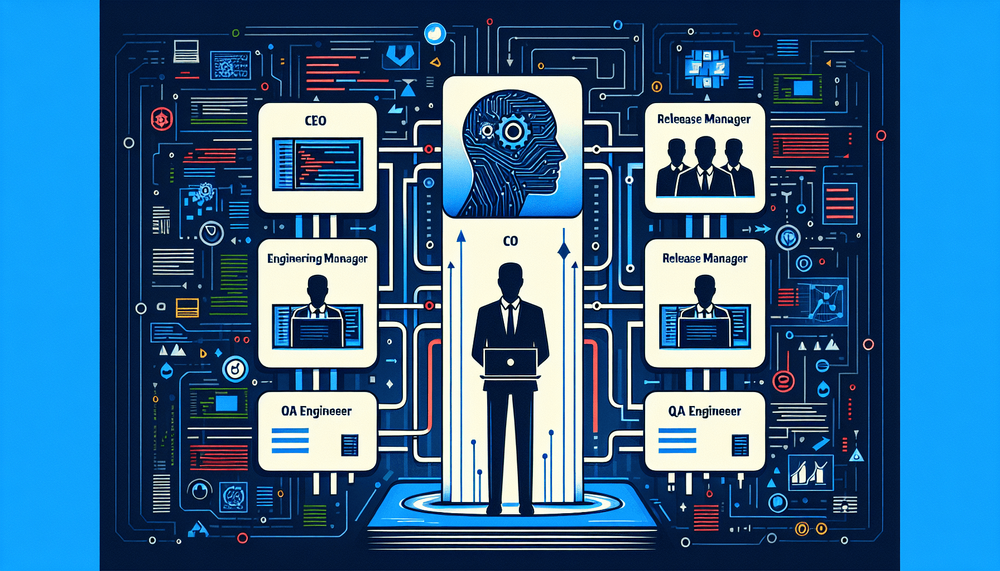
Garry Tan, president of Y Combinator and co-founder of Initialized Capital, has open-sourced a Claude Code workflow called gstack that reframes how developers interact with AI coding assistants. Rather than treating Claude Code as a generic tool that responds to ad hoc prompts, gstack introduces a role-based system built on custom slash commands, turning a single AI assistant into a structured, opinionated development team. The setup uses Claude Code's native custom slash commands feature to assign distinct operational personas, each with its own priorities and constraints, covering everything from product strategy to deployment configuration.
For intermediate developers already working with Claude Code, gstack offers an immediately adoptable framework that imposes the kind of structured thinking typically found in well-run engineering organizations. This article covers what gstack is, how every one of its six commands works, how to install and configure it, and how to integrate it into a real development workflow.
Note on terminology: Throughout this article, "skills" refers to gstack's own term for its custom slash command files. In Claude Code's official documentation, this feature is called "custom slash commands."
Table of Contents
- What Is gstack?
- All 6 gstack Commands Explained
- How to Install gstack
- Using gstack in a Real Workflow
- How gstack Compares to Other Claude Code Workflows
- Why This Matters for AI-Assisted Development
What Is gstack?
The Core Concept: Roles, Not Prompts
gstack is a collection of six Claude Code custom slash commands (which the gstack project refers to as "skills"), hosted publicly on GitHub. Each command switches Claude Code into a specific operational mode defined by a distinct persona, a set of priorities, and a set of constraints that govern how the AI responds.
The underlying philosophy is straightforward: rather than prompting Claude with varying levels of context and hoping for consistent output, a developer assigns Claude a defined role with clear responsibilities. This mimics how a real engineering team operates, where a QA engineer thinks differently from a product lead, and a release manager applies different judgment than a senior developer writing feature code. Each gstack command activates one of these mental models within Claude Code, channeling its output toward the concerns appropriate for that phase of development.
Rather than prompting Claude with varying levels of context and hoping for consistent output, a developer assigns Claude a defined role with clear responsibilities.
The gstack repository is available on GitHub under Garry Tan's account. Verify the current repository URL at Garry Tan's GitHub profile before proceeding with installation.
The Tech Stack Behind gstack
gstack is built exclusively for Claude Code, Anthropic's CLI-based agentic coding tool. It relies on Claude Code's native custom slash commands feature, which gstack refers to informally as "skills." The custom slash command definitions are pure Markdown-based configuration files that slot into Claude Code's existing command infrastructure. The skill files themselves require no additional libraries. The only dependencies are Claude Code and an active Anthropic API account. This means gstack is compatible with any project that uses Claude Code, regardless of language, framework, or domain, since the role definitions are language-agnostic prompt configurations.
All 6 gstack Commands Explained
The full set of gstack commands covers the lifecycle of software development from ideation through deployment:
| Command | Role | What It Does | When to Use It |
|---|---|---|---|
/gstack:ceo | CEO / Product Visionary | High-level product thinking, feature prioritization, strategic decisions | Starting a new project or feature, defining scope |
/gstack:eng-manager | Engineering Manager | Architecture decisions, code review, technical planning | Designing systems, reviewing PRs, planning sprints |
/gstack:engineer | Senior Engineer | Writes production code, implements features, follows best practices | Active development and implementation |
/gstack:release-manager | Release Manager | Manages versioning, changelogs, deployment readiness | Preparing releases, writing changelogs, tagging versions |
/gstack:qa | QA Engineer | Writes tests, finds edge cases, validates behavior | Testing, bug hunting, writing test suites |
/gstack:devops | DevOps Engineer | Infrastructure, CI/CD, deployment configuration | Setting up pipelines, Docker, cloud config |
/gstack:ceo: The Product Visionary
When you activate CEO mode, Claude prioritizes user value, market fit, and feature scoping. The constraints steer Claude toward thinking about what to build and why, deliberately pulling it away from implementation details. Claude in this mode focuses on defining acceptance criteria, evaluating whether a proposed feature aligns with product goals, and articulating the user problem being solved.
The ideal workflow moment for this command is project kickoff, feature brainstorming, or drafting a product requirements document. Solo developers who lack a dedicated product counterpart benefit most here: CEO mode forces the discipline of scoping before coding.
/gstack:eng-manager: The Technical Leader
Invoke this command before writing code or during a design review phase. Engineering Manager mode shifts Claude's priorities toward architecture, code quality standards, and technical debt awareness. Claude thinks in systems: it evaluates tradeoffs between approaches, considers how a change affects the broader codebase, and reviews decisions rather than writing implementation code.
It acts as a forcing function for architectural thinking, the kind that developers skip when they jump straight into implementation.
/gstack:engineer: The Builder
This is the mode most developers will reach for most often. Engineer mode prioritizes clean, working, production-ready code. Claude follows project conventions, writes idiomatic code for the target language and framework, and implements features end-to-end. The constraints push Claude toward pragmatic, shippable output rather than theoretical discussion.
/gstack:release-manager, /gstack:qa, and /gstack:devops
The remaining three roles handle versioning, testing, and deployment. Release Manager mode manages semantic versioning, changelog generation, and release notes, ensuring that version bumps follow convention and release documentation is thorough. QA mode focuses on test coverage, edge case identification, and regression testing, pushing Claude to think adversarially about the code it or the developer has written. DevOps mode addresses infrastructure as code, CI/CD pipeline configuration, and deployment scripts, covering the operational concerns that surround getting code into production. Always review AI-generated infrastructure and deployment configuration before applying it to production environments.
How to Install gstack
Prerequisites
Before installing gstack, developers need:
- Claude Code installed and authenticated against their Anthropic account. Verify your installation with
claude --version. (This guide assumes the version of Claude Code that supports custom slash commands via the.claude/commands/directory; verify compatibility with your installed version.) - An active Anthropic API plan. Usage costs depend on your selected model and session length.
- A working project directory and basic familiarity with how Claude Code's slash commands function.
- Git installed (for the clone installation method).
Installation Steps
Important: The gstack repository URL, GitHub username (garrytan), and file paths referenced below should be verified at Garry Tan's GitHub profile before use. Repository structures can change over time.
The installation method involves cloning the gstack repository and copying the custom slash command Markdown files directly into your project's .claude/commands/ directory. Navigate to your project root directory first, then run the following script:
#!/usr/bin/env bash
set -euo pipefail

# Verify Claude Code is installed
CLAUDE_VERSION="$(claude --version 2>/dev/null)" || {
  echo "ERROR: 'claude' not found in PATH. Install Claude Code first." >&2
  exit 1
}
echo "Detected Claude Code: ${CLAUDE_VERSION}"

# Use a temp directory to avoid leaving clone artifacts
TMP_DIR="$(mktemp -d)"
trap 'rm -rf "$TMP_DIR"' EXIT

git clone --depth 1 https://github.com/garrytan/gstack.git "$TMP_DIR/gstack"

# Resolve destination from current working directory (run this from your project root)
PROJ_ROOT="$(pwd)"
DEST="${PROJ_ROOT}/.claude/commands"
mkdir -p "$DEST"

# Validate source files exist before copying
shopt -s nullglob
files=("$TMP_DIR/gstack/skills/"*.md)
if [ "${#files[@]}" -eq 0 ]; then
  echo "ERROR: No .md files found in cloned gstack/skills/. Aborting." >&2
  exit 1
fi

# Copy with basename extraction to prevent path traversal
for f in "${files[@]}"; do
  cp "$f" "$DEST/$(basename "$f")"
done

echo "Installed ${#files[@]} gstack command(s) to ${DEST}"
echo "Verify with: ls -la ${DEST}"
Note: Run this script from your actual project root directory. The script uses $(pwd) to resolve the destination path, creates the .claude/commands/ directory if needed, validates that source files exist, and cleans up the temporary clone automatically.
To verify the installation was successful, start a Claude Code session in the project directory and type /gstack:. If your version of Claude Code supports slash command autocomplete, the available commands should appear:
/gstack:ceo
/gstack:eng-manager
/gstack:engineer
/gstack:release-manager
/gstack:qa
/gstack:devops
Alternatively, type /gstack:ceo and press Enter to confirm the command loads and Claude responds in CEO mode.
You can also verify from the terminal:
ls -la .claude/commands/*.mdIf all six are recognized, the installation is complete and the commands are ready to use.
To remove gstack from a project-level install, delete the corresponding .md files from .claude/commands/ in your project directory:
# List the files that will be removed, then delete them
ls .claude/commands/*.md
rm .claude/commands/*.md
For global installs, replace the path with your global Claude Code commands directory (typically ~/.claude/commands/ on macOS and Linux).
Project-Level vs. Global Installation
When you place command files in a project's .claude/commands/ directory, they are scoped to that project only. This is the right approach when the gstack roles need customization per project, or when only certain repositories benefit from the role-based workflow.
For developers who want gstack available across every project, place the command files in the global Claude Code configuration directory (typically ~/.claude/commands/ on macOS and Linux; verify this path for your Claude Code version) instead. To install globally, modify the DEST variable in the installation script:
DEST="${HOME}/.claude/commands"The tradeoff is straightforward: global installation provides convenience at the cost of per-project customization. Teams with consistent conventions across repositories will benefit from global installation, while those working across diverse codebases with different standards will want project-level control.
Using gstack in a Real Workflow
A Typical Development Cycle with gstack
Consider a realistic scenario: building a new API endpoint from scratch. The gstack workflow proceeds through the roles in a deliberate sequence.
Start with /gstack:ceo to define the feature and its acceptance criteria. What user problem does this endpoint solve? What are the success metrics? What is out of scope?
Next, switch to /gstack:eng-manager to plan the architecture. Which service layer handles the logic? What data models are involved? Are there tradeoffs between consistency and performance that need explicit decisions?
Step 3: Activate /gstack:engineer to implement the feature against the plan established in the prior steps.
Step 4: Run /gstack:qa to write tests, probe edge cases, and validate that the implementation matches the acceptance criteria from Step 1.
Finally, use /gstack:release-manager to prepare the changelog entry and determine the appropriate version bump, then run /gstack:devops if the new endpoint requires changes to deployment configuration, environment variables, or CI/CD pipelines.
A condensed example of this role-switching in practice looks like the following terminal session:
> /gstack:ceo
  Define the requirements for a new /api/v2/users/export endpoint that allows
  admins to download user data as CSV. What are the acceptance criteria?

[Claude responds in CEO mode: defines user story, acceptance criteria,
 scope boundaries, and success metrics]

> /gstack:engineer
  Implement the /api/v2/users/export endpoint based on the requirements above.
  Use the existing Express middleware pattern and the UserService.

[Claude responds in Engineer mode: produces implementation code following
 project conventions, handles auth middleware, streams CSV response]

> /gstack:qa
  Write tests for the /api/v2/users/export endpoint. Cover auth failures,
  empty datasets, large exports, and malformed query parameters.

[Claude responds in QA mode: generates test suite targeting edge cases
 and failure modes specifically]
Privacy note: Endpoints that export user data require careful consideration of authentication, authorization scopes, rate limiting, data minimization, and applicable privacy regulations (e.g., GDPR, CCPA). Use /gstack:qa to explicitly test for unauthorized access scenarios and /gstack:devops to configure appropriate rate limits and access controls.
The behavioral shift between modes is the key value. CEO mode produces requirements and scope, not code. Engineer mode produces implementation, not strategy. QA mode thinks adversarially about what can break, not about what the feature is supposed to do when everything goes right.
CEO mode produces requirements and scope, not code. Engineer mode produces implementation, not strategy. QA mode thinks adversarially about what can break, not about what the feature is supposed to do when everything goes right.
Tips for Getting the Most Out of gstack
Don't skip roles. The value of gstack lies in the structured thinking each role imposes, not just in the code output. Developers who jump straight to /gstack:engineer bypass the scoping and architectural review that prevent building the wrong thing or building the right thing poorly.
CEO mode deserves more use than most developers initially expect. The discipline of articulating what to build and why, before touching implementation, catches scope creep and misaligned priorities early.
Chain roles in sequence. Each role's output becomes natural context for the next because Claude retains conversation history within a single session. The acceptance criteria from CEO mode inform the architecture from Engineering Manager mode, which in turn guides the implementation in Engineer mode. This sequencing reduces revision cycles and keeps output aligned with the original requirements. Note that multi-role sessions accumulate tokens and API costs; for complex features, consider breaking the workflow across sessions if context length becomes a concern.
The command files themselves are just Markdown. Teams should customize them to reflect their own conventions, coding standards, and review criteria. A team that uses Go and follows specific error-handling patterns can encode those expectations directly into the Engineer command file, making Claude's output conform to house style by default.
How gstack Compares to Other Claude Code Workflows
Without gstack or similar configurations, Claude Code operates as a capable but undifferentiated assistant. Claude Code's native CLAUDE.md file provides persistent project context, but it does not support role-switching between distinct operational modes the way gstack's slash commands do. Other community command packs exist, but many focus on generic prompt enhancement rather than enforcing distinct operational personas.
gstack's advantage is its opinionated role structure. By constraining Claude to think as a specific team member at each phase, it narrows the response space. For example, asking a generic Claude Code session to "review this PR" produces broad feedback; asking /gstack:eng-manager to review the same PR produces feedback filtered through architecture and maintainability concerns, skipping cosmetic suggestions that distract from structural issues.
The limitation is equally clear: gstack reflects one person's workflow. Teams with different development processes, different role definitions, or different phase boundaries will need to modify the six-role structure. The Markdown-based command files are easy to edit, but the default configuration carries Tan's assumptions about how software should be built. The Claude Code community is building and sharing custom command libraries, and gstack is one of the more structured and publicly visible contributions to that ecosystem.
Why This Matters for AI-Assisted Development
gstack forces a scoping step before implementation and a review step after it, turning Claude Code from a reactive autocomplete into something closer to a development process with built-in checkpoints. Garry Tan's decision to open-source this workflow, combined with his visibility as YC president, has drawn attention to the pattern from developers who would not otherwise experiment with custom slash commands.
Constraining what Claude focuses on at each stage makes its output more relevant and more consistent. By limiting scope per role, gstack reduces the number of revision cycles needed to get usable output.
The core principle: constraining what Claude focuses on at each stage makes its output more relevant and more consistent. By limiting scope per role, gstack reduces the number of revision cycles needed to get usable output. Developers can install gstack from the GitHub repository (verify this URL is current), try it on their next feature, and adapt the role definitions to match their team's specific workflow and conventions.