
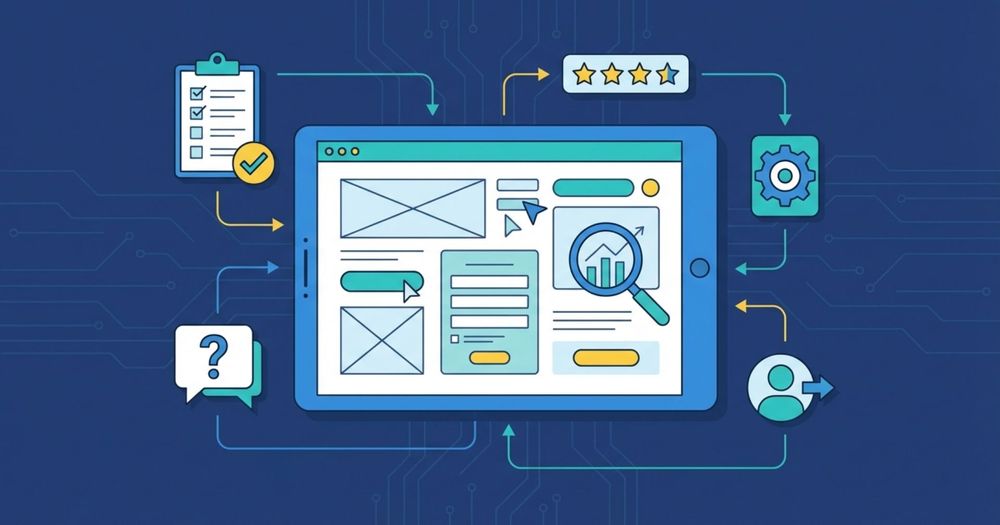
User experience evaluation assesses how users interact with a product or service. The goal is to identify areas for improvement in design, usability, and overall experience to ensure the product meets users’ needs and expectations.
To make your UX design effective, here are practical and proven tips that you can implement right away. Let's look at 10 best tips:
1. Show system status
Users should always be informed about what is happening on the website or app as they want reassurance that their actions within the system are being processed successfully. When users know the current system status such as, whether a task is completed or still in progress so they are less likely to feel confused or frustrated. This keeps them focused and engaged and reduces task abandonment, ultimately creating a more positive user experience.
Messaging apps like WhatsApp communicate system status clearly by showing one tick when a message is sent, two ticks when it is delivered and blue ticks when message is seen. Similarly, Google Docs shows “Saved in Google Drive” which reassures users that their work is saved.
2. Clear Organization and Guide users
If users get confused while understanding functions, they are more likely to abandon the task but UX designers can avoid this by carefully structuring and organizing information on their apps so the interface remains intuitive and user centred. Streaming platforms like Netflix organizes its content into intuitive categories like “Trending Now,” “Top Picks for You" and “Continue Watching". This structured layout helps users quickly find what they want without confusion.
Moreover, tools like spellings and grammar checks guide users aboutby identifying mistakes and offering corrections. For instance, Google Docs shows spelling and grammar mistakes with red underlines, allowing users to correct them. This guidance increases user satisfaction and loyalty.
3. Give users full control and freedom
Users often make mistakes due to distraction, misunderstanding or lack of experience. When users get stuck and cannot find an option to go back or exit a process, their frustration increases. Imagine you want to see the the total price of clothes so you clicked on checkout button and now it's asking for payment details and there is no back option. In such cases, users are likely to abandon the site altogether.
Users also multitask frequently like if a user is writing an article and leaves midway to complete the other task and later returns to find their work was not saved so this can be extremely frustrating. This may lead users to switch to platforms that offers auto save functionality.
Providing a clear exit or return option is essential as it gives users confidence and freedom. Clear navigation reassures users that they can move freely to other platforms without losing progress which improves user experience and strengthens customer loyalty.
4. Conduct Usability Testing
Usability testing has a direct link to user satisfaction as it helps identify issues before a product reaches users. It involves feedback from real users which allows businesses to find friction points or usability problems and then improve designs based on actual needs.
Usability testing is an important step in developing user-friendly, intuitive, and successful products. By identifying and resolving usability issues early, businesses can save time and money while improving customer satisfaction, engagement and overall business success. Even small improvements can make a big difference as a 10% increase in usability can significantly increase sales and customer retention.
For effective usability testing, engage the whole team in the process because different perspectives helps to identify potential issues early, and continuous testing before, during and after the design helps uncover pain points while reducing long term costs.
5. Make an Aesthetic and Minimalist design
Aesthetic and minimalist design focuses on simplicity and clarity. By limiting elements to what is essential and removing unnecessary details, businesses can improve readability and reduce distractions. This approach also reduce cognitive load, user friction and minimizes decision fatigue which makes it easier for users to engage with content and navigate the site.
Arrange elements by importance using font size, color, and spacing like, using the same bold green colour in both headings and body text can confuse users and reduce readability.
6. Use the User’s language
Using the user's language means communicating in a clear, familiar and relatable way. Avoid complex jargons and unfamiliar icons, such as using non standard search icons can confuse users as they are more familiar with magnifying glass icon for search. Not all users understand technical terms so instead of writing "Enable biometric authentication", write "Use face ID or fingerprint" as it is more understandable.
Users also feel more connected when a product communicates in their tone. Nowadays AI is commonly used in apps like Instagram or WhatsApp which is helpful for users but overly robotic language can feel impersonal. Friendly messages like "Got it, Thanks for signing up" feels more reassuring and human confirmation than "Your submission has been received successfully".
7. Provide help for easy accessibility
Help should always be available when users encounter problems to prevent them from leaving the site. Whenever possible, support should be presented in context, exactly when users need it.
Identifying common issues through qualitative research or usability testing helps businesses understand where users struggle or drop off. Providing FAQ’s, short video tutorials or simple step by step guides can reduce frustration, improves engagement and increase the overall user experience.
8. Identify and fix common UX issues
One of the most common UX issue is poor navigation as when menus are unclear or cluttered, users struggle to find information. To solve this, use clear labels that describe the content accurately and limit the number of menu options to reduce confusion. Such as, an e-commerce site with too many categories like Men’s, Women’s, Kids, Accessories, and more can confuse users.
Moreover, slow loading times is another major issue which frustrates users quickly because users are impatient and expect quick responses.Therefore, optimizing loading speed is important as fast loading speed keeps users engaged, reduces bounce rates and improves the user experience.
9. Continuous improvement and Iteration
UX is an ongoing process, not a one-time fix. Continuous improvement involves regular assessment based on user feedback and data analysis.
By identifying critical friction points through usability testing, surveys and interviews, teams can prioritise updates and make informed decisions. This iterative approach ensures the product remains intuitive, efficient, and relevant overtime.
10. Conduct A/B testing
A/B testing is a method which compares two versions of a web page or app to see which one performs better. It helps improve user experience by enabling data-driven decisions.
This process helps businesses create more effective designs by removing guesswork and providing insights into user preferences. By continuously testing and refining elements, A/B testing helps ensure the product meets the users needs, leading to higher engagement, better conversion rates and an improved overall experience.
Conclusion
Creating a great user experience is important for retaining customers, increasing engagement and driving business success. By using these 10 tips, you can significantly improve your website's UX design and deliver a more seamless experience. Each step you take, from increasing navigation to conducting A/B testing brings you closer to delivering a seamless and satisfying experience.
Now it’s time to put them into action! Don’t wait. Start improving your UX today and watch your customer satisfaction and increase in conversions. Remember, good user experience isn't just about aesthetics but it's an important step towards business growth and customer loyalty.