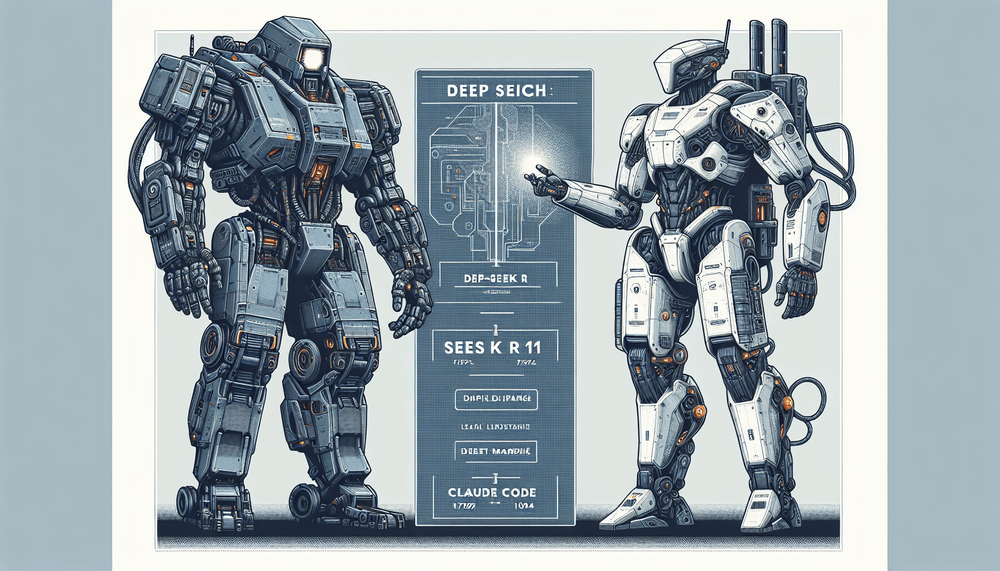
DeepSeek R1 vs Claude Code Comparison
| Dimension | DeepSeek R1 | Claude Code |
|---|---|---|
| Primary approach | Chain-of-thought reasoning with visible thinking trace | Agentic autonomous execution (reads, edits, runs, iterates) |
| Cost (per 1M input / output tokens) | $0.55 / $2.19 | $3.00 / $15.00 |
| Self-hosting | Yes — open-weight via Ollama or vLLM | No — proprietary API only |
| Best-fit tasks | Algorithm design, debugging logic, math, research | Multi-file refactors, scaffolding, migrations, iterative dev loops |
The AI coding assistant market has fractured along a meaningful fault line — deep reasoning models versus agentic workflow tools. This article compares DeepSeek R1 and Claude Code for intermediate developers evaluating both tools for real coding workflows.
Last verified: July 2025. Model versions, pricing, and feature availability are subject to change. Verify details against official documentation before making purchasing or infrastructure decisions.
Table of Contents
- Why This Comparison Matters
- DeepSeek R1 at a Glance: What You're Getting
- Claude Code at a Glance: What You're Getting
- Where DeepSeek R1 Excels
- Side-by-Side Feature Comparison
- Head-to-Head: Reasoning vs. Agentic Workflows in Practice
- VS Code Integration: Setting Up Both Tools
- Performance, Speed, and Cost Analysis
- When to Use Each Tool
- Can You Use Both? A Hybrid Workflow
- The Verdict
Why This Comparison Matters
The AI coding assistant market has fractured along a meaningful fault line. On one side sit deep reasoning models like DeepSeek R1, which expose their chain-of-thought process to help developers think through hard problems. On the other sit agentic workflow tools like Claude Code, which autonomously read codebases, edit files, run commands, and iterate on solutions without waiting for human intervention at each step. The tension between thinking deeply and acting autonomously defines the most consequential choice developers face when selecting AI tooling for daily work.
This article compares DeepSeek R1 and Claude Code for intermediate developers evaluating both tools for real coding workflows. It covers architecture, pricing, feature sets, head-to-head task comparisons with working code examples, VS Code integration, performance and cost analysis, and guidance on when each tool fits best. Both tools plug into the VS Code ecosystem, though through very different mechanisms, making this comparison directly relevant to most professional developers.
DeepSeek R1 at a Glance: What You're Getting
Architecture and Reasoning Approach
DeepSeek R1 uses a Mixture-of-Experts (MoE) architecture, meaning only a subset of the model's parameters activate for any given token, yielding efficiency gains despite a very large total parameter count. The defining feature is its chain-of-thought reasoning: when presented with a problem, R1 produces an extended "thinking" trace before arriving at a final answer. The developer can see this trace directly, including the logical steps, false starts, and corrections the model works through. For complex algorithmic problems, debugging intricate code paths, or multi-step mathematical reasoning, this transparency lets developers verify the model's logic rather than blindly trusting the output.
DeepSeek ships R1 as an open-weight model, which means developers can download the weights, inspect them, fine-tune them, and run them on their own infrastructure. This is a material distinction from proprietary models that developers can only access through API calls.
Pricing and Access Models
Developers access DeepSeek R1 through the DeepSeek API at pricing that runs roughly 5-7x cheaper per token than Claude's API rates. Input tokens cost $0.55 per million and output tokens $2.19 per million at cache-miss rates (as of early 2025; verify current pricing at platform.deepseek.com). Self-hosting via frameworks like Ollama or vLLM eliminates per-token costs entirely, shifting costs to GPU hardware. For teams with existing GPU infrastructure, this can be dramatically cheaper at scale.
Claude Code at a Glance: What You're Getting
Agentic Terminal Workflow
Claude Code is a CLI-native agentic coding assistant from Anthropic. Rather than simply responding to prompts, it operates as an autonomous agent in the terminal: it reads files, edits them in place, executes shell commands, runs test suites, interacts with git, and iterates on its own output based on the results it observes. A developer can describe a task in natural language, and Claude Code will plan the work, execute it across multiple files, run the resulting code to check for errors, and fix any issues it finds, all in a single agentic loop.
Claude Code uses a permission model with configurable trust levels. In "ask" mode, it asks for approval before each destructive action (file writes, command execution). Auto-accept mode allows it to operate with greater autonomy, which is useful for trusted workflows like test-driven development loops. ⚠️ Do not enable auto-accept in shared repositories or CI environments. All file writes and shell commands execute without confirmation.
Pricing and Access Models
Claude Code charges per API call through Anthropic. The default model backing Claude Code (verify the current default at anthropic.com/claude-code) costs approximately $3 per million input tokens and $15 per million output tokens. Anthropic also offers Claude Pro ($20/month) and Claude Max ($100-$200/month) subscription tiers, which provide bundled usage allowances for Claude Code (verify current tier pricing at anthropic.com/pricing). Because agentic workflows involve multiple API calls per task (reading context, generating edits, running commands, reading output, iterating), the per-task token consumption runs substantially higher than a single prompt-response exchange.
Where Claude Code Excels
Multi-file refactors, codebase-wide renames, dependency migrations, project scaffolding, and iterative development loops are where Claude Code's agentic architecture delivers the most benefit. The write-run-debug-fix cycle that normally requires a developer to context-switch between editor, terminal, and browser happens entirely within Claude Code's autonomous loop. A refactor that takes a developer 20 minutes of manual find-replace across files completes in one autonomous loop.
The tension between thinking deeply and acting autonomously defines the most consequential choice developers face when selecting AI tooling for daily work.
Where DeepSeek R1 Excels
R1 consistently performs strongly on mathematical reasoning, algorithmic challenges, competitive programming problems, and any task requiring multi-step logical deduction. Its visible reasoning trace is not just a debugging aid for the model's own process; it also teaches developers why a particular approach works. For tasks like analyzing complex execution paths, identifying subtle invariants, or constructing proofs of correctness, R1's reasoning approach delivers clear value.
Side-by-Side Feature Comparison
| Feature | DeepSeek R1 | Claude Code |
|---|---|---|
| Primary approach | Reasoning (chain-of-thought) | Agentic (autonomous execution) |
| Context window | 128K tokens (API; verify for self-hosted deployments — context window may vary by quantization and hosting method) | 200K tokens |
| Model access | Open-weight | Proprietary API |
| Self-hosting option | Yes (Ollama, vLLM, etc.) | No |
| VS Code integration method | Extensions (Continue, Cody, Cline) | Embedded terminal via CLI + /ide |
| Code execution capability | No (generates code only)* | Yes (runs commands autonomously) |
| File system access | No (reads pasted context only) | Yes (reads and writes files directly) |
| Git integration | No | Yes (commits, diffs, branch ops) |
| Multi-file editing | Advisory (generates diffs) | Direct (edits files in place) |
| Reasoning transparency | Visible chain-of-thought trace | Internal reasoning not exposed |
| Approx. API cost (input/output per 1M tokens) | $0.55 / $2.19 | $3.00 / $15.00 |
| Best-suited tasks | Algorithms, math, debugging logic, research | Refactors, scaffolding, migrations, iterative dev |
| Supported languages/frameworks | Language-agnostic | Language-agnostic |
| Offline capability | Yes (self-hosted) | No |
* Via API only. Self-hosted deployments paired with tool-use frameworks (e.g., Cline) may enable code execution.
These features trade off against each other directly: DeepSeek R1 provides deeper, more transparent reasoning at a fraction of the cost but requires the developer to manually apply its suggestions. Claude Code costs more and operates as a black box internally, but it can autonomously execute complex multi-step workflows end to end. The choice between them depends less on which model is "smarter" and more on whether a developer's bottleneck is understanding a problem or executing the solution.
Head-to-Head: Reasoning vs. Agentic Workflows in Practice
Task 1: Solving an Algorithmic Challenge
Consider a classic dynamic programming problem: given an array of integers, find the length of the longest increasing subsequence (LIS) in O(n log n) time.
DeepSeek R1 approach (prompt and reasoning trace excerpt):
Prompt: "Solve the longest increasing subsequence problem in O(n log n)
time. Implement it in JavaScript with clear comments."
"use strict";
// DeepSeek R1 reasoning trace (abbreviated):
// "The naive DP approach is O(n²). To achieve O(n log n), I need a
// patience sorting approach. I'll maintain a 'tails' array where
// tails[i] is the smallest tail element for an increasing subsequence
// of length i+1. For each element, binary search tails to find the
// position to replace or extend. This works because tails is always
// sorted, so binary search applies."
function lisLength(nums) {
if (!Array.isArray(nums)) {
throw new TypeError("nums must be an array");
}
if (nums.length === 0) return 0;
const tails = [];
for (const num of nums) {
let lo = 0, hi = tails.length;
// Binary search for the leftmost tail >= num
while (lo < hi) {
const mid = (lo + hi) >>> 1;
if (tails[mid] < num) lo = mid + 1;
else hi = mid;
}
tails[lo] = num; // Replace or extend
}
return tails.length;
}
console.log(lisLength([10, 9, 2, 5, 3, 7, 101, 18])); // 4The chain-of-thought trace walks through why the naive approach is insufficient, derives the patience sorting insight, and explains why the tails array remains sorted, giving the developer full visibility into the algorithmic reasoning.
Claude Code approach (illustrative terminal session — actual output, file discovery, and commit messages will vary):
$ claude "Solve the longest increasing subsequence problem in O(n log n)
time in JavaScript. Write it to lis.js and test it."
// lis.js — Claude Code writes this file and runs it:
"use strict";
function lisLength(nums) {
if (!Array.isArray(nums)) {
throw new TypeError("nums must be an array");
}
if (nums.length === 0) return 0;
const tails = [];
for (const num of nums) {
let lo = 0, hi = tails.length;
while (lo < hi) {
const mid = (lo + hi) >>> 1;
if (tails[mid] < num) lo = mid + 1;
else hi = mid;
}
tails[lo] = num;
}
return tails.length;
}
module.exports = { lisLength };
// Auto-generated test cases (verified with Node.js)
const assert = require('assert');
const tests = [
{ input: [10, 9, 2, 5, 3, 7, 101, 18], expected: 4, label: "standard case" },
{ input: [0, 1, 0, 3, 2, 3], expected: 4, label: "with duplicates" },
{ input: [7, 7, 7, 7], expected: 1, label: "all equal" },
{ input: [5], expected: 1, label: "single element" },
{ input: [5, 4, 3, 2, 1], expected: 1, label: "strictly descending" },
{ input: [], expected: 0, label: "empty array" },
];
let passed = 0;
for (const { input, expected, label } of tests) {
try {
const result = lisLength(input);
assert.strictEqual(result, expected);
console.log(` ✓ ${label}`);
passed++;
} catch (e) {
console.error(` ✗ ${label}: ${e.message}`);
process.exitCode = 1;
}
}
console.log(`
${passed}/${tests.length} tests passed.`);
// Claude Code runs: node lis.js → "6/6 tests passed."Both tools produce correct solutions. DeepSeek R1's value here is pedagogical: the reasoning trace teaches a developer why the algorithm works. Claude Code's value is operational: it writes the file, generates test cases, and confirms correctness autonomously.
Task 2: Multi-File Refactor in a Real Project
Scenario: rename a UserService class to AccountService across a small Node.js project, updating all imports, references, and tests.
DeepSeek R1 approach:
Prompt: "I need to rename UserService to AccountService across my
Node.js project. Files: src/services/UserService.js,
src/controllers/userController.js, tests/userService.test.js.
Generate all necessary changes."
// DeepSeek R1 outputs a comprehensive diff plan:
// File: src/services/UserService.js → rename to AccountService.js
// - class UserService → class AccountService
// - module.exports = UserService → module.exports = AccountService
// File: src/controllers/userController.js
// - const UserService = require('./services/UserService')
// + const AccountService = require('./services/AccountService')
// - All references: UserService.find() → AccountService.find()
// File: tests/userService.test.js → rename to accountService.test.js
// - const UserService = require('../src/services/UserService')
// + const AccountService = require('../src/services/AccountService')
// - All describe/it blocks updated accordingly
// NOTE: Developer must apply these changes manually or via search-replace.Claude Code approach (illustrative terminal session — actual output will vary):
$ claude "Rename UserService to AccountService everywhere in this project.
Update file names, imports, class references, and tests. Run the tests
after to make sure nothing broke."

> Reading src/services/UserService.js
> Reading src/controllers/userController.js
> Reading tests/userService.test.js
> Renaming src/services/UserService.js → src/services/AccountService.js
> Updated class name and exports in AccountService.js
> Updated import and references in userController.js
> Renamed tests/userService.test.js → tests/accountService.test.js
> Updated test imports and references
> Running: npm test
> All 12 tests passed.
⚠️ Claude Code will execute a real git commit if instructed. Verify you are on the correct branch and review the diff before allowing commit operations.
> Committing: git commit -m "refactor: rename UserService to AccountService"The difference here is stark. DeepSeek R1 generates a correct and thorough plan, but the developer must apply every change manually. Claude Code reads the project, executes the renames, updates all references, runs the test suite to verify, and commits the result. For refactoring tasks, Claude Code's agentic capability eliminates the entire manual application step.
The choice between them depends less on which model is "smarter" and more on whether a developer's bottleneck is understanding a problem or executing the solution.
Task 3: Debugging a Subtle Logic Error
Scenario: an off-by-one error in a paginated API response where the last page returns one duplicate item.
Both tools find this bug quickly, but they surface different kinds of value. Here is how each handles it.
Claude Code approach (illustrative terminal session):
$ claude "This paginate function returns a duplicate item on page
boundaries. Find and fix the bug, then verify."

> Reading paginate.js
> Identified: slice end index is start + pageSize + 1 (should be start + pageSize)
> Applying fix to paginate.js
> Running test: node -e "
    const { paginate } = require('./paginate');
    console.log(paginate([...Array(25).keys()], 2, 10));
  "
> Output: [10,11,12,13,14,15,16,17,18,19] ✓ (10 items, no overlap)
> Fix confirmed.
Claude Code identifies, fixes, and verifies the fix in a single autonomous loop. Fast, no manual steps.
DeepSeek R1 approach:
// ❌ DO NOT USE — this snippet contains the bug being diagnosed.
// Prompt includes the buggy pagination function:
function paginate(items, page, pageSize) {
  const start = (page - 1) * pageSize;
  const end = start + pageSize + 1; // BUG: off-by-one
  return items.slice(start, end);
}

// DeepSeek R1 reasoning trace:
// "Array.slice(start, end) is exclusive of end index. With pageSize=10
// and the +1, each page returns 11 items instead of 10. The last item
// of each page overlaps with the first item of the next page, creating
// the duplicate on boundary pages. Fix: remove the +1."
The corrected function with input validation:
"use strict";

function paginate(items, page, pageSize) {
  if (!Array.isArray(items)) {
    throw new TypeError("items must be an array");
  }
  if (!Number.isInteger(page) || page < 1) {
    throw new RangeError("page must be a positive integer (1-based)");
  }
  if (!Number.isInteger(pageSize) || pageSize < 1) {
    throw new RangeError("pageSize must be a positive integer");
  }
  const start = (page - 1) * pageSize;
  const end = start + pageSize;
  return items.slice(start, end);
}

module.exports = { paginate };
R1's reasoning trace walks through the semantics of Array.slice and explains exactly how the overlap occurs, which helps a developer build intuition for similar bugs. The trade-off is the same as before: understanding vs. autonomous execution.
VS Code Integration: Setting Up Both Tools
Prerequisites
- Node.js (v16 or later recommended) and npm
- VS Code with the Continue extension installed (check continue.dev for current version compatibility)
- For local DeepSeek R1: Ollama installed and running (ollama.com/download)
- For DeepSeek API: an API key from platform.deepseek.com
- For Claude Code: an Anthropic API key (set as
ANTHROPIC_API_KEYenvironment variable) - Git initialized in your project directory (required for Claude Code commit operations)
DeepSeek R1 in VS Code
DeepSeek R1 integrates into VS Code through extensions such as Continue, Cody, or Cline that support custom model endpoints. Developers can connect to the DeepSeek API directly or to a local instance running via Ollama.
// .vscode/settings.json — Continue extension with DeepSeek R1 via Ollama
// Validated against Continue v0.9.x — re-verify provider strings on upgrade.
// See: https://continue.dev/docs/reference/config
{
  "continue.models": [
    {
      "title": "DeepSeek R1 (Local)",
      "provider": "ollama",
      "model": "deepseek-r1:7b",
      "apiBase": "http://127.0.0.1:11434"
    },
    {
      "title": "DeepSeek R1 (API)",
      "provider": "openai-compatible",
      "model": "deepseek-reasoner",
      "apiBase": "${env:DEEPSEEK_API_BASE}",
      "apiKey": "${env:DEEPSEEK_API_KEY}"
    }
  ]
}
⚠️ Never commit API keys to version control. Set DEEPSEEK_API_KEY and DEEPSEEK_API_BASE as shell environment variables. DEEPSEEK_API_BASE should be set to https://api.deepseek.com/v1 in your shell profile. Check whether your Continue version supports ${env:...} interpolation in config fields; if not, use the extension's dedicated secrets management.
After pulling a model via Ollama, run ollama list to confirm the exact model tag (e.g., deepseek-r1:7b). Tag names may change across Ollama library updates; check ollama.com/library for current tags.
For best results with R1 in an editor context, developers should provide focused, well-scoped prompts that include the relevant code context. The reasoning trace can be lengthy, so check your extension's documentation for how reasoning traces display; behavior varies by extension version.
Claude Code in VS Code
Claude Code installs via npm:
npm install -g @anthropic-ai/claude-code(A Homebrew tap may also be available — verify the current tap name at anthropic.com/claude-code before use, as brew install claude-code without a tap will fail.)
Once installed, running claude in a project directory starts an interactive session. The /ide command connects Claude Code to VS Code as an integrated terminal agent, allowing it to apply diffs directly in open editor tabs.
# Initialize Claude Code in a project
$ cd ~/projects/my-app
$ claude
> Welcome to Claude Code. I can see 47 files in this project.

# Delegate a task
> Refactor the auth middleware to use JWT verification instead of
  session cookies. Update tests accordingly.

# Claude Code begins reading files, planning, and executing...
The --allowedTools flag enables specific tool categories (Bash, file read/write, etc.) but does not control whether confirmation prompts appear. Autonomy mode (skipping confirmation prompts) is a separate setting. Consult claude --help for the correct flag and configuration key for your installed version, and review the official .claude/settings.json schema at anthropic.com/claude-code before modifying settings.
Performance, Speed, and Cost Analysis
Response Latency
DeepSeek R1's chain-of-thought reasoning inherently takes longer than a standard model response. The thinking trace can run to hundreds or thousands of tokens before the final answer appears. For complex problems, response times of 30 to 60 seconds are common on the 70B model via API; quantized self-hosted variants on high-end consumer GPUs tend to respond faster, though exact latency depends on quantization level and hardware.
Claude Code's latency profile differs. Each agentic loop involves multiple API calls (reading context, generating a plan, writing edits, running commands, reading output, iterating). A multi-file refactoring task might involve 5 to 15 individual API calls, with each taking a few seconds. Total wall-clock time for a complex task can reach 1 to 3 minutes across those 5-15 round-trips, but the developer does other work while Claude Code operates autonomously.
Cost for Typical Developer Usage
The following estimates assume roughly 50 prompts per day at approximately 500 input tokens and 1,000 output tokens each, with no cache hits. Adjust based on your actual prompt length and usage patterns. Real costs differ depending on reasoning trace length, context window usage, and task complexity.
At that assumed volume, DeepSeek R1 via API costs approximately $5 to $15 per month. The spread depends on how long R1's reasoning traces run (longer traces on harder problems consume more output tokens) and how much context you feed per prompt. Claude Code costs substantially more due to both higher per-token pricing and the multiple API calls per agentic task: $50 to $150 per month without a subscription tier. The low end reflects short tasks with minimal iteration; the high end reflects multi-file refactors where Claude Code makes 10-15 round-trips per task.
Self-hosting DeepSeek R1 on a dedicated GPU eliminates marginal token costs. A consumer RTX 4090 (24 GB VRAM) can run smaller quantized variants (e.g., 7B or 14B parameters); the 70B model requires approximately 40 GB VRAM at Q4 quantization and cannot run on a single RTX 4090 — multi-GPU setups or higher-VRAM cards such as an A100 are needed. Self-hosting can make financial sense for teams with 3 or more developers using the model regularly, though a full cost analysis should account for GPU acquisition, electricity, cooling, and maintenance costs. Claude Code has no self-hosting option, so heavy usage teams face linearly scaling costs, partially mitigated by Claude Max subscriptions.
When to Use Each Tool
Choose DeepSeek R1 When:
The task demands transparent, verifiable reasoning through complex logic: algorithm design, mathematical proofs, or debugging subtle invariant violations. Budget matters. Maybe the team wants to self-host for data privacy and cost control. The developer prefers to stay in control of code execution and wants to understand and validate the model's reasoning before applying changes. Research-heavy or computation-oriented tasks benefit most from R1's reasoning depth.
Choose Claude Code When:
You want an autonomous coding partner that executes changes, not just advises on them. Large-scale refactors, dependency migrations, project scaffolding, and repetitive multi-file edits are the primary workflow. The iterative test-run-fix loop matters, and you do not want to intervene at each step. The team's compliance and procurement policies permit a proprietary API dependency and the associated per-token costs.
Can You Use Both? A Hybrid Workflow
Teams that split work between design/debugging and bulk implementation will get the most out of combining both tools. DeepSeek R1 excels at the planning and reasoning phases: designing architecture, working through complex algorithmic decisions, and analyzing tricky bugs where understanding the "why" matters. Claude Code excels at execution: applying the plan across a codebase, running tests, iterating on failures, and committing the result. In VS Code, this workflow is practical by running DeepSeek R1 through an extension like Continue for in-editor reasoning and Claude Code through the integrated terminal for agentic execution. For many teams, this is not an either/or decision.
DeepSeek R1 delivers visible chain-of-thought reasoning and $0.55/M input token pricing for thinking through hard problems. Claude Code delivers autonomous multi-file execution for development tasks that would otherwise eat hours of manual effort.
The Verdict
DeepSeek R1 and Claude Code represent two genuinely different approaches to AI-assisted development: reasoning depth versus agentic execution. Neither is universally superior. DeepSeek R1 delivers visible chain-of-thought reasoning and $0.55/M input token pricing for thinking through hard problems. Claude Code delivers autonomous multi-file execution for development tasks that would otherwise eat hours of manual effort. The right choice depends on the specific workflow, budget constraints, and task profile. Test both tools against your actual codebase and daily tasks before committing to one.