

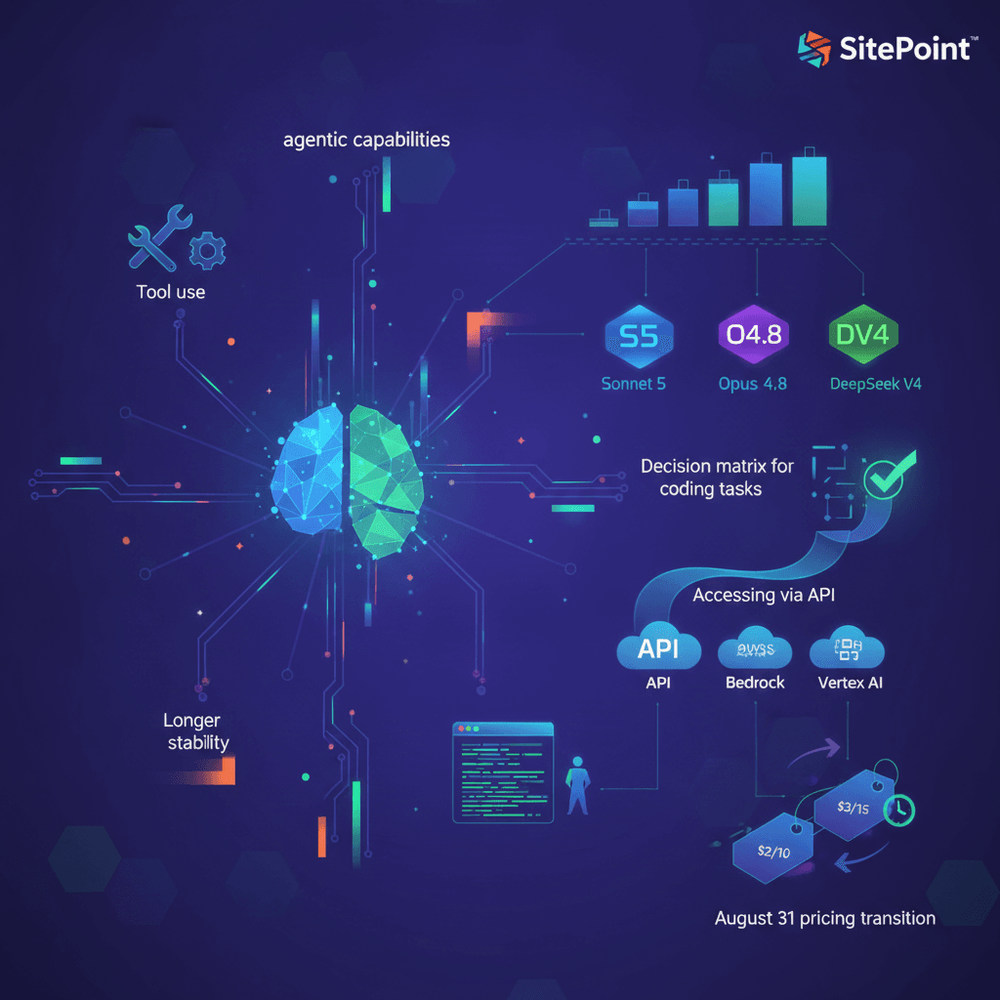
Anthropic released Claude Sonnet 5 on July 15, 2025, marking a significant shift in the company's model lineup. This guide covers what changed, how to integrate Sonnet 5 via the API and Claude Code, when to choose it over Opus 4 or DeepSeek V3, and how to plan for the pricing transition.
Table of Contents
- Why Sonnet 5 Is the Model Developers Should Pay Attention To
- What Changed from Sonnet 4 to Sonnet 5
- Sonnet 5 vs. Opus 4 vs. DeepSeek V3 for Coding Tasks
- Accessing Sonnet 5 via the API
- Claude Code Integration: Sonnet 5 as Your Default CLI Model
- The August 31 Pricing Transition: What It Means for Your Budget
- What "Agentic" Actually Means for Your Daily Coding
- Implementation Checklist: Getting Started with Sonnet 5 Today
- Should You Switch to Sonnet 5 Today?
Why Sonnet 5 Is the Model Developers Should Pay Attention To
Anthropic released Claude Sonnet 5 on July 15, 2025, marking a significant shift in the company's model lineup. Claude Sonnet 5 is not simply an incremental upgrade over its predecessor. It represents Anthropic's deliberate repositioning of what a default model should do for developers: the model autonomously decomposes multi-step tasks more reliably, maintains coherence across longer output windows, and integrates tightly with Claude Code, Anthropic's terminal-based coding CLI. The model is now the default across Claude's ecosystem, replacing Sonnet 4 in the API, Claude.ai, and Claude Code.
For developers already building on Claude or evaluating it against alternatives like DeepSeek V3 or OpenAI's models, the timing matters. Sonnet 5 is available now at introductory pricing of $2 per million input tokens and $10 per million output tokens ($2/$10 per 1M tokens), but standard pricing of $3/$15 per 1M tokens takes effect after August 31, 2025. Both input tokens (50% increase: $2 to $3) and output tokens (50% increase: $10 to $15) rise by the same proportion, but the blended cost impact depends on your workload's input-to-output ratio. This guide covers what changed, how to integrate Sonnet 5 via the API and Claude Code, when to choose it over Opus 4 or DeepSeek V3, and how to plan for the pricing transition. It targets intermediate developers already working with LLM APIs or considering agentic coding workflows.
What Changed from Sonnet 4 to Sonnet 5
Agentic Capabilities
When Anthropic describes Sonnet 5 as "agentic," the term carries specific practical meaning. In this context, agentic means the model autonomously decomposes a complex task into subtasks, selects and invokes tools in sequence or in parallel, observes the results, self-corrects when something goes wrong, and continues executing without requiring the developer to re-prompt at each step.
Sonnet 4 could use tools, but its behavior was closer to assisted execution. In the experience of many developers working with Sonnet 4, it typically required explicit step-by-step prompting, breaking down a task into discrete instructions and manually orchestrating the tool call sequence. Sonnet 5 shifts this dynamic. Given a high-level objective, such as "find the failing test in this repository, identify the root cause, and propose a fix," it can plan an execution strategy, invoke file-reading tools, analyze the code, propose changes, and verify them through additional tool calls, all within a single conversation turn or a tight agentic loop. The model's improved planning and self-correction loops mean fewer dead-end tool calls and less wasted token spend on retries.
Given a high-level objective, such as "find the failing test in this repository, identify the root cause, and propose a fix," it can plan an execution strategy, invoke file-reading tools, analyze the code, propose changes, and verify them through additional tool calls, all within a single conversation turn or a tight agentic loop.
Tool Use and Function Calling Improvements
Sonnet 5 produces more reliable structured output from tool calls. With Sonnet 4, developers encountered hallucinated parameters: the model would invent plausible but nonexistent fields in a tool's input schema, or generate malformed JSON that required post-processing. No independent lab has published a benchmark quantifying these failure rates, but Anthropic states that Sonnet 5 reduces these failure modes. Tool parameter generation adheres more tightly to the defined schemas, and the model handles both parallel and sequential tool chains with greater consistency. For developers building agentic systems that chain multiple tools (read file, modify code, run tests, report results), this reliability improvement directly reduces the need for defensive validation code.
Longer Output Stability
One of Sonnet 4's commonly reported weaknesses: it degraded on longer outputs. Anthropic has not published a specific token-count threshold where this occurred, but developers frequently observed it in outputs exceeding a few thousand tokens. Generated code would exhibit repetition, coherence drift, or loss of context from earlier in the output. Variable names introduced at the top of a generated module might be inconsistently referenced further down. Sonnet 5 addresses this with improved stability across extended code generation windows, making it practical to generate full modules, complete route handlers, or multi-component files rather than relying on snippet-level generation that requires manual assembly.
Sonnet 5 vs. Opus 4 vs. DeepSeek V3 for Coding Tasks
When to Choose Each Model: A Decision Matrix
| Factor | Sonnet 5 | Opus 4 | DeepSeek V3 |
|---|---|---|---|
| Best for | Daily coding, agentic workflows, CI integration | Complex reasoning, research-grade tasks | Budget-conscious bulk generation |
| Latency | No public latency benchmark; in the author's testing, first-token responses arrived within 1-2 seconds for typical prompts | Noticeably slower due to deeper reasoning passes; expect 2-4x Sonnet 5's response time | Variable depending on provider load and routing |
| Cost (per 1M tokens) | $3 input / $15 output (post-Aug 31) | $15 input / $75 output (Anthropic pricing) | $0.27 input / $1.10 output (DeepSeek pricing) |
| Agentic reliability | Strong | Strongest | Limited |
| Code quality (practical) | Reliable for full-stack JS/TS | Best for algorithmic complexity | Adequate for boilerplate; weaker on nuance |
| API availability | Claude API, Bedrock, Vertex AI | Claude API, Bedrock, Vertex AI | DeepSeek API, third-party hosts |
The Real Trade-Off: Cost vs. Capability vs. Speed
For the majority of full-stack JavaScript and TypeScript development, including React component generation, Express route refactoring, test writing, and code review, Sonnet 5 delivers output quality that matches or exceeds what most teams require. It responds fast enough for interactive use, handles agentic multi-step tasks reliably, and at $3/$15 per 1M tokens does not force difficult cost-benefit calculations for teams running roughly 10-100 agentic sessions per day.
Opus 4 justifies its 5x price premium for tasks involving deep algorithmic reasoning, complex multi-file architectural decisions, or research-grade analysis where the model needs to hold and manipulate a large number of interdependent constraints. For most daily coding tasks, it is overkill, and its slower latency makes it a poor fit for interactive workflows.
DeepSeek V3's pricing (roughly 10x cheaper than Sonnet 5) makes it compelling for bulk generation: boilerplate code, documentation, or repetitive CRUD operations. However, in the author's testing across a set of React and Node.js tasks, its agentic capabilities were more limited compared to Sonnet 5, and its output on nuanced coding tasks showed concrete weaknesses. For example, it generated non-idiomatic React hook patterns in 3 of 5 component refactoring tests and missed error-handling edge cases that Sonnet 5 caught. No independent agentic benchmark comparison is cited here. The practical recommendation: start with Sonnet 5 as the default, escalate to Opus 4 for specific complex tasks, and consider DeepSeek V3 only when cost is the primary constraint and output quality requirements are lower.
Accessing Sonnet 5 via the API
Model ID and Provider Availability
The model identifier for direct API use is claude-sonnet-5-20250715. claude-sonnet-5 may be available as a convenience alias, but pin the full versioned ID (claude-sonnet-5-20250715) in production to prevent unintended model version changes. You can access Sonnet 5 through the Anthropic Claude API directly, AWS Bedrock, and Google Vertex AI. Regional availability may vary by provider, and developers using Bedrock or Vertex AI should verify that the model is available in their configured region before updating production configurations.
Prerequisites
- Node.js 18 or later. Verify with
node --version. - Your
package.jsonmust include"type": "module"(or rename files to.mjs) since all code examples in this guide use ESMimportsyntax. Without this, Node.js will throwSyntaxError: Cannot use import statement in a module. - API key management. Set the
ANTHROPIC_API_KEYenvironment variable (export ANTHROPIC_API_KEY=your_key_here). Never hardcode your API key or commit.envfiles containing it to version control. Consider using a secrets manager in production.
Basic API Integration with Node.js
The following example demonstrates setting up the Anthropic SDK in a Node.js project, making a basic completion request with Sonnet 5, and handling the response:
import Anthropic from "@anthropic-ai/sdk";

const client = new Anthropic({
  apiKey: process.env.ANTHROPIC_API_KEY,
});

async function generateCode() {
  const message = await client.messages.create({
    model: "claude-sonnet-5-20250715",
    max_tokens: 1024,
    messages: [
      {
        role: "user",
        content:
          "Write a Node.js function that validates an email address using a regular expression and returns an object with isValid and normalizedEmail fields.",
      },
    ],
    signal: AbortSignal.timeout(30_000),
  });

  const textBlock = message.content.find((b) => b.type === "text");
  if (!textBlock) {
    console.warn("No text block in response");
    return;
  }
  console.log(textBlock.text);
}

generateCode().catch((err) => {
  console.error("[generateCode] Fatal error:", err.message);
  process.exit(1);
});
Install the SDK with npm install @anthropic-ai/sdk. Ensure your package.json includes "type": "module" and that you are running Node.js 18 or later (node --version). The client reads the API key from the ANTHROPIC_API_KEY environment variable by default, but it can be passed explicitly. The messages.create call returns a response object whose content array contains text blocks with the generated output. We use .find() to locate the text block rather than assuming content[0] is always text, since the response may contain other block types.
Tool Use Example: Function Calling with Sonnet 5
This example defines a tool, passes it in the API request, handles Sonnet 5's tool-use response, executes the function, and returns results back to the model:
import Anthropic from "@anthropic-ai/sdk";

const client = new Anthropic();

const tools = [
  {
    name: "searchCodebase",
    description:
      "Searches the codebase for files matching a query string and returns matching file paths with line numbers.",
    input_schema: {
      type: "object",
      properties: {
        query: {
          type: "string",
          description: "The search string to look for in the codebase",
        },
        fileExtension: {
          type: "string",
          description: "Optional file extension filter, e.g. '.js' or '.ts'",
        },
      },
      required: ["query"],
    },
  },
];

async function agentWithTools() {
  const messages = [
    {
      role: "user",
      content:
        "Find all files in the codebase that import the deprecated 'legacy-auth' module.",
    },
  ];

  const response = await client.messages.create({
    model: "claude-sonnet-5-20250715",
    max_tokens: 1024,
    tools: tools,
    messages: messages,
    signal: AbortSignal.timeout(60_000),
  });

  messages.push({ role: "assistant", content: response.content });

  const toolUseBlocks = response.content.filter((b) => b.type === "tool_use");

  if (toolUseBlocks.length === 0) {
    const textBlock = response.content.find((b) => b.type === "text");
    console.log(textBlock?.text ?? "(no text block)");
    return;
  }

  // Execute all tool calls and collect results
  const toolResults = toolUseBlocks.map((block) => {
    console.log(`Tool called: ${block.name}`);
    console.log(`Parameters: ${JSON.stringify(block.input)}`);

    if (!block.id) throw new Error("tool_use block missing id");

    // SIMULATED RESULT — replace this block with your actual searchCodebase() implementation before use.
    const toolResult = {
      matches: [
        { file: "src/routes/login.js", line: 3 },
        { file: "src/middleware/auth.js", line: 1 },
      ],
    };

    return {
      type: "tool_result",
      tool_use_id: block.id,
      content: JSON.stringify(toolResult),
    };
  });

  // Send all tool results back in a single follow-up message
  messages.push({ role: "user", content: toolResults });

  const followUp = await client.messages.create({
    model: "claude-sonnet-5-20250715",
    max_tokens: 1024,
    tools: tools,
    messages: messages,
    signal: AbortSignal.timeout(60_000),
  });

  const textBlock = followUp.content.find((b) => b.type === "text");
  console.log(textBlock?.text ?? "(no text block)");
}

agentWithTools().catch((err) => {
  console.error("[agentWithTools] Fatal error:", err.message);
  process.exit(1);
});
The tool schema defines input parameters with types and descriptions. When the model determines that tool use is appropriate, it returns one or more tool_use content blocks with the tool name and generated input parameters. The developer executes each function, then passes all results back in a single follow-up message using the tool_result content type, referencing each original tool_use_id. The conversation history is threaded across turns by maintaining the messages array, ensuring the API receives properly alternating user and assistant roles.
Switching Providers: Bedrock and Vertex AI Notes
For AWS Bedrock, the model ID format follows Bedrock conventions, typically anthropic.claude-sonnet-5-20250715-v1:0, but verify the exact ID in your region with aws bedrock list-foundation-models --region <your-region>. The SDK initialization and request structure differ by provider. Developers should consult Anthropic's provider-specific documentation for exact configuration. The core change is typically limited to the model ID string and the client initialization:
// Bedrock model ID (verify in your region before use)
const modelId = "anthropic.claude-sonnet-5-20250715-v1:0";
For Vertex AI, consult Anthropic's Vertex AI documentation for the Vertex AI model ID format and AnthropicVertex client initialization. The Vertex AI model ID and authentication flow differ substantially from the direct API.
Claude Code Integration: Sonnet 5 as Your Default CLI Model
What Is Claude Code and Why It Matters
Claude Code is Anthropic's agentic CLI tool designed for terminal-based coding workflows. It runs in your terminal, reading files, proposing changes, running commands, and applying edits, all driven by natural language instructions. With the release of Sonnet 5, it is now the default model powering Claude Code, replacing Sonnet 4. By default, absent explicit model overrides, every claude command now routes through Sonnet 5. In practice, this means three things: the model plans and executes multi-step file operations with less manual re-prompting, tool calls produce fewer malformed parameters requiring retry, and generated output holds together across longer files. None of these require configuration changes.
Setting Up and Using Claude Code with Sonnet 5
# Install or update Claude Code globally
# Note: if you have a previous version installed, this will update it.
npm install -g @anthropic-ai/claude-code

# Navigate to your project directory
cd ~/projects/my-express-app

# Run a refactoring task
claude "Refactor the route handler in src/routes/users.js to use async/await instead of callbacks, and add proper error handling with try/catch blocks"
The following output is illustrative. Actual output will vary by project structure and file content:
# > Reading src/routes/users.js...
# > Analyzing current callback-based pattern...
# > Proposing refactored version with async/await...
# > Writing changes to src/routes/users.js...
# > Verifying syntax with a dry parse...
# > Done. 3 callback patterns converted to async/await.
# > Added try/catch with 500 status response for each route.
The output demonstrates Sonnet 5's agentic behavior in Claude Code: it reads the target file, analyzes the existing patterns, plans the refactoring, applies changes, and verifies the result, all from a single natural language instruction.
Performance Observations: Sonnet 5 vs. Sonnet 4 in Claude Code
In the author's testing across approximately 30 Claude Code sessions on a mid-size Express/React monorepo, Sonnet 5 decomposed tasks faster than Sonnet 4, identifying what needed to change and in what order with less back-and-forth. File edits were more accurate, with fewer "close but wrong" modifications requiring manual correction. Sonnet 5 also handled monorepo and multi-file contexts better, maintaining awareness of shared types, imports, and cross-file dependencies when making changes across multiple files in a single session.
The August 31 Pricing Transition: What It Means for Your Budget
Introductory vs. Standard Pricing
Sonnet 5's current introductory pricing is $2/$10 per 1M tokens (input/output). After August 31, 2025, standard pricing takes effect at $3/$15 per 1M tokens. That is a 50% increase on both input and output. For an illustrative agentic coding session that consumes roughly 50,000 input tokens and 20,000 output tokens (not accounting for prompt caching or context overhead, which will vary), the cost moves from approximately $0.30 to $0.45 per session. At scale, across a team running dozens of sessions daily, the difference compounds.
For an illustrative agentic coding session that consumes roughly 50,000 input tokens and 20,000 output tokens (not accounting for prompt caching or context overhead, which will vary), the cost moves from approximately $0.30 to $0.45 per session.
Cost Planning for Production Workloads
Even at standard pricing, Sonnet 5 remains substantially cheaper than Opus 4 ($3/$15 vs. $15/$75 per 1M tokens), reinforcing its positioning as the daily-driver model. Teams should use the introductory period to baseline their token usage, understand consumption patterns, and identify optimization opportunities. Two concrete cost mitigation strategies are available: prompt caching, which reduces input token costs for repeated system prompts across sessions, and request batching, which can lower per-request overhead for non-interactive workloads. Both are worth implementing before the pricing transition.
What "Agentic" Actually Means for Your Daily Coding
Beyond Autocomplete: Real Agentic Workflow Examples
Agentic coding moves beyond autocomplete or single-turn code generation. Consider bug triage: Sonnet 5 reads an error log, identifies the relevant source file, proposes a fix, runs the test suite via tool use, and iterates if tests fail. That entire loop happens without re-prompting.
Dependency migration works differently but just as well. Hand it a React project with deprecated API calls, and it will update usages across multiple files, verifying that each change compiles before moving to the next.
PR review automation rounds out the pattern. The model analyzes a diff, checks for common antipatterns (unhandled promise rejections, missing input validation, stale imports), and generates structured review comments with file and line references.
Building an Agentic Workflow: Practical Implementation
The following Node.js script implements a simple agentic loop. It sends a task to Sonnet 5, handles tool-use responses, executes the requested operations, feeds results back, and lets the model iterate until the task is complete or a maximum iteration limit is reached:
import Anthropic from "@anthropic-ai/sdk";
import { readFile, writeFile, copyFile, rename } from "fs/promises";
import { realpathSync } from "fs";
import path from "path";
import os from "os";

const client = new Anthropic();
const MAX_ITERATIONS = 10;

// WARNING: Restrict file operations to a known safe directory.
// Adjust ALLOWED_DIR to match your project layout.
const ALLOWED_DIR = path.resolve("./src");

const tools = [
  {
    name: "readFile",
    description: "Reads the contents of a file at the given path.",
    input_schema: {
      type: "object",
      properties: { path: { type: "string" } },
      required: ["path"],
    },
  },
  {
    name: "writeFile",
    description: "Writes content to a file at the given path.",
    input_schema: {
      type: "object",
      properties: {
        path: { type: "string" },
        content: { type: "string" },
      },
      required: ["path", "content"],
    },
  },
];

function validatePath(filePath) {
  const resolved = path.resolve(filePath);

  // Ensure the lexical path is inside ALLOWED_DIR before touching disk
  const relative = path.relative(ALLOWED_DIR, resolved);
  if (relative.startsWith("..") || path.isAbsolute(relative)) {
    throw new Error(
      `Path "${filePath}" is outside the allowed directory (${ALLOWED_DIR}). Aborting.`
    );
  }

  // Dereference symlinks for paths that already exist
  try {
    const real = realpathSync(resolved);
    const realRelative = path.relative(ALLOWED_DIR, real);
    if (realRelative.startsWith("..") || path.isAbsolute(realRelative)) {
      throw new Error(
        `Resolved symlink target for "${filePath}" is outside allowed directory. Aborting.`
      );
    }
    return real;
  } catch (err) {
    if (err.code === "ENOENT") {
      // File does not exist yet (write case); lexical check above is sufficient
      return resolved;
    }
    throw err;
  }
}

async function executeTool(name, input) {
  try {
    if (name === "readFile") {
      const safePath = validatePath(input.path);
      return await readFile(safePath, "utf-8");
    }
    if (name === "writeFile") {
      const safePath = validatePath(input.path);
      const tmpPath = path.join(
        os.tmpdir(),
        `claude-write-${Date.now()}-${Math.random().toString(36).slice(2)}`
      );

      // Write to temp first — if this fails, the original is untouched
      await writeFile(tmpPath, input.content);

      // WARNING: Back up the original file before overwriting.
      // Never use this pattern unmodified in production.
      try {
        await copyFile(safePath, safePath + ".bak");
      } catch (e) {
        if (e.code !== "ENOENT") {
          console.warn("Backup skipped:", e.message);
        }
      }

      // Atomic replace
      await rename(tmpPath, safePath);
      return "File written successfully. Backup saved as " + safePath + ".bak";
    }
    return "Unknown tool.";
  } catch (err) {
    return JSON.stringify({ error: true, message: err.message });
  }
}

async function agenticLoop(task) {
  let messages = [{ role: "user", content: task }];
  let iterations = 0;

  while (iterations < MAX_ITERATIONS) {
    iterations++; // increment at top so every path counts

    const response = await client.messages.create({
      model: "claude-sonnet-5-20250715",
      max_tokens: 4096,
      tools: tools,
      messages: messages,
      signal: AbortSignal.timeout(60_000),
    });

    messages.push({ role: "assistant", content: response.content });

    if (response.stop_reason === "end_turn") {
      const textBlock = response.content.find((b) => b.type === "text");
      console.log("Task complete:", textBlock?.text ?? "(no text block)");
      break;
    }

    if (response.stop_reason === "max_tokens") {
      console.warn(
        "Warning: response truncated due to max_tokens. The task may be incomplete."
      );
      break;
    }

    if (response.stop_reason !== "tool_use") {
      console.warn("Unrecognised stop_reason:", response.stop_reason, "— stopping.");
      break;
    }

    const toolUseBlocks = response.content.filter(
      (b) => b.type === "tool_use"
    );

    if (toolUseBlocks.length === 0) {
      console.warn("stop_reason was tool_use but no tool_use blocks found — stopping.");
      break;
    }

    const toolResults = await Promise.all(
      toolUseBlocks.map(async (block) => {
        if (!block.id) throw new Error("tool_use block missing id");
        return {
          type: "tool_result",
          tool_use_id: block.id,
          content: await executeTool(block.name, block.input),
        };
      })
    );

    messages.push({ role: "user", content: toolResults });
  }

  if (iterations >= MAX_ITERATIONS) {
    console.warn("Max iterations reached. Stopping. Also consider setting a maximum total token budget or cost alert for production use.");
  }
}

// NOTE: Replace the file path below with an actual file in your project.
// The path must be inside the ALLOWED_DIR defined above, or the operation will be rejected.
agenticLoop(
  "Read the file src/components/UserCard.jsx, refactor it to use React hooks instead of class component syntax, and write the updated version back."
).catch((err) => {
  console.error("[agenticLoop] Fatal error:", err.message);
  process.exit(1);
});
The while loop checks the stop_reason from each response. When the model returns tool_use blocks, the script dispatches to the appropriate handler function, collects results, and appends them to the conversation. The MAX_ITERATIONS guard prevents runaway token spend in case the model enters a correction loop, but also consider setting a maximum total token budget or cost alert in production. Path validation ensures the model cannot read or write files outside the allowed directory, using both lexical checks and symlink dereferencing to prevent traversal. This pattern forms the foundation of any agentic coding system built on the Anthropic API.
This pattern forms the foundation of any agentic coding system built on the Anthropic API.
Implementation Checklist: Getting Started with Sonnet 5 Today
- ☐ Install or update Anthropic SDK:
npm install @anthropic-ai/sdk@latest(updatewill not install the package if it is not already inpackage.json) - ☐ Change model ID in all API calls to
claude-sonnet-5-20250715 - ☐ Update Claude Code CLI (
npm install -g @anthropic-ai/claude-code) - ☐ Test existing tool definitions and verify parameter schemas still work as expected
- ☐ Audit token usage baselines before August 31 pricing change
- ☐ Enable prompt caching for repeated system prompts to offset cost increase
- ☐ Test agentic loops with max-iteration guards to prevent runaway token spend
- ☐ Update Bedrock/Vertex AI model IDs if using cloud provider endpoints (verify IDs per region)
- ☐ Benchmark Sonnet 5 output quality against your current model on 5 to 10 representative tasks
- ☐ Set up cost alerts and monitoring for the post-August 31 pricing tier
Should You Switch to Sonnet 5 Today?
For most developer workflows, the answer is yes, and doing so now rather than later takes advantage of the introductory pricing window through August 31. Sonnet 5 as the default across Claude's ecosystem is Anthropic's clearest signal that agentic coding, not chat completion, is the primary use case they are optimizing for. Competing models ship frequently, but Sonnet 5 earns its position as the daily driver for intermediate and advanced developers building with JavaScript, React, and Node.js. Run it against your five most common tasks this week and decide based on the results.