
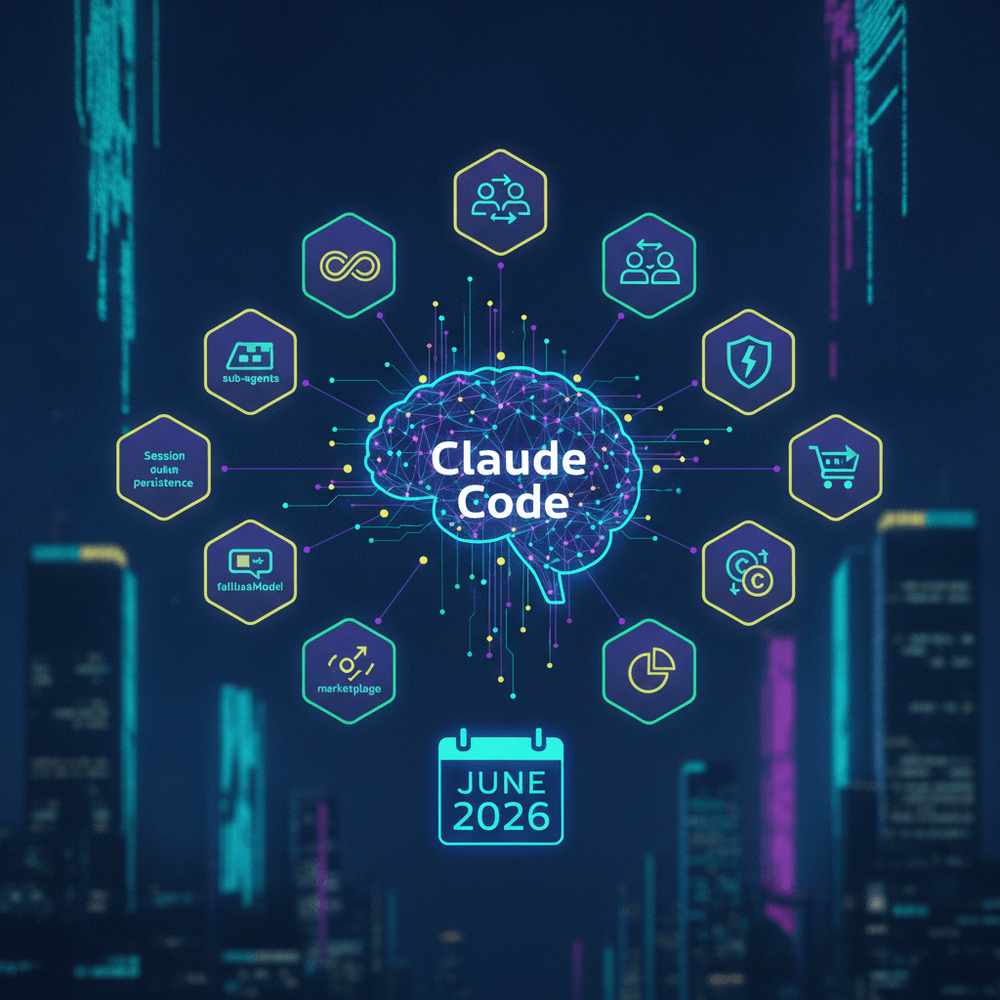
The June 11 session persistence fix for Claude Code has already been widely documented. What has received far less attention is the broader set of Claude Code June 2026 features shipped alongside it and in the weeks following. These capabilities extend Claude Code's single-agent coding assistant model with multi-agent orchestration primitives.
Table of Contents
- 1. Nested Sub-Agents with 3-Level Depth
- 2. fallbackModel Configuration
- 3. Community Tool Marketplace
- 4. Usage Attribution and Cost Tracking
- 5. Scoped Permissions for Sub-Agents
- 6. Streaming Agent Logs
- 7. Agent Checkpointing and Resume
- 8. Inline Cost Budgets per Agent
- 9. Custom Agent Templates
- 10. Multi-Repo Orchestration
- Putting It All Together: Full Configuration Reference
- Summary and What's Next
Prerequisites: The configurations in this article assume Claude Code CLI ≥ 2026.6 (the June 2026 release train). Run
claude --versionto confirm your installed version before using any of the commands or configuration schemas below. Features, flags, and YAML/JSON schemas are version-specific and may not work on earlier or later releases.
Nested sub-agents, fallback model chains, a community tool marketplace, per-agent cost attribution, and scoped permissions are now available, though many remain scattered across changelogs. This article covers all 10 features with configurations based on the June 2026 CLI release that developers can adapt. Verify compatibility with claude --version before use.
1. Nested Sub-Agents with 3-Level Depth
How Layered Task Decomposition Works
Claude Code now supports hierarchical agent spawning where a parent agent can create child agents, and each child can spawn its own children, up to three levels deep. This architecture enables layered task decomposition for operations spanning multiple modules or files. A top-level agent handling a large codebase migration, for instance, can delegate to module-level agents, which in turn delegate to function-level agents for targeted rewrites. You can assign each agent in the tree a distinct role, model, and constraint set, and each operates with its own context window.
Configuration and Implementation
Define the hierarchy in .claude/agents.yaml:
# .claude/agents.yaml
max_depth: 3
agents:
  - agent_role: migration_coordinator
    description: "Top-level agent for Python 2 to 3 migration"
    model: claude-sonnet-4
    delegate_to:
      - agent_role: module_migrator
        description: "Handles per-module migration tasks"
        model: claude-sonnet-4
        delegate_to:
          - agent_role: function_refactorer
            description: "Rewrites individual functions for Python 3 compatibility"
            model: claude-haiku
Invoke the top-level agent and observe the delegation chain in real time:
claude agent run migration_coordinator --verbose-agentsThe --verbose-agents flag outputs each time one agent delegates to another, including which child agent it spawned, what role it assigned, and the task fragment it received. This is essential for debugging hierarchies where failures at lower levels can be difficult to trace without structured visibility.
You can assign each agent in the tree a distinct role, model, and constraint set, and each operates with its own context window.
2. fallbackModel Configuration
Setting Up Model Fallback Chains
Rate limits, transient model outages, and cost management all create scenarios where a single model target is insufficient. The fallbackModel configuration addresses this by allowing an ordered list of models that Claude Code attempts sequentially. If the primary model returns a rate-limit error or is unavailable, Claude Code automatically tries the next model in the chain.
Practical Configuration
Save the following as .claude/settings.json:
{
  "model": "claude-sonnet-4",
  "fallbackModel": [
    {
      "model": "claude-haiku",
      "maxTokens": 4096,
      "costCeiling": 0.25
    },
    {
      "model": "local/codellama-34b",
      "maxTokens": 4096,
      "costCeiling": 0.00,
      "timeoutSeconds": 30
    }
  ]
}
The fallbackModel array should list only alternative models. Do not repeat the primary model as a fallback entry, since a model that has already failed due to a rate limit or outage will not succeed on immediate retry. Each entry supports per-model maxTokens and costCeiling parameters, giving you per-model limits on output size and spend as the system falls through the chain. The costCeiling parameter sets the maximum spend (as a numeric dollar amount) allowed on that model before advancing to the next fallback. The local model option with a zero cost ceiling serves as a last-resort fallback that guarantees availability.
Local model support: The
local/prefix requires a running local inference server (e.g., Ollama). Configure the endpoint in your Claude Code settings before usinglocal/-prefixed models. Without a running inference server, this fallback entry will fail.
3. Community Tool Marketplace
Browsing, Installing, and Publishing Tools
Skip this section if your organization restricts third-party tool installation. For everyone else: the marketplace is a registry of community-contributed Claude Code tools, including linters, formatters, custom slash commands, and specialized refactoring utilities. It operates through the CLI:
# Search for React-related tools
claude marketplace search "react"

# Install a community tool (replace with a real package name from search results)
# Review the tool's source and requested permissions before confirming installation.
claude marketplace install @community/react-refactor

# Publish your own tool
claude marketplace publish
⚠️ Security notice: Verify your authentication credentials before publishing (claude auth status). Community-published tools are not reviewed or guaranteed by Anthropic. Before installing community tools, review the tool's source and permissions. Exercise the same caution you would with any third-party package from a public registry.
The publish command walks through a guided flow that packages the tool definition, validates its manifest, and submits it to the registry. You can invoke installed tools as slash commands or agent-callable tools within the current project.
4. Usage Attribution and Cost Tracking
Per-Agent and Per-Task Cost Breakdown
The new --attribution flag generates a detailed .claude/attribution.json file after each session, breaking down token usage, cost, and model selection by sub-agent, task, and timestamp. For teams billing AI usage to specific projects or clients, this provides the granularity needed for accurate chargebacks.
Reading Attribution Reports
The following is an illustrative example. Actual cost values will vary based on current Anthropic pricing for each model tier:
{
  "schema_version": "1.0",
  "session_id": "ses_550e8400-e29b-41d4-a716-446655440000",
  "total_cost": 0.87,
  "total_tokens": 142350,
  "agents": [
    {
      "agent_role": "migration_coordinator",
      "model": "claude-sonnet-4",
      "tokens_in": 12000,
      "tokens_out": 4500,
      "cost": 0.12,
      "timestamp": "2026-06-18T14:22:01Z",
      "tasks": ["coordinate migration plan"]
    },
    {
      "agent_role": "module_migrator",
      "model": "claude-sonnet-4",
      "tokens_in": 85000,
      "tokens_out": 32000,
      "cost": 0.63,
      "timestamp": "2026-06-18T14:23:15Z",
      "tasks": ["migrate auth module", "migrate payments module"]
    },
    {
      "agent_role": "function_refactorer",
      "model": "claude-haiku",
      "tokens_in": 6500,
      "tokens_out": 2350,
      "cost": 0.12,
      "timestamp": "2026-06-18T14:25:44Z",
      "tasks": ["refactor parse_token()", "refactor validate_session()"]
    }
  ]
}
Prompt tokens (tokens_in) and completion tokens (tokens_out) are tracked separately, which matters because pricing differs between the two. Each tasks array ties costs to specific work units, so you can spot a subtask that consumed, say, over half the session's total cost and investigate why. Cost values are stored as numeric types (e.g., 0.87) for direct programmatic consumption without string parsing.
5. Scoped Permissions for Sub-Agents
Principle of Least Privilege in Agent Trees
You can now restrict child agents to specific directories, tools, and write capabilities. This prevents a function-level refactoring agent from accidentally modifying configuration files or invoking destructive tools outside its intended scope.
# Inside agents.yaml, under a sub-agent definition
- agent_role: function_refactorer
  model: claude-haiku
  permissions:
    allow_paths:
      - "${PROJECT_ROOT}/src/utils"
    deny_tools:
      - shell_execute
      - file_delete
    can_write: true
The allow_paths field restricts the agent's file system access. Use ${PROJECT_ROOT} to anchor paths to the project root (the directory containing .claude/), ensuring paths resolve to absolute canonical locations and cannot escape the intended scope via .. segments or symlinks. The deny_tools array explicitly blocks specific tools even if they are globally available. Tool names must match the identifiers listed in claude tools list. Setting can_write: false creates a read-only agent useful for analysis or review tasks.
⚠️ Caution: Sub-agents with can_write: true and broad allow_paths values can modify files across their entire permitted scope. Scope paths as narrowly as possible, especially in configurations where agents operate across multiple repositories.
6. Streaming Agent Logs
Beta feature. Behavior and schema may change in future releases. Not recommended for production pipelines without pinning your CLI version.
Pipe real-time, structured JSON logs from all active sub-agents into monitoring dashboards, CI/CD systems, or log aggregation platforms using the --stream-logs flag.
(Requires jq: brew install jq / apt install jq)
claude agent run migration_coordinator --stream-logs \
  | jq 'select((.agent_level | tonumber) <= 2 and .status == "error")'
Each log line is a JSON object containing fields for agent_role, agent_level, status, message, and timestamp. The jq filter above uses tonumber to safely coerce agent_level (which may be emitted as a string) before comparison, and narrows output to errors from the top two levels of the agent tree. This is useful for surfacing critical failures without drowning in verbose output from leaf agents.
7. Agent Checkpointing and Resume
Beta feature. Behavior and schema may change in future releases. Not recommended for production pipelines without pinning your CLI version.
Saving and Restoring Agent State Mid-Task
This feature is distinct from session persistence. Session persistence saves conversation history. Agent checkpointing additionally saves the entire agent tree state, including each sub-agent's progress, intermediate outputs, and pending task queue. This allows a multi-hour migration to be paused and resumed without restarting from scratch.
# Save current agent tree state
claude checkpoint save migration-v2
# Output: Checkpoint 'migration-v2' saved. 3 agents checkpointed, 2 tasks pending.

# Resume from checkpoint
claude checkpoint resume migration-v2
# Output: Resuming 'migration-v2'. Restoring 3 agents. Picking up 2 pending tasks.
The checkpoint includes the pending task queue, so resumed sessions continue exactly where they left off rather than re-evaluating completed work.
Important: If files modified by the agent tree have changed externally since the checkpoint was saved, review the differences before resuming to avoid conflicts with stale intermediate state. Checkpoint files may contain sensitive intermediate outputs (code fragments, token context). Add the checkpoint storage directory to .gitignore and restrict directory permissions (e.g., chmod 700) to avoid committing or exposing this data.
8. Inline Cost Budgets per Agent
Hard dollar or token caps can be set on individual sub-agents to prevent runaway costs. When a budget is exceeded, the agent halts and reports an error to its parent.
# agents.yaml sub-agent with budget constraint
- agent_role: function_refactorer
  model: claude-haiku
  budget:
    max_cost: 0.50
    max_tokens: 50000
When exceeded, the output reads: Error: Agent 'function_refactorer' exceeded budget. Used $0.51 of $0.50 limit. Escalating to parent agent. The parent agent can then decide whether to allocate additional budget, reassign the task, or abort. The max_cost value is a bare numeric dollar amount (not a string). Use 0.50 rather than "$0.50" to ensure the CLI correctly enforces the budget cap.
9. Custom Agent Templates
You can pre-define reusable agent configurations as templates, encapsulating role, model, permissions, and budget into a single file invocable by name. Templates are stored in a templates/ directory at the project root, and the templates_dir key in agents.yaml must point to this directory for --template to resolve correctly. Use ${PROJECT_ROOT}/templates to ensure correct resolution regardless of working directory.
# templates/code-reviewer.yaml
agent_role: code_reviewer
description: "Reviews code for style, bugs, and security issues"
model: claude-sonnet-4
permissions:
  can_write: false
  deny_tools:
    - shell_execute
budget:
  max_cost: 0.25
  max_tokens: 30000
Run from the project root where templates/ exists. The --template flag accepts the base filename without extension:
claude agent run --template code-reviewerThis resolves to ./templates/code-reviewer.yaml. Templates standardize agent behavior across teams and projects, preventing inconsistencies like mismatched budget caps or permission scopes when multiple developers define similar agents independently.
10. Multi-Repo Orchestration
Beta feature. Behavior and schema may change in future releases. Not recommended for production pipelines without pinning your CLI version.
Sub-agents can now operate across multiple local repositories within a single session. This enables cross-repo tasks like synchronized dependency updates, API contract validation, or coordinated version bumps.
# agents.yaml with multi-repo support
agents:
  - agent_role: dependency_updater
    model: claude-sonnet-4
    repos:
      - "${PROJECT_ROOT}/../frontend-app"
      - "${PROJECT_ROOT}/../backend-api"
      - "${PROJECT_ROOT}/../shared-libs"
    tasks:
      - "Update axios to 1.8.0 across all repos and fix breaking changes"
The repos array accepts ${PROJECT_ROOT}-relative paths to sibling directories. All listed repos must exist at the specified paths before invocation; missing paths will cause an error. Each sub-agent gains file system access scoped to the listed repositories, and the parent agent can coordinate changes that span repository boundaries.
⚠️ Caution: Multi-repo agents with write access can modify files across all listed repositories simultaneously. Test on copies or branches of your repositories before running destructive or large-scale operations.
Putting It All Together: Full Configuration Reference
A combined configuration using all 10 features:
Save the following as .claude/settings.json:
{
  "model": "claude-sonnet-4",
  "fallbackModel": [
    {
      "model": "claude-haiku",
      "maxTokens": 4096,
      "costCeiling": 0.25
    }
  ]
}
# .claude/agents.yaml
max_depth: 3
templates_dir: "${PROJECT_ROOT}/templates"
agents:
- agent_role: migration_coordinator
model: claude-sonnet-4
budget:
max_cost: 5.00
max_tokens: 500000
repos:
- "${PROJECT_ROOT}/../backend-api"
- "${PROJECT_ROOT}/../shared-libs"
delegate_to:
- agent_role: module_migrator
model: claude-sonnet-4
budget:
max_cost: 2.00
max_tokens: 200000
permissions:
allow_paths:
- "${PROJECT_ROOT}/src"
deny_tools:
- file_delete
can_write: true
delegate_to:
- agent_role: function_refactorer
model: claude-haiku
budget:
max_cost: 0.50
max_tokens: 50000
permissions:
allow_paths:
- "${PROJECT_ROOT}/src/utils"
deny_tools:
- shell_execute
- file_delete
can_write: trueSolo developers should start with fallback models and cost budgets, which provide immediate value without organizational overhead. Teams should prioritize usage attribution and scoped permissions first, then layer in templates and multi-repo orchestration as workflow complexity grows.
Summary and What's Next
The 10 Claude Code June 2026 features covered here:
- Nested sub-agents with up to 3-level depth for layered task decomposition
- fallbackModel configuration for resilient model chains
- Community tool marketplace for discovering and sharing tools
- Usage attribution with per-agent, per-task cost breakdowns
- Scoped permissions enforcing least privilege on sub-agents
- Streaming agent logs for real-time structured monitoring (beta)
- Agent checkpointing for saving and resuming agent tree state (beta)
- Inline cost budgets for per-agent spend caps
- Custom agent templates for reusable agent definitions
- Multi-repo orchestration for cross-repository tasks (beta)
Nested sub-agents, fallback models, and the marketplace are generally available as of the CLI 2026.6 release train. Agent checkpointing, streaming logs, and multi-repo orchestration remain in beta, and their schemas and behavior may change. Anthropic's changelog tracks the latest status of each feature. For coverage of the session persistence fix that preceded this batch, see SitePoint's prior article on that topic.