
The sprint was supposed to close last Friday. It didn't. Two developers are stuck on a feature that keeps breaking in QA, the backend's three days behind, and there's a client demo in four days.
AI doesn't fix bad management or vague requirements — nothing does that except better management and clearer requirements. But something has changed for teams that have actually built AI into how they work day to day, not as some future initiative, not as a pilot that got announced in an all-hands and quietly died after one sprint. The gap shows up in cycle time. It shows up in how long a review sits unanswered. It shows up in how many fires get caught before they hit production instead of after. And from what I've seen, that gap keeps growing rather than closing.
Why AI moved off the roadmap and into the IDE
Three years ago, "our team uses AI" usually meant one junior dev with a Copilot license, mostly using it to autocomplete variable names. That's not really what it means anymore.
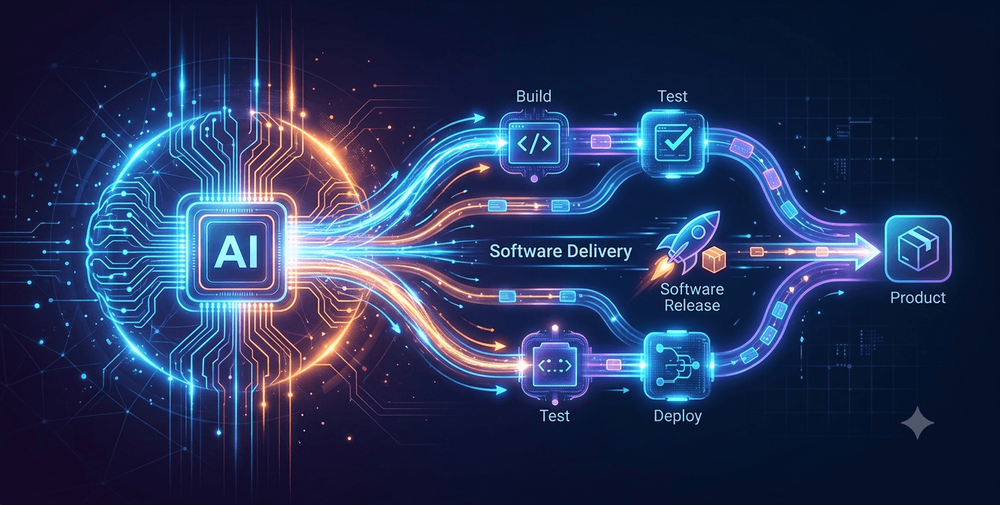
AI tooling now reaches across the whole development lifecycle. There are tools that flag ambiguity in a requirements doc before a story card even gets written. Tools that generate working code with some real understanding of the surrounding codebase, not just the current file. Tools that catch security issues during review, and others that try to predict which pipeline runs are likely to fail before they even kick off.
GitHub ran a controlled lab experiment in 2022 with 95 professional developers, split into a Copilot group and a control group, both building the same HTTP server in JavaScript. The Copilot group finished 55.8% faster on average — a number that gets cited constantly, so it's worth knowing where it came from. GitHub used that result heavily in its own marketing, and while a related academic paper analyzing the same experiment was published later, the original blog post itself was never peer-reviewed. Other studies don't all agree with it, either. A six-week trial at ANZ Bank found a 42.36% speed gain, with the biggest jump among less-experienced developers. A separate academic study by Vaithilingam and colleagues found no statistically significant difference in completion time at all. So here's the honest version: most controlled studies do show a real speed benefit, but how big that benefit is varies a lot depending on the task, the team, and how long that team has actually been using the tool. Treat any single percentage — including the ones above — as one data point, not a law of physics.
What's harder to argue with is the competitive piece. Teams that are still debating whether to adopt AI tooling are, in practice, working at a measurable disadvantage against teams that already have it wired into daily work.
Five ways AI is helping dev teams ship faster
1. Code generation that understands context
Tools like GitHub Copilot and Cursor have moved well past autocompleting syntax — they generate functional blocks that actually fit the surrounding code. A developer building a new API endpoint doesn't really start from a blank function anymore. They describe what they want, look over what comes back, refine it, move on. The bigger shift is from line-by-line autocomplete to something closer to agentic, codebase-aware generation, and that's probably the single biggest functional change in how these tools behave compared to three years ago. If you want the receipts rather than just my word for it, here's how today's leading AI coding assistants actually stack up when benchmarked against the same real-world task, and this breakdown of how AI coding assistants have evolved heading into 2026 covers similar ground from a different angle.
The real time savings here isn't really about typing speed. It's the reduced context-switching. Senior developers end up spending less time producing boilerplate and more time on the architecture decisions that actually need a human making the call.
Here's a fairly typical prompt-to-scaffold exchange:
// Prompt to the assistant:
// "POST endpoint that validates the request body against the User schema,
// saves it, and returns a paginated response."

router.post('/users', validate(UserSchema), async (req, res) => {
  const user = await User.create(req.body);
  const { page = 1, limit = 20 } = req.query;
  const users = await User.find().skip((page - 1) * limit).limit(limit);
  res.json({ data: users, page: Number(page), total: await User.countDocuments() });
});
That's a starting point, not a finished pull request. Error handling, auth middleware, and the edge cases around limit still need someone to actually look at them. But it's a working scaffold in seconds, instead of the fifteen minutes it usually takes to type out the same Express boilerplate you've written a hundred times before.
2. Automated testing that pulls QA out of the bottleneck
QA is almost always where timelines slip, and it's rarely because the QA engineers lack skill. It's that writing comprehensive tests for every feature change is slow, repetitive work, and that work compounds with every release.
AI-assisted testing tools — Testim, Mabl, Diffblue Cover, among others — generate unit tests and regression suites directly off code changes. As the model builds up more history with a given codebase, the suggested tests get more targeted and there's less manual cleanup needed afterward. Teams that stick with this consistently tend to report QA cycles measured in days instead of weeks. Worth flagging, though: that delta depends heavily on how much of the existing test suite was already automated before AI tooling showed up, and that's not something anyone can hand you a clean universal benchmark for. It varies too much team to team.
3. Requirement analysis before the first line is written
LLM-based tools can ingest a product requirements document and flag ambiguities, contradictions, and missing edge cases before a sprint even gets planned. Jira's AI features, Linear's AI assist, and various custom GPT-based workflows surface the "what happens when the user does X" questions that would otherwise show up as bug reports somewhere around week six.
Catching a requirement gap at week zero costs nothing. Catching the same gap during week-four QA costs a sprint.
4. AI-assisted code reviews that catch what humans miss
Human reviewers are good at catching logic errors and enforcing team standards. What they're not great at, reliably, is catching every SQL injection risk, every memory leak pattern, or the null reference that's eventually going to page someone at 3am.
Tools like CodeRabbit, SonarQube AI, and Amazon CodeGuru run security and performance checks on pull requests before a human ever opens the diff. That doesn't replace a reviewer's judgment on design and logic — it just clears the mechanical layer out of the way so their attention goes where it actually matters.
A minimal .coderabbit.yaml might look something like this:
reviews:
  profile: assertive
  auto_review:
    enabled: true
  path_filters:
    - "!**/*.test.ts"
    - "!**/node_modules/**"
  tools:
    eslint:
      enabled: true
On a real pull request, the kind of automated comment that lands before a human reviewer even opens the diff tends to read something like this:
⚠️ Potential issue: req.query.limit is used directly in a .limit() call without validation. A malicious or malformed value could bypass pagination limits or throw an unhandled exception. Consider parsing and clamping it: Math.min(parseInt(limit, 10) || 20, 100).
That's the mechanical catch — exactly the kind of thing a tired reviewer misses at the end of a long review queue. The actual human judgment call starts after that comment: deciding whether the broader pagination approach is even the right one for this endpoint.
5. CI/CD pipelines that get smarter over time
AI-augmented CI/CD tools like Harness and LinearB look at historical pipeline data to flag which changes are statistically likely to break a build, surface high-risk deployments before they hit production, and recommend rollback strategies when something does go sideways.
Instead of finding out about a broken release at 6pm on a Friday, teams get a risk signal before the merge even happens. That's the real payoff of putting AI in the pipeline itself rather than treating it as a side tool someone checks occasionally.
Where AI tooling can trip you up
Every one of these tools has failure modes worth knowing about before you're relying on it in production.
- AI-generated code hallucinates, and it does it confidently. A generated function can look completely correct and still be wrong in ways that only show up later. Senior review stays non-negotiable here. This is assistance, not autonomy, no matter how good the suggestion looks.
- Data exposure is a real risk, not a hypothetical one. A lot of AI coding tools send code snippets to third-party servers for processing. If you're building anything that touches regulated data — health records, payment information, anything under HIPAA, PCI-DSS, or similar — check exactly what each tool does with submitted code and where it gets processed before letting a team near that codebase with it. Vendor documentation and a signed DPA are what you actually want to verify against, not a marketing page. For teams where that risk is a dealbreaker outright, it's worth knowing fully local AI coding setups exist specifically so proprietary code never leaves the machine in the first place.
- Over-reliance erodes understanding over time. Teams that stop tracing through why their code works, because the AI wrote it and the tests passed, end up accumulating technical debt they eventually can't diagnose on their own. AI should speed up thinking, not replace it.
How to start without disrupting your workflow
You don't need to overhaul everything in week one. A focused, measurable rollout will beat a wide, vague one almost every time.
- Identify your biggest friction point. QA cycle time, review delays, requirement ambiguity — pick one. That's where AI tooling goes in first.
- Run a two-sprint pilot on a single team. Measure something specific before and after — PR review time, bug escape rate, story completion velocity — and actually make those numbers visible to the rest of the org.
- Document what worked and what didn't before expanding. AI tooling adopted without any kind of playbook just creates inconsistency across teams. A documented rollout becomes something the next team can reuse instead of a one-person experiment nobody else can repeat. It also helps to know what these tools actually cost at scale before committing real budget to a wider rollout.
Most teams chasing a delivery-speed problem don't actually have a talent problem — they have a process problem, and AI tooling applied at the right points addresses that directly. The teams shipping faster aren't always the ones with more engineers. They're usually the ones that stopped treating AI as a future initiative and started treating it as part of the current workflow.
Debugging gets faster too
Writing the code is only half the job. Figuring out why it broke usually takes longer than building the feature did in the first place — pulling logs, tracing requests across services, checking what shipped in the last deploy, cross-referencing dashboards that don't talk to each other. Anyone who's been paged at midnight for a production incident knows the feeling of five browser tabs open and still not knowing where to start.
AI-assisted observability tools now cluster related log events, correlate an incident with a recent deployment, and surface a likely root cause in minutes instead of hours. They don't replace a developer's judgment on the actual fix — they narrow the search radius, so less time goes into finding the problem and more goes into solving it. For teams shipping custom software under client deadlines, that translates pretty directly into fewer production fire drills and faster turnaround on the next release.
Documentation that keeps pace
Documentation is usually the first thing to slip when a team gets busy. API notes go stale. Architecture diagrams stop matching what's actually running in production. Onboarding a new developer takes longer than it should, because half of what they need to know lives in someone's head instead of in the docs.
AI tooling is starting to close that gap — generating API documentation straight from code, summarizing what changed in a given release, flagging when the docs have drifted from the codebase they're supposed to describe.
But honestly, the deeper issue most teams have isn't really a documentation problem. It's a scattered information problem. Developers dig through old Slack threads to find an answer. QA works off last quarter's spec because nobody updated it. DevOps guesses. Product fills in gaps from memory. Everyone's busy, but nobody's actually working from the same source of truth.
When documentation is centralized and genuinely kept current, that changes — not because it's a nice-to-have, but because shipping on time requires everyone on the team, regardless of role, to trust the information sitting in front of them. One source. No guessing.
Implementation checklist
- Identify the single biggest friction point in your current delivery cycle
- Pick one AI tool category to pilot against it — code gen, testing, review, CI/CD, or debugging
- Run a two-sprint pilot on one team with a defined before/after metric
- Verify each tool's data-handling policy before using it on any regulated codebase
- Keep senior review mandatory on all AI-generated code and tests
- Document the pilot results and rollout steps before expanding to other teams
- Revisit the rollout quarterly — expand to more teams, drop what isn't working, update the playbook as trust in the tooling grows
Closing thought
Adopting AI tools is the easy part, honestly. Integrating them into an engineering practice without quietly degrading code quality, security, or maintainability — that's where real experience actually matters. Not every part of a software project carries equal risk. Planning assumptions fall apart. Test coverage has blind spots. Deployments surface issues nobody saw coming. Knowing where AI tooling actually moves the needle, instead of where it just sounds good in a pitch deck, is what separates teams that deliver consistently from teams that scramble every single sprint just to catch up.