
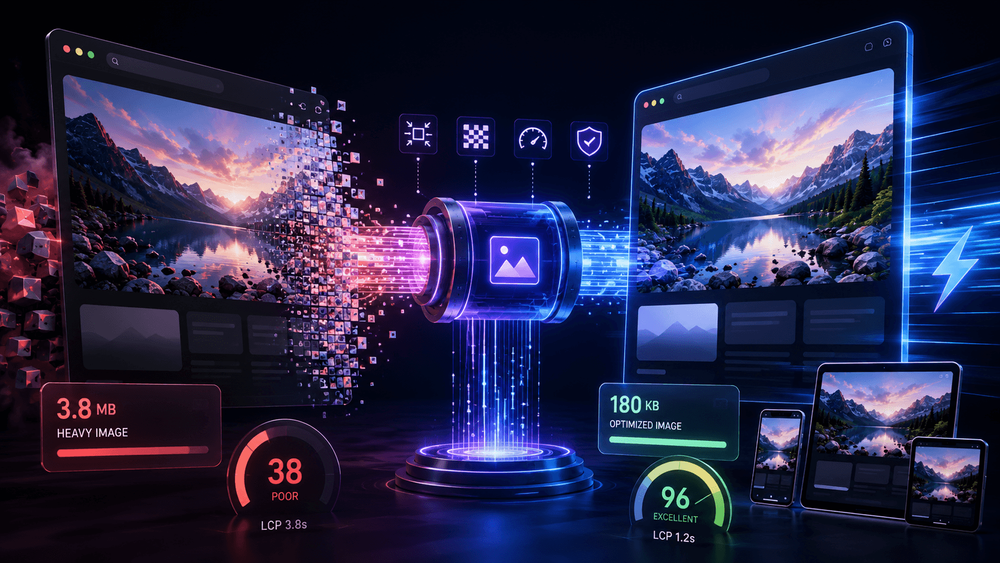
Images remain the heaviest thing on most pages — typically 40–60% of total page weight — and the single most common cause of a failed Largest Contentful Paint score. The good news is that image optimization in 2026 is mostly a solved problem. The bad news is that the solutions are scattered across format choices, HTML attributes, and build pipelines, and most sites implement maybe half of them.
This is a practical tour of the full set, ordered by impact.
1. Serve modern formats — but know the 2026 landscape
The format hierarchy today:
- AVIF is the default choice for photographic content. It routinely lands 30–50% smaller than equivalent-quality JPEG and enjoys full support across Chrome, Firefox, Safari, and Edge. Its weakness is encode speed — relevant for build pipelines processing thousands of images, irrelevant for serving.\
- WebP is the safe universal fallback: smaller than JPEG, faster to encode than AVIF, supported everywhere for years now.\
- JPEG XL remains the format with the best technical story and the worst adoption story. Keep an eye on it; don't build on it yet.\
- PNG should now be reserved for images that genuinely need lossless reproduction or alpha at lossless quality. For icons and line art, prefer SVG.
The <picture> element lets you serve the best supported format without JavaScript:
<picture>\\
<source srcset="hero.avif" type="image/avif">\\
<source srcset="hero.webp" type="image/webp">\\
<img src="hero.jpg" alt="Product hero" width="1200" height="630">\\
</picture>\\
If you control your CDN or image service, content negotiation via the Accept header achieves the same with cleaner markup.
2. Always declare dimensions
The simplest fix on this list, and the one that eliminates most image-driven Cumulative Layout Shift: give every image width and height attributes (or aspect-ratio in CSS). The browser reserves the space before the image arrives, and the page stops jumping.
3. Get the LCP image right
Your LCP element is usually a hero image, and three attributes decide how fast it paints:
<img src="hero.avif" \\="" fetchpriority="high" decoding="async" width="1600" height="900" alt="...">\\
fetchpriority="high"tells the browser this image matters more than the others it discovered at the same time. On real-world pages this alone commonly shaves hundreds of milliseconds off LCP.\- Never lazy-load the LCP image.
loading="lazy"on the hero is one of the most common self-inflicted performance wounds — it tells the browser to deprioritize the exact image your score depends on.\ - If the hero is set via CSS
background-image, consider<link rel="preload" as="image">— background images aren't discovered until the CSS is parsed.
4. Lazy-load everything below the fold
For every image that isn't near the initial viewport, loading="lazy" is free bandwidth savings. The pattern is simple: eager (default) above the fold, lazy below. Audit tip: if your template applies loading="lazy" globally, you've lazy-loaded your LCP image — see above.
5. Serve responsive sizes
Shipping a 2400px-wide image into a 360px-wide phone column wastes the user's data and your LCP budget. srcset and sizes remain the standard answer:
<img src="card-800.avif" \\="" srcset="card-400.avif 400w, card-800.avif 800w, card-1600.avif 1600w" sizes="(max-width: 600px) 100vw, 33vw" width="800" height="600" alt="...">\\
Generating the variants belongs in your build step or image CDN, not in manual exports.
6. Compress to a target, not a vibe
Most teams compress by feel: drag the quality slider until it "looks fine." Two more rigorous approaches are worth adopting:
Quality targets: for photographic AVIF/WebP, perceptual quality settings around the middle of the range are usually transparent to users. Encode once at a sane default (e.g., AVIF quality ~50), spot-check, and standardize — per-image fiddling doesn't scale.
Size budgets: sometimes the constraint is a hard number, not perception — a CMS upload cap, an email gateway, a marketplace listing requirement, or a performance budget that allocates, say, 200 KB to the hero. In those cases you want a tool that works backwards from the ceiling: compressing an image to a hard ceiling like 2 MB(or 200 KB, or 100 KB) by iteratively adjusting quality until the file fits, rather than guessing at slider values. Several tools do this; browser-based ones have the advantage that the original never leaves the device, which matters when the images are client assets or contain personal data.
Performance budgets only work when they're enforceable — "make it as small as looks okay" is not enforceable; "the hero ships under 200 KB" is.
7. Don't forget delivery
- Cache aggressively. Immutable, hashed filenames with
Cache-Control: public, max-age=31536000, immutablemake repeat views free.\ - CDN proximity still matters more than people expect for media-heavy pages serving global audiences.\
- Decode off the main thread with
decoding="async"for large below-fold images.
A reasonable 2026 checklist
- AVIF with WebP fallback for photos; SVG for line art\
width/heighton every<img>\fetchpriority="high"on the LCP image; never lazy-load it\loading="lazy"below the fold\srcset/sizeswith build-time variant generation\- Encode to standardized quality targets; enforce size budgets where hard limits exist\
- Immutable caching + CDN
None of these steps is novel in 2026 — which is exactly the point. The sites failing Core Web Vitals on images aren't missing exotic techniques; they're missing two or three items from a known list. Run the checklist against your largest template and the LCP improvement is usually visible in the next field-data cycle. </picture>