Although this isn’t strictly web development, I figure that many of us are likely to (if you haven’t already) encounter this issue at some time –particularly with Firefox– so it’s worth mentioning here.
This week I found the buzz of setting up my shiny, new, dual LCD PC was tempered by the tedious task of getting the all the software and settings I like set up just right again. Of course, this comes with the territory of setting up an out-of-the-box computer, but often things were much harder than they should rightly have been.
Thunderbird was a great case in point. While it operates beautifully, I was quite surprised at the level of hoop-jumping that was expected to do something as simple as move mail and settings from one install to another. I’m apparently not alone either as Matt (Magain) was saying he had to import his mail into Eudora and then export it to Thunderbird to get a satisfactory result.
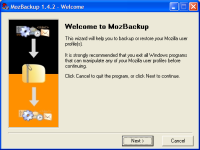 Anyway, rather than bleat about this, the good news is I did find a third party solution that not only reliably transfers Thunderbird’s mail, filter settings, accounts and extensions, but also backs-up your Firefox bookmarks, extensions (not 100% reliably), saved form details, saved passwords, cookies, certificates, downloaded files lists and history.
MozBackup is a client app from Pavel Cvrcek. After an hour of fruitless folder shuffling, I used Mozbackup to transfer over a gig of mail between clients in 4 or 5 clicks. It was simple, effective and best of all, free.
Pavel, I thank you.
Any chance of them building this into Tbird?
Anyway, rather than bleat about this, the good news is I did find a third party solution that not only reliably transfers Thunderbird’s mail, filter settings, accounts and extensions, but also backs-up your Firefox bookmarks, extensions (not 100% reliably), saved form details, saved passwords, cookies, certificates, downloaded files lists and history.
MozBackup is a client app from Pavel Cvrcek. After an hour of fruitless folder shuffling, I used Mozbackup to transfer over a gig of mail between clients in 4 or 5 clicks. It was simple, effective and best of all, free.
Pavel, I thank you.
Any chance of them building this into Tbird?
Frequently Asked Questions about MozBackup
What is MozBackup and why is it important?
MozBackup is a simple utility for creating backups of Mozilla Firefox, Thunderbird, SeaMonkey, and some other applications. It allows you to save your bookmarks, mail, contacts, history, extensions, cache, etc. This is important because it helps to safeguard your data and allows you to restore your settings and data in case of a system crash or if you’re moving to a new computer.
Is MozBackup compatible with all versions of Firefox and Thunderbird?
MozBackup is compatible with most versions of Firefox and Thunderbird. However, it’s always recommended to check the official MozBackup website for the latest compatibility information before using the tool.
How do I use MozBackup to backup my Firefox or Thunderbird profiles?
Using MozBackup is quite straightforward. After downloading and installing the tool, you simply select the application (Firefox or Thunderbird) and the profile you want to backup. Then, choose a location to save the backup file and click on ‘Backup’. The tool will then create a backup of your selected profile.
Can I use MozBackup to transfer my Firefox or Thunderbird profiles to a new computer?
Yes, MozBackup can be used to transfer your Firefox or Thunderbird profiles to a new computer. You simply need to create a backup of your profiles on your old computer, then restore them on your new computer using MozBackup.
Is MozBackup safe to use?
MozBackup is generally considered safe to use. However, as with any software, it’s recommended to download it from the official website to avoid any potential security risks.
Does MozBackup backup all my Firefox or Thunderbird data?
MozBackup backs up most of your Firefox or Thunderbird data, including bookmarks, mail, contacts, history, extensions, and cache. However, it may not backup some specific types of data, such as passwords in some cases.
Can I choose what data to backup with MozBackup?
Yes, MozBackup allows you to choose what data to include in the backup. During the backup process, you can select or deselect the data types you want to backup.
What should I do if MozBackup fails to create a backup?
If MozBackup fails to create a backup, you can try running the tool as an administrator or check if your antivirus software is blocking the tool. If the problem persists, it’s recommended to seek help from the MozBackup community or forums.
Can I use MozBackup to backup profiles from other Mozilla applications?
Yes, besides Firefox and Thunderbird, MozBackup also supports backup of profiles from SeaMonkey, Mozilla Suite, Spicebird, Songbird, Netscape, and other applications.
Is MozBackup still being updated and supported?
As of now, MozBackup is not being actively developed or updated. However, it’s still available for download and use, and many users find it useful for backing up and restoring their Mozilla application profiles.
 Alex Walker
Alex has been doing cruel and unusual things to CSS since 2001. He is the lead front-end design and dev for SitePoint and one-time SitePoint's Design and UX editor with over 150+ newsletter written. Co-author of The Principles of Beautiful Web Design. Now Alex is involved in the planning, development, production, and marketing of a huge range of printed and online products and references. He has designed over 60+ of SitePoint's book covers.