From the working version that you mentioned above, here’s the unwanted inline scripting that you refer to.
  <div class="video" onclick="thevid=document.getElementById('thevideo');
thevid.style.display='block'; this.style.display='none';
document.getElementById('iframe').src =
document.getElementById('iframe').src.replace('autoplay=0','autoplay=1');">
Use meaningful names
That class name of video is confusing. It’s not actually a video. Cover is a better name for that element, as it’s not an image but is instead is like a book cover over the actual book.
<!--<div class="video" ...>-->
<div class="cover">
    ...
</div>
The css is the only thing that needs to be updated so that it can style the cover section.
/* .wrapg .video { */
.wrapg .cover {
Use an event handler
With the javascript, we can keep things simple and have the scripting look for only the first element that matches the .wrapg selector, and attach a click handler to that.
var cover = document.querySelector(".wrapg .cover");
....
cover.addEventListener("click", coverClickHandler);
That coverClickHandler function contains the scripting code:
function coverClickHandler(evt) {
    thevid = document.getElementById('thevideo');
    thevid.style.display = 'block';
    this.style.display='none';
    document.getElementById('iframe').src =
document.getElementById('iframe').src.replace('autoplay=0','autoplay=1');
}
That works, but it’s not yet good. We can go through the code making improvements.
Replace global variables with local variables
Global variables are almost always a bad idea. It’s better if we define the variables instead.
    // thevid = document.getElementById('thevideo');
    const thevid = document.getElementById('thevideo');
The this keyword is better replaced with a more obvious reference to the cover.
    // this.style.display='none';
    cover.style.display='none';
Use styles to change things
It’s normally a bad idea to use javascript to reach in and mess around with the styles, when using a style class can achieve the same thing instead.
In this case, using a .hide style helps to avoid all of that messing around.
.hide {
  display: none;
}
We can now add that class to the thevideo element:
<!-- <div id="thevideo"> -->
<div id="thevideo" class="hide">
This lets us remove the following style declaration:
/* .wrapg #thevideo {
  display: none;
} */
Change class names, not styles
And we can now use scripting to add/remove class names, which is a lot more preferable than messing around with separate styles.
    // style.display = 'block';
    thevid.classList.remove("hide");
    // cover.style.display='none';
    cover.classList.add("hide");
We can make things even more expressive, by using some functions to help handle the details:
const show = (el) => el.classList.remove("hide");
const hide = (el) => el.classList.add("hide");
...
    // thevid.classList.remove("hide");
    show(thevid);
    // cover.classList.add("hide");
    hide(cover);
Prefer tags before classes, and classes before identifiers
Using identifiers is the most restrictive thing that you can do, so it’s almost always better to use class names or tags names instead.
The thevideo section doesn’t seem to be needed at all, and acts as another wrapper without achieving anything for that.
We can remove that thevideo element and just refer to the iframe instead.
<!--   <div id="thevideo" class="hide"> -->
<!--     <iframe id="iframe" class="playing" ...> -->
    <iframe class="hide playing"...>
    </iframe>
<!--   </div> -->
That iframe shouldn’t have playing in there right now, that should only be added by scripting when it’s actually playing. We’ll do that shortly.
The css only needs to refer to the iframe now.
/* .wrapg #thevideo, iframe { */
.wrapg iframe {
The scripting can now more easily access the video iframe.
    const cover = evt.currentTarget;
    // const thevid = document.getElementById('thevideo');
    const thevid = cover.parentNode.querySelector("iframe");
...
    // document.getElementById('iframe').src = document.getElementB...
    thevid.src = thevid.src.replace('autoplay=0','autoplay=1');
Is there more?
Here’s the updated coverClickHandler function:
function coverClickHandler(evt) {
    const cover = evt.currentTarget;
    const thevid = cover.parentNode.querySelector("iframe");
    hide(cover);
    show(thevid);
    thevid.src = thevid.src.replace('autoplay=0','autoplay=1');
}
There’s still some issues there. We’re doing work with the replace stuff, when from the handler we really should be instructing a function to do that instead, and instead of both show/hide, we can use a higher-level function called toggle.
Use toggle instead of show/hide?
We can add a simple function that toggles elements, and also supports multiple items.
const isHidden = (el) => el.classList.contains("hide");
const toggleEach = (el) => isHidden(el) ? show(el) : hide(el);
const toggle = (els) => els.map(toggleEach);
...
    // hide(cover);
    // show(thevid);
    toggle([cover, thevid]);
Is that better? I don’t think so. Using an array here seems to be messier than just having the two clear statements of intent. I prefer the hide/show code that we had before.
Use a separate play function
Wouldn’t it be great if the click handler function didn’t have the replace code in there, and instead was simpler, like this?
function coverClickHandler(evt) {
    const cover = evt.currentTarget;
    const thevid = cover.parentNode.querySelector("iframe");
    hide(cover);
    show(thevid);
    play(thevid);
}
We can do that by moving the play code to a separate function.
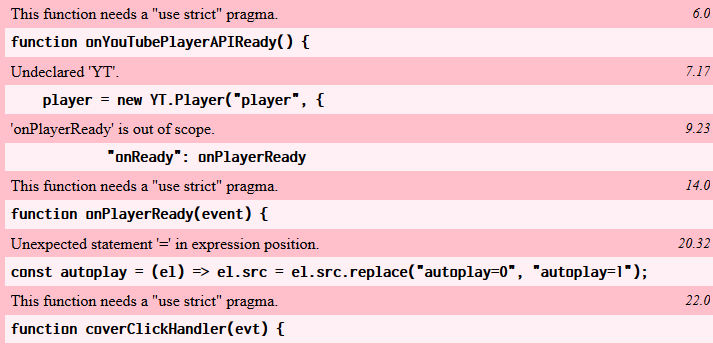
const play = (el) => el.src = el.src.replace('autoplay=0','autoplay=1');
...
The end
And the final javascript code that we end up with is:
const show = (el) => el.classList.remove("hide");
const hide = (el) => el.classList.add("hide");
const play = (el) => el.src = el.src.replace('autoplay=0','autoplay=1');

function coverClickHandler(evt) {
    const cover = evt.currentTarget;
    const thevid = cover.parentNode.querySelector("iframe");
    hide(cover);
    show(thevid);
    play(thevid);
}
const cover = document.querySelector(".wrapg .cover");
cover.addEventListener("click", coverClickHandler);
The reason why this JavaScript code is preferable, is that the click handler gives the big ideas. We hide, show, then play. It’s important for us as people reading the code, to get a big-picture understanding of what the code is doing. The details of how those things are achieved is best kept elsewhere instead.
I was going to keep fiddling with the play function, but there’s no benefit to be currently gained from doing that. Later on perhaps, but not at this stage.
There are other improvements that should be made to the HTML and CSS code, but what we have currently is about all that’s related to the JavaScript code itself.
The above improvements can be found at https://jsfiddle.net/8aebp5zt/7/