- The Core library in JavaScript is designed to make JavaScript easier to learn for beginners by smoothing out the rough spots that usually trip them up. It’s not meant to add functionality or optimize performance, but to simplify the learning process.
- To use the Core library, you need to download and place the core.js file on your site, then load it using a
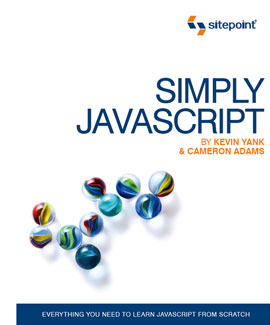 With the first print run of Simply JavaScript now all but sold out and the second printing currently underway, the time is right to do something I’ve been looking forward to since Cameron and I first dreamed up the book: release the Core library into open source.
Download: core.js (version 1.0, 2007-08-29)
As I explained previously in Simply JavaScript: How Simple is Too Simple? this book takes a unique approach by teaching unobtrusive scripting from the very first page. It achieves this by using its very own JavaScript library—the Core library—to hide some of the nitty gritty details of JavaScript event handling and other cumbersome tasks until the reader is up to speed. And now it’s my pleasure to make this library available to everyone—not just owners of the book.
With the first print run of Simply JavaScript now all but sold out and the second printing currently underway, the time is right to do something I’ve been looking forward to since Cameron and I first dreamed up the book: release the Core library into open source.
Download: core.js (version 1.0, 2007-08-29)
As I explained previously in Simply JavaScript: How Simple is Too Simple? this book takes a unique approach by teaching unobtrusive scripting from the very first page. It achieves this by using its very own JavaScript library—the Core library—to hide some of the nitty gritty details of JavaScript event handling and other cumbersome tasks until the reader is up to speed. And now it’s my pleasure to make this library available to everyone—not just owners of the book.
Another library?
Why do this, you ask? After all, there are plenty of other good JavaScript libraries out there, from the svelte (base2, jQuery) to the swollen (YUI, Dojo). Is there really a need for another? All those libraries do a wonderful job of making JavaScript a more powerful, more featureful language. They have been tuned and re-tuned for optimal performance and minimal overhead, and that’s why we give them so much coverage in our book. But that isn’t the purpose of the Core library. The Core library is designed, rather, to make JavaScript an easier language to learn, by smoothing out the rough spots that generally trip up beginners. By releasing the Core Library under the extremely permissive MIT License, we hope to contribute to helping beginners get started with JavaScript—whether they buy our book to do it or not.How do I use it?
The best user’s guide to the Core library is (of course) our book, Simply JavaScript. Not only is it jam-packed with examples that use the library, but it contains a detailed appendix that explains how the library works, line by line. That said, here’s a quick tour of the Core library and its use. To use the Core library, you must download and place the core.js file on your site, then load it using a<script> tag on any page before the JavaScript code that will use it:
<head>
  ...
  <script type="text/javascript" src="core.js"></script>
  <script type="text/javascript" src="yourscript.js"></script>
</head>var YourScript =
{
init: function()
{
// Your start-up code here
},
// Additional methods here
};
Core.start(YourScript);Core.start method on the last line will handle all the details of ensuring that your script’s init method is called as soon as the page that contains the script has finished loading.
The Core library has been tested with most popular current browsers, including:
- Firefox 2.0
- Internet Explorer 6.0 and 7.0
- Safari 2.0
- Opera 9.23
What else does it do?
Again, there is plenty of detail to be found in Appendix A of Simply JavaScript, but here’s a quick run-down of the facilities provided by the Core library: Event listenersCore.start(ScriptObject)- As shown above, calls
ScriptObject.initwhen the page has loaded. Core.addEventListener(target, type, listener)- Registers the function
listenerto be called when atype(e.g."click") event occurs ontargetor one of its descendants. Equivalent totarget.addEventListener(type, listener, false)in browsers that support DOM2 Events. Core.removeEventListener(target, type, listener)- Unregisters the function
listenerso that it will not be called when atype(e.g."click") event occurs ontargetor one of its descendants. Equivalent totarget.removeEventListener(type, listener, false)in browsers that support DOM2 Events. Core.preventDefault(event)- Cancels the default action associated with the given
eventobject. Core.stopPropagation(event)- Prevents ancestors of the current element from receiving notification of the given
event.
Core.addClass(target, className)- Adds the specified class to the existing classes (if any) applied to the
targetelement. Core.getElementsByClass(className)- Returns an array of all elements in the document that have the specified class applied to them.
Core.hasClass(target, className)- Returns
trueif the specified class has been applied to thetargetelement,falseif not. Core.removeClass(target, className)- Removes the specified class from the list of classes applied to the
targetelement.
Core.getComputedStyle(target, styleProperty)- Retrieves the effective value of the specified CSS property once all the various sources of CSS styles have been applied to the
targetelement.
Wait a minute … that sucks!
If you see something in the code of the Core library that isn’t quite up to scratch, or if you feel there is a vital feature missing from the library, I’ll happily consider any suggestions for improvement you may have. Either comment here, or drop me a line at kevin (at) sitepoint.com. Do remember, however, that the purpose of this library is simply to smooth out the rough bits of JavaScript that make it difficult for beginners to learn. I’m not interested in adding, for example, a CSS selector API to the Core library, as there are plenty of good libraries for adding functionality to JavaScript. Likewise, performance optimizations aren’t particularly interesting to me, unless they can be made without making the code more difficult to understand. After all, the final step in learning JavaScript with the assistance of the Core library is to be able to read the Core library and understand how all the code works!What can I do with this?
The MIT License lets you do just about anything you like with the library, including using it to publish a competing JavaScript book (good luck with that, by the way). All the library requires is that you give us credit by leaving the license notice contained in the library when you use it in your own projects. Far from wanting to keep this library to ourselves, we would be thrilled for it to become the de facto starting point for teaching JavaScript to beginners. If you do use the Core library in any way at all, consider leaving a comment to let us know!Frequently Asked Questions about Simply JavaScript: The Core Library
What is the core library in JavaScript and why is it important?
The core library in JavaScript is a set of built-in objects and functions that provide fundamental functionalities for JavaScript programming. It includes objects like Array, Date, Math, and functions like eval(), parseInt(), and decodeURI(). These core elements are essential for performing basic operations in JavaScript, such as manipulating arrays, performing mathematical calculations, and handling dates and times. Without the core library, developers would have to write these functionalities from scratch, which would be time-consuming and error-prone.
How does the core library in JavaScript compare to other libraries like core-js?
The core library in JavaScript is built into the language itself, while core-js is an external library that provides polyfills for ECMAScript features. This means that core-js can be used to add functionalities that are not available in older JavaScript environments. However, the core library is always available in any JavaScript environment, and it provides the fundamental functionalities needed for JavaScript programming.
What are some of the most commonly used elements in the JavaScript core library?
Some of the most commonly used elements in the JavaScript core library include the Array object, which is used for storing and manipulating arrays; the Date object, which is used for handling dates and times; the Math object, which provides mathematical constants and functions; and the String object, which is used for manipulating text.
How can I learn more about the JavaScript core library?
There are many resources available for learning about the JavaScript core library. You can start with the official JavaScript documentation, which provides detailed information about all the objects and functions in the core library. There are also many online tutorials and courses that cover the core library in depth.
Can I extend the JavaScript core library with my own objects and functions?
Yes, you can extend the JavaScript core library with your own objects and functions. This is often done to add custom functionalities that are not provided by the core library. However, you should be careful not to overwrite the built-in objects and functions, as this can cause unexpected behavior in your code.
What are the benefits of using the JavaScript core library over external libraries?
The main benefit of using the JavaScript core library over external libraries is that the core library is always available, regardless of the JavaScript environment. This means that you don’t have to worry about loading external libraries, which can improve the performance of your code. Additionally, the core library provides the fundamental functionalities needed for JavaScript programming, so you can write efficient and effective code with just the core library.
How does the JavaScript core library handle data types?
The JavaScript core library provides objects for handling different data types, such as Number for handling numeric values, String for handling text, and Array for handling arrays. These objects provide methods for manipulating the corresponding data types, such as converting numbers to strings, splitting strings into arrays, and sorting arrays.
Can I use the JavaScript core library in conjunction with other libraries?
Yes, you can use the JavaScript core library in conjunction with other libraries. In fact, many external libraries are built on top of the core library, extending its functionalities with additional features. However, you should be aware of potential conflicts between different libraries, and make sure to load the libraries in the correct order.
What are some common mistakes to avoid when using the JavaScript core library?
Some common mistakes to avoid when using the JavaScript core library include overwriting the built-in objects and functions, not properly handling different data types, and not taking advantage of the built-in methods for manipulating data. It’s also important to keep up to date with the latest changes to the core library, as new features are constantly being added and old features are sometimes deprecated.
How can I get the most out of the JavaScript core library?
To get the most out of the JavaScript core library, you should familiarize yourself with all the objects and functions it provides, and understand how to use them effectively. You should also learn about the latest features and best practices for JavaScript programming, and apply them in your code. Additionally, you should consider using a code editor or IDE that provides code completion and documentation for the core library, which can greatly speed up your coding process.
Key Takeaways
- The Core library in JavaScript is designed to make JavaScript easier to learn for beginners by smoothing out the rough spots that usually trip them up. It’s not meant to add functionality or optimize performance, but to simplify the learning process.
- To use the Core library, you need to download and place the core.js file on your site, then load it using a
With the first print run of Simply JavaScript now all but sold out and the second printing currently underway, the time is right to do something I’ve been looking forward to since Cameron and I first dreamed up the book: release the Core library into open source.
Download: core.js (version 1.0, 2007-08-29)
As I explained previously in Simply JavaScript: How Simple is Too Simple? this book takes a unique approach by teaching unobtrusive scripting from the very first page. It achieves this by using its very own JavaScript library—the Core library—to hide some of the nitty gritty details of JavaScript event handling and other cumbersome tasks until the reader is up to speed. And now it’s my pleasure to make this library available to everyone—not just owners of the book.
Another library?
Why do this, you ask? After all, there are plenty of other good JavaScript libraries out there, from the svelte (base2, jQuery) to the swollen (YUI, Dojo). Is there really a need for another? All those libraries do a wonderful job of making JavaScript a more powerful, more featureful language. They have been tuned and re-tuned for optimal performance and minimal overhead, and that’s why we give them so much coverage in our book. But that isn’t the purpose of the Core library. The Core library is designed, rather, to make JavaScript an easier language to learn, by smoothing out the rough spots that generally trip up beginners. By releasing the Core Library under the extremely permissive MIT License, we hope to contribute to helping beginners get started with JavaScript—whether they buy our book to do it or not.How do I use it?
The best user’s guide to the Core library is (of course) our book, Simply JavaScript. Not only is it jam-packed with examples that use the library, but it contains a detailed appendix that explains how the library works, line by line. That said, here’s a quick tour of the Core library and its use. To use the Core library, you must download and place the core.js file on your site, then load it using a<script> tag on any page before the JavaScript code that will use it:
<head>
  ...
  <script type="text/javascript" src="core.js"></script>
  <script type="text/javascript" src="yourscript.js"></script>
</head>var YourScript =
{
init: function()
{
// Your start-up code here
},
// Additional methods here
};
Core.start(YourScript);Core.start method on the last line will handle all the details of ensuring that your script’s init method is called as soon as the page that contains the script has finished loading.
The Core library has been tested with most popular current browsers, including:
- Firefox 2.0
- Internet Explorer 6.0 and 7.0
- Safari 2.0
- Opera 9.23
What else does it do?
Again, there is plenty of detail to be found in Appendix A of Simply JavaScript, but here’s a quick run-down of the facilities provided by the Core library: Event listenersCore.start(ScriptObject)- As shown above, calls
ScriptObject.initwhen the page has loaded. Core.addEventListener(target, type, listener)- Registers the function
listenerto be called when atype(e.g."click") event occurs ontargetor one of its descendants. Equivalent totarget.addEventListener(type, listener, false)in browsers that support DOM2 Events. Core.removeEventListener(target, type, listener)- Unregisters the function
listenerso that it will not be called when atype(e.g."click") event occurs ontargetor one of its descendants. Equivalent totarget.removeEventListener(type, listener, false)in browsers that support DOM2 Events. Core.preventDefault(event)- Cancels the default action associated with the given
eventobject. Core.stopPropagation(event)- Prevents ancestors of the current element from receiving notification of the given
event.
Core.addClass(target, className)- Adds the specified class to the existing classes (if any) applied to the
targetelement. Core.getElementsByClass(className)- Returns an array of all elements in the document that have the specified class applied to them.
Core.hasClass(target, className)- Returns
trueif the specified class has been applied to thetargetelement,falseif not. Core.removeClass(target, className)- Removes the specified class from the list of classes applied to the
targetelement.
Core.getComputedStyle(target, styleProperty)- Retrieves the effective value of the specified CSS property once all the various sources of CSS styles have been applied to the
targetelement.
Wait a minute … that sucks!
If you see something in the code of the Core library that isn’t quite up to scratch, or if you feel there is a vital feature missing from the library, I’ll happily consider any suggestions for improvement you may have. Either comment here, or drop me a line at kevin (at) sitepoint.com. Do remember, however, that the purpose of this library is simply to smooth out the rough bits of JavaScript that make it difficult for beginners to learn. I’m not interested in adding, for example, a CSS selector API to the Core library, as there are plenty of good libraries for adding functionality to JavaScript. Likewise, performance optimizations aren’t particularly interesting to me, unless they can be made without making the code more difficult to understand. After all, the final step in learning JavaScript with the assistance of the Core library is to be able to read the Core library and understand how all the code works!What can I do with this?
The MIT License lets you do just about anything you like with the library, including using it to publish a competing JavaScript book (good luck with that, by the way). All the library requires is that you give us credit by leaving the license notice contained in the library when you use it in your own projects. Far from wanting to keep this library to ourselves, we would be thrilled for it to become the de facto starting point for teaching JavaScript to beginners. If you do use the Core library in any way at all, consider leaving a comment to let us know!Frequently Asked Questions about Simply JavaScript: The Core Library
The core library in JavaScript is a set of built-in objects and functions that provide fundamental functionalities for JavaScript programming. It includes objects like Array, Date, Math, and functions like eval(), parseInt(), and decodeURI(). These core elements are essential for performing basic operations in JavaScript, such as manipulating arrays, performing mathematical calculations, and handling dates and times. Without the core library, developers would have to write these functionalities from scratch, which would be time-consuming and error-prone.
The core library in JavaScript is built into the language itself, while core-js is an external library that provides polyfills for ECMAScript features. This means that core-js can be used to add functionalities that are not available in older JavaScript environments. However, the core library is always available in any JavaScript environment, and it provides the fundamental functionalities needed for JavaScript programming.
Some of the most commonly used elements in the JavaScript core library include the Array object, which is used for storing and manipulating arrays; the Date object, which is used for handling dates and times; the Math object, which provides mathematical constants and functions; and the String object, which is used for manipulating text.
There are many resources available for learning about the JavaScript core library. You can start with the official JavaScript documentation, which provides detailed information about all the objects and functions in the core library. There are also many online tutorials and courses that cover the core library in depth.
Yes, you can extend the JavaScript core library with your own objects and functions. This is often done to add custom functionalities that are not provided by the core library. However, you should be careful not to overwrite the built-in objects and functions, as this can cause unexpected behavior in your code.
The main benefit of using the JavaScript core library over external libraries is that the core library is always available, regardless of the JavaScript environment. This means that you don’t have to worry about loading external libraries, which can improve the performance of your code. Additionally, the core library provides the fundamental functionalities needed for JavaScript programming, so you can write efficient and effective code with just the core library.
The JavaScript core library provides objects for handling different data types, such as Number for handling numeric values, String for handling text, and Array for handling arrays. These objects provide methods for manipulating the corresponding data types, such as converting numbers to strings, splitting strings into arrays, and sorting arrays.
Yes, you can use the JavaScript core library in conjunction with other libraries. In fact, many external libraries are built on top of the core library, extending its functionalities with additional features. However, you should be aware of potential conflicts between different libraries, and make sure to load the libraries in the correct order.
Some common mistakes to avoid when using the JavaScript core library include overwriting the built-in objects and functions, not properly handling different data types, and not taking advantage of the built-in methods for manipulating data. It’s also important to keep up to date with the latest changes to the core library, as new features are constantly being added and old features are sometimes deprecated.
To get the most out of the JavaScript core library, you should familiarize yourself with all the objects and functions it provides, and understand how to use them effectively. You should also learn about the latest features and best practices for JavaScript programming, and apply them in your code. Additionally, you should consider using a code editor or IDE that provides code completion and documentation for the core library, which can greatly speed up your coding process.