


Comparing two things for equality can often trip up the unwary JavaScript developer, as the language has several quirks we need to be aware of.
In this article, we’ll look at why that is, exploring both the double and triple equals operators, as well as the concept of truthy and falsy values in JavaScript. By the time you’ve finished reading, you’ll understand how JavaScript makes its comparisons, as well as how truthy and falsy values can help you write cleaner code.

Key Takeaways
- JavaScript variables are loosely typed, allowing for flexible value assignments. However, this can lead to unexpected results during comparisons, as JavaScript converts values to string representation before comparison with the loose equality operator (==). Strict equality (===) considers the type, providing more predictable results.
- Each value in JavaScript has an inherent Boolean value, known as either truthy or falsy. Falsy values include false, 0, -0, 0n, ”, null, undefined, and NaN. Everything else is truthy, including ‘0’, ‘false’, [], {}, and function(){}. Understanding these values is crucial for effective debugging.
- Unexpected results can occur when comparing truthy and falsy values using loose equality. For example, false, zero, and empty strings are all equivalent, but an empty array is truthy, yet comparing it with true is false and comparing it with false is true. Strict equality comparisons provide clearer results as they require the value types to match.
- To avoid errors when working with truthy and falsy values, avoid direct comparisons, use strict equality comparisons, and convert to real Boolean values when necessary. This can help ensure that a false is generated only by false, 0, “”, null, undefined, and NaN, preventing unexpected behavior.
Typing in JavaScript
JavaScript variables are loosely/dynamically typed and the language doesn’t care how a value is declared or changed:
let x;
x = 1;   // x is a number
x = '1'; // x is a string
x = [1]; // x is an array
Seemingly different values equate to true when compared with == (loose or abstract equality) because JavaScript (effectively) converts each to a string representation before comparison:
// all true
1 == '1';
1 == [1];
'1' == [1];
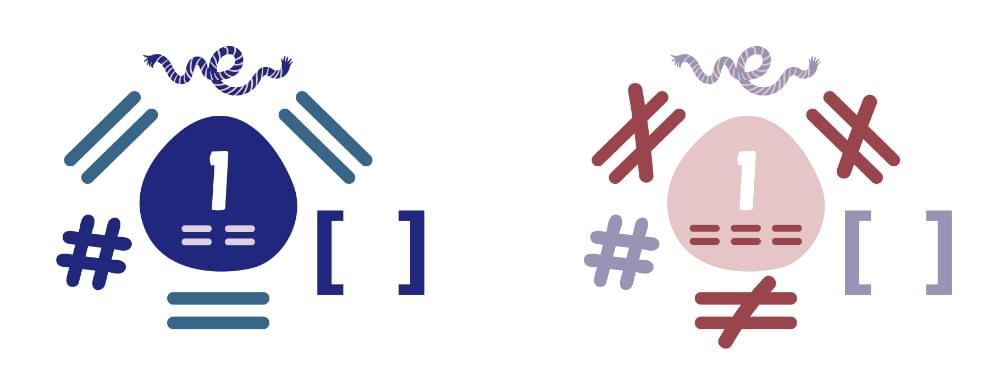
A more obvious false result occurs when comparing with === (strict equality) because the type is considered:
// all false
1 === '1';
1 === [1];
'1' === [1];
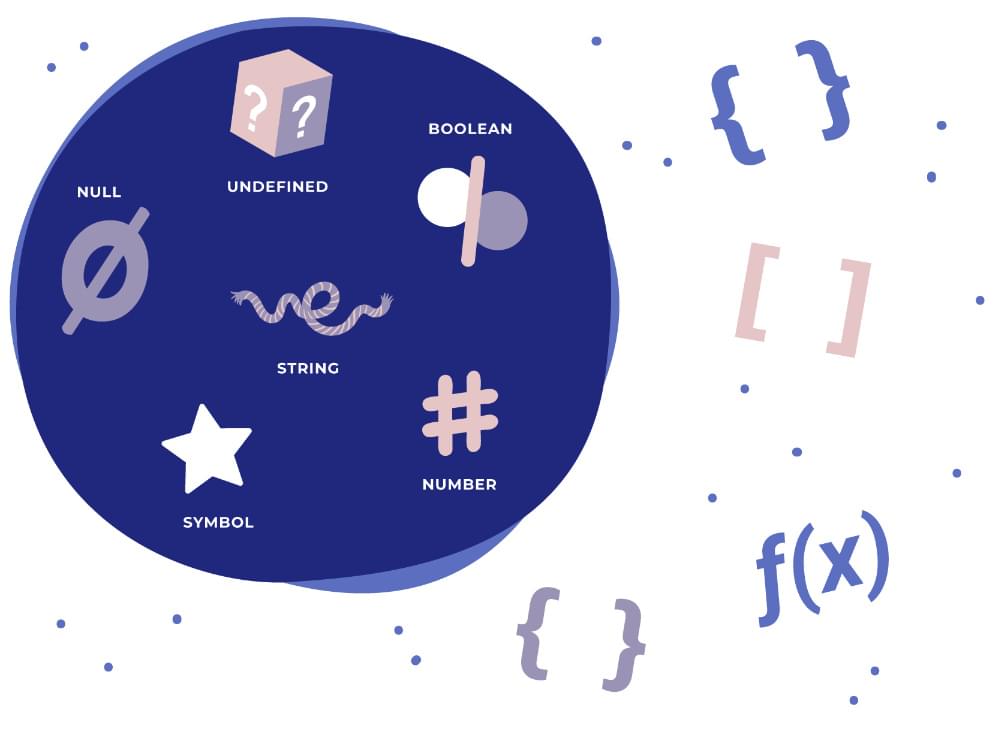
Internally, JavaScript sets a value to one of seven primitive data types:
- Undefined (a variable with no defined value)
- Null (a single null value)
- Boolean (a
trueorfalsevalue) - Number (this includes
InfinityandNaN— not a number!) - BigInt (an integer value larger than 2^53 – 1)
- String (textual data)
- Symbol (a unique and immutable primitive new to ES6/2015)
Everything else is an Object — including arrays.
Truthy vs Falsy Values in JavaScript
As well as a type, each value also has an inherent Boolean value, generally known as either truthy or falsy. Some of the rules that determine how non-Boolean values are translated into true or false values are a little bizarre. Understanding the concepts and their effect on comparison helps when debugging JavaScript applications.
The following values are always falsy:
false0(zero)-0(minus zero)0n(BigIntzero)'',"",``(empty string)nullundefinedNaN
Everything else is truthy. That includes:
'0'(a string containing a single zero)'false'(a string containing the text “false”)[](an empty array){}(an empty object)function(){}(an “empty” function)
A single value can therefore be used within conditions. For example:
if (value) {
  // value is truthy
}
else {
  // value is falsy
  // it could be false, 0, '', null, undefined or NaN
}
document.all
You might also see document.all listed as a falsy value. This returns an HTMLAllCollection which contains a list of all of a document’s elements. And while this is considered false in a Boolean context, it’s a deprecated feature and MDN advises against its use.

Loose Equality Comparisons with ==
Unexpected situations can occur when comparing truthy and falsy values using the == loose equality:
== |
true |
false |
0 |
'' |
null |
undefined |
NaN |
Infinity |
[] |
{} |
|---|---|---|---|---|---|---|---|---|---|---|
true |
true | false | false | false | false | false | false | false | false | false |
false |
false | true | true | true | false | false | false | false | true | false |
0 |
false | true | true | true | false | false | false | false | true | false |
'' |
false | true | true | true | false | false | false | false | true | false |
null |
false | false | false | false | true | true | false | false | false | false |
undefined |
false | false | false | false | true | true | false | false | false | false |
NaN |
false | false | false | false | false | false | false | false | false | false |
Infinity |
false | false | false | false | false | false | false | true | false | false |
[] |
false | true | true | true | false | false | false | false | false | false |
{} |
false | false | false | false | false | false | false | false | false | false |
The rules:
false, zero and empty strings are all equivalent.nullandundefinedare equivalent to themselves and each other but nothing else.NaNis not equivalent to anything — including anotherNaN!.Infinityis truthy — but cannot be compared totrueorfalse!.- An empty array is truthy — yet comparing with
trueisfalseand comparing withfalseistrue?!.
Note the difference in how empty values across various types can be evaluated. An empty string or undefined value are falsy, but an empty array or object are truthy.
Examples:
// all true
false == 0;
0 == '';
null == undefined;
[] == false;
!![0] == true;

// all false
false == null;
NaN == NaN;
Infinity == true;
[] == true;
[0] == true;
Strict Equality Comparisons with ===
The situation is clearer when using a strictly equal comparison because the value types must match:
=== |
true |
false |
0 |
'' |
null |
undefined |
NaN |
Infinity |
[] |
{} |
|---|---|---|---|---|---|---|---|---|---|---|
true |
true | false | false | false | false | false | false | false | false | false |
false |
false | true | false | false | false | false | false | false | false | false |
0 |
false | false | true | false | false | false | false | false | false | false |
'' |
false | false | false | true | false | false | false | false | false | false |
null |
false | false | false | false | true | false | false | false | false | false |
undefined |
false | false | false | false | false | true | false | false | false | false |
NaN |
false | false | false | false | false | false | false | false | false | false |
Infinity |
false | false | false | false | false | false | false | true | false | false |
[] |
false | false | false | false | false | false | false | false | false | false |
{} |
false | false | false | false | false | false | false | false | false | false |
The only exception is NaN, which remains stubbornly inequivalent to everything.
Recommendations for Working with Truthy or Falsy Values
Truthy and falsy values can catch out the most experienced developers. Those new to programming or migrating from other languages have no chance! Fortunately, there are three simple steps for catching the most difficult-to-spot errors when handling truthy and falsy variables. Let’s look at each in turn.
1. Avoid direct comparisons
It’s rarely necessary to compare two truthy and falsy values when a single value will always equate to true or false:
// instead of
if (x == false) // ...
// runs if x is false, 0, '', or []

// use
if (!x) // ...
// runs if x is false, 0, '', NaN, null or undefined
2. Use === strict equality
Use a === strict equality (or !== strict inequality) comparisons to compare values and avoid type conversion issues:
// instead of
if (x == y) // ...
// runs if x and y are both truthy or both falsy
// e.g. x = null and y = undefined

// use
if (x === y) // ...
// runs if x and y are identical...
// except when both are NaN
3. Convert to real Boolean values where necessary
You can convert any value to a real Boolean value in JavaScript using either the Boolean constructor, or a double-negative !!. This will allow you to be absolutely certain a false is generated only by false, 0, "", null, undefined and NaN:
// instead of
if (x === y) // ...
// runs if x and y are identical...
// except when both are NaN

// use
if (Boolean(x) === Boolean(y)) // ...
// or
if (!!x === !!y) // ...
// runs if x and y are identical...
// including when either or both are NaN
The Boolean constructor returns true when passed a truthy value and returns false when passed a falsy value. This could be useful when combined with an iteration method. For example:
const truthy_values = [
  false,
  0,
  ``,
  '',
  "",
  null,
  undefined,
  NaN,
  '0',
  'false',
  [],
  {},
  function() {}
].filter(Boolean);

// Filter out falsy values and log remaining truthy values
console.log(truthy_values);
Conclusion
Truthy and falsy values allow you to write terse JavaScript conditions and ternary operators. However, always consider the edge cases. A rogue empty array or NaN variable could lead to many hours of debugging grief!
Do you need help with anything we’ve covered here? Why not head over to our JavaScript forum and ask a question. We have a team of friendly experts ready to help out.
FAQs About Truthy and Falsy Values in JavaScript
What is the Concept of Truthy and Falsy in JavaScript?
In JavaScript, truthy and falsy are terms used to represent values that are considered true or false when evaluated in a Boolean context. Every value in JavaScript has an inherent Boolean value, generally known as either truthy or falsy. Truthy values are those that are considered true when encountered in a Boolean context. All values are truthy unless they are defined as falsy. Falsy values in JavaScript are false, 0, -0, 0n, “”, null, undefined, and NaN. Everything else is considered truthy.
How Does JavaScript Handle Truthy and Falsy Values?
JavaScript uses type coercion to convert truthy or falsy values when required. This means that JavaScript automatically converts values to either true or false when performing operations that require a Boolean. For example, in an if statement, JavaScript will convert the condition to a Boolean to decide which branch of the if statement to execute.
Can You Give Examples of Truthy and Falsy Values in JavaScript?
Sure, here are some examples of truthy and falsy values in JavaScript. Falsy values include: false, 0, -0, 0n (BigInt zero), “”, null, undefined, and NaN. Truthy values could be any other values that are not falsy, including “0” (a string containing a single zero), “false” (a string containing the text “false”), [] (an empty array), {} (an empty object), function(){} (an “empty” function).
How Can I Check if a Value is Truthy or Falsy in JavaScript?
You can check if a value is truthy or falsy by using it in a Boolean context, such as an if statement. For example, if (value) {…} will execute the code block if the value is truthy and will not execute if the value is falsy. You can also convert a value to a Boolean explicitly using the Boolean() function, like this: Boolean(value).
What is the Difference Between == and === in JavaScript?
The double equals operator (==) in JavaScript is a comparison operator that transforms the operands to the same type before making the comparison. On the other hand, the triple equals operator (===) is a strict comparison operator and does not perform type coercion. It returns true only if both the values and types are the same for the two operands.
How Does JavaScript Evaluate Expressions Involving Both Truthy and Falsy Values?
JavaScript uses the concepts of truthy and falsy when evaluating expressions. In a logical operation involving && (AND), if the first operand is falsy, JavaScript will short-circuit and return the first operand without evaluating the second operand. If the first operand is truthy, JavaScript will return the second operand. In a logical operation involving || (OR), if the first operand is truthy, JavaScript will short-circuit and return the first operand. If the first operand is falsy, JavaScript will return the second operand.
Can a Non-Boolean Value be Considered Falsy in JavaScript?
Yes, in JavaScript, several non-Boolean values are considered falsy. These include the number 0, an empty string “”, null, undefined, NaN, and -0. When these values are used in a context where a Boolean value is expected, they will be treated as false.
How Can I Convert a Value to a Boolean in JavaScript?
You can convert a value to a Boolean in JavaScript using the Boolean() function. This function will return true for truthy values and false for falsy values. For example, Boolean(1) will return true, and Boolean(0) will return false.
What Happens When a Falsy Value is Used in a Logical Operation in JavaScript?
In JavaScript, when a falsy value is used in a logical operation, it can affect the result of the operation. For example, in a logical AND operation, if either operand is falsy, the result will be falsy. In a logical OR operation, the result will be the value of the second operand if the first operand is falsy.
Are There Any Special Cases When Working with Truthy and Falsy Values in JavaScript?
Yes, there are some special cases when working with truthy and falsy values in JavaScript. For example, the number 0 is falsy, but the string “0” is truthy. This is because an empty string is falsy, but a non-empty string, even if it contains a character that represents a falsy value, is truthy. Similarly, an empty array [] and an empty object {} are both truthy, even though they are “empty” in a sense.