 One of the most important processes when designing for the web is testing. We’re all aware that one of the challenges of web design is ensuring the site looks good in multiple browsers. As the mobile web becomes more and more important, you’ll also want to know how your existing site or widget looks on a mobile device, but there are so many devices, how do we test them all?
As the number of people using mobile devices increases, so too does the pressure to ensure that our websites look good and are legible on a mobile device. The ideal, and unrealistic situation, would be to test on real handsets, but obviously this would be impossible for most designers. Fortunately, there are number of tools available online, allowing you to put your site through its mobile paces.
Device Anywhere is a commercial operation, allowing customers to sign up and test “Any Device. Any Network. Anywhere.” There are a range of subscription plans but you can sign up for a free trial.

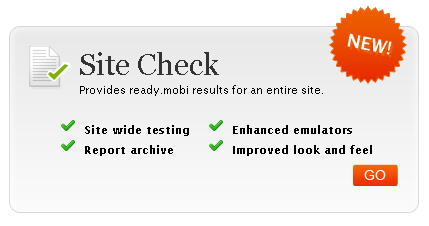
MobiReady is tests mobile-readiness using industry best practices and standards. After testing you receive a free report outlining how well your site performs.
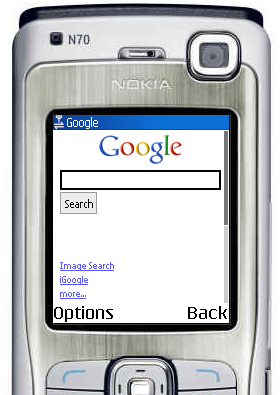
Opera Mini is a live demo of the Opera Mini browser that functions like it would when installed on a handset.
W3C Mobile OK Checker performs a range of tests on a Web Page to determine its level of mobile-friendliness. The short report produced will tell you where you’re going wrong.

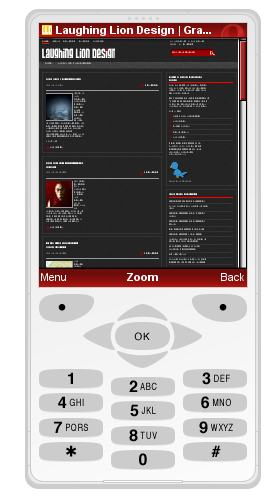
dotMobi Emulator emulates a real mobile phone Web browser. It’s a bit limited as you can only choose from two different phones you like as a skin.
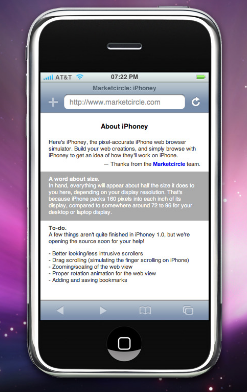
iPhoney, as you could imagine, is specific to iPhone testing. It’s a downloadable application that is precise to the pixel, so useful for the designer working on iPhone apps.
There are other simulators and emulators available, particularly if you’re willing to pay, but this set will give you a fairly easy method of testing designs for free. Have you used these or any other tools to check your designs?
Related Reading:
 Jennifer Farley
Jennifer Farley is a designer, illustrator and design instructor based in Ireland. She writes about design and illustration on her blog at Laughing Lion Design.