
Keep up to date on current trends and technologies
Blog

WebMCP Explained: How Developers Can Prepare Websites for AI Agents
Tech Team

6 Proven Strategies for Managing Large Teams of Freelancers
Yassir Sahnoun

Agentic AI in 2026: What Every Developer Needs to Know About Autonomous Agents
SitePoint Team

Cursor vs Claude Code vs Windsurf: The Best AI Coding Tools in 2026 Compared
SitePoint Team
6 Online Document and Text Editors Reviewed
Jacco Blankenspoor

Open-Source vs Commercial LLMs: The Complete Guide (2026)
SitePoint Team

Self-Hosted LLM Costs: Complete 2026 Pricing Guide
SitePoint Team

Local LLMs vs Cloud APIs: 2026 Total Cost of Ownership Analysis
SitePoint Team

Optimizing Token Usage: Context Compression Techniques
SitePoint Team

Prompt Compression and Cache Tuning: Cut Your LLM API Costs by 60%
SitePoint Team

LLM Gateways in 2026: What They Actually Save (and How to Measure It Yourself)
SitePoint Team

Optimizing Qwen 3.6 for Local Development: A Developer's Guide
SitePoint Team

GPT-5.6 Luna vs Terra vs Sol: Developer Model Guide (2026)
SitePoint Team

Top 10 2D JavaScript Game Engines for Beginners
Terra Codes

5 Obsolete Technologies Your Office Still Runs On in 2026 (And What to Use Instead)
SitePoint Sponsors

Form Handling for Jamstack Sites Using Cloudflare Workers
Michael Wanyoike

How to Sell Your YouTube Channel: A Guide to Valuation and Finding Buyers
SitePoint Team

FLUX 3 Multimodal AI: How Black Forest Labs’ Model Beats Seedance 2.0 and Grok
SitePoint Team

The KV Cache Survival Guide: Why Your GPU Runs Out of Memory with Local LLMs
SitePoint Team

Android Dev Verification: Is Google's New Rule a Security Win or Dev Burden?
SitePoint Team

Q4 vs Q6 vs Q8: The Quantization Decision Framework for Local LLMs
SitePoint Team

Claude's Steganographic Request Marking: What Developers Need to Know
SitePoint Team

Custom ERP vs Off-the-Shelf ERP: A Technical and Infrastructure Deep Dive
SitePoint Sponsors

Building Trust Signals into AI Writing Features
Saifullah Adenwalla

AI-Assisted Technical Writing Needs Better Review, Not Better Guessing
Saifullah Adenwalla

How to Build a Human Review Queue for AI-Generated Content
Saifullah Adenwalla
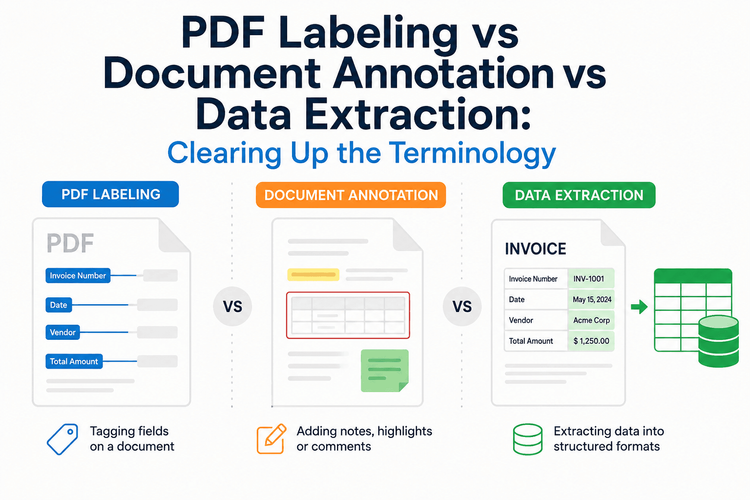
PDF Labeling vs Document Annotation vs Data Extraction: Clearing Up the Terminology
Bilal Ahmad

How to Optimize Website Content for Featured Snippets
Dipen Visavadiya
Designing Reliable Document Generation Workflows in Modern Webs Applications
Saifullah Adenwalla

Beyond AI Auto-Fix: Hypothesis-Driven Debugging for Production Failures
SitePoint Team

Opus 5 Tops New AI Leaderboard: What Developers Need to Know
SitePoint Team
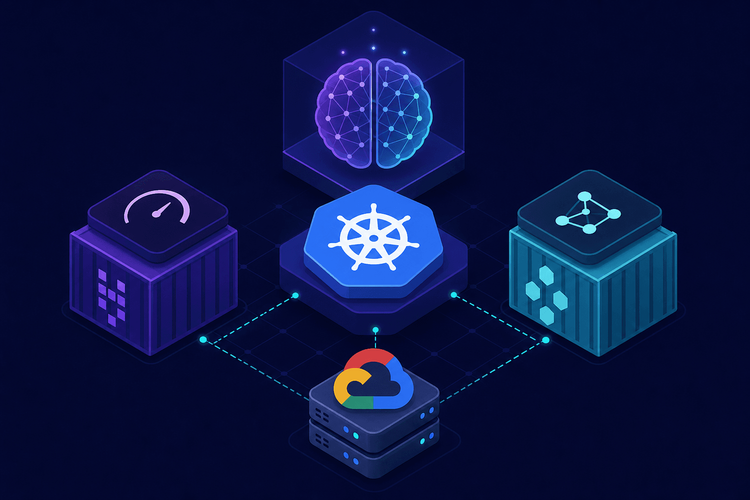
Open-weight AI on Kubernetes: A Developer’s Guide to vLLM vs. KubeAI
SitePoint Team
Showing 32 of 8507